
Kwisu - Minecraft Skins & Skin History
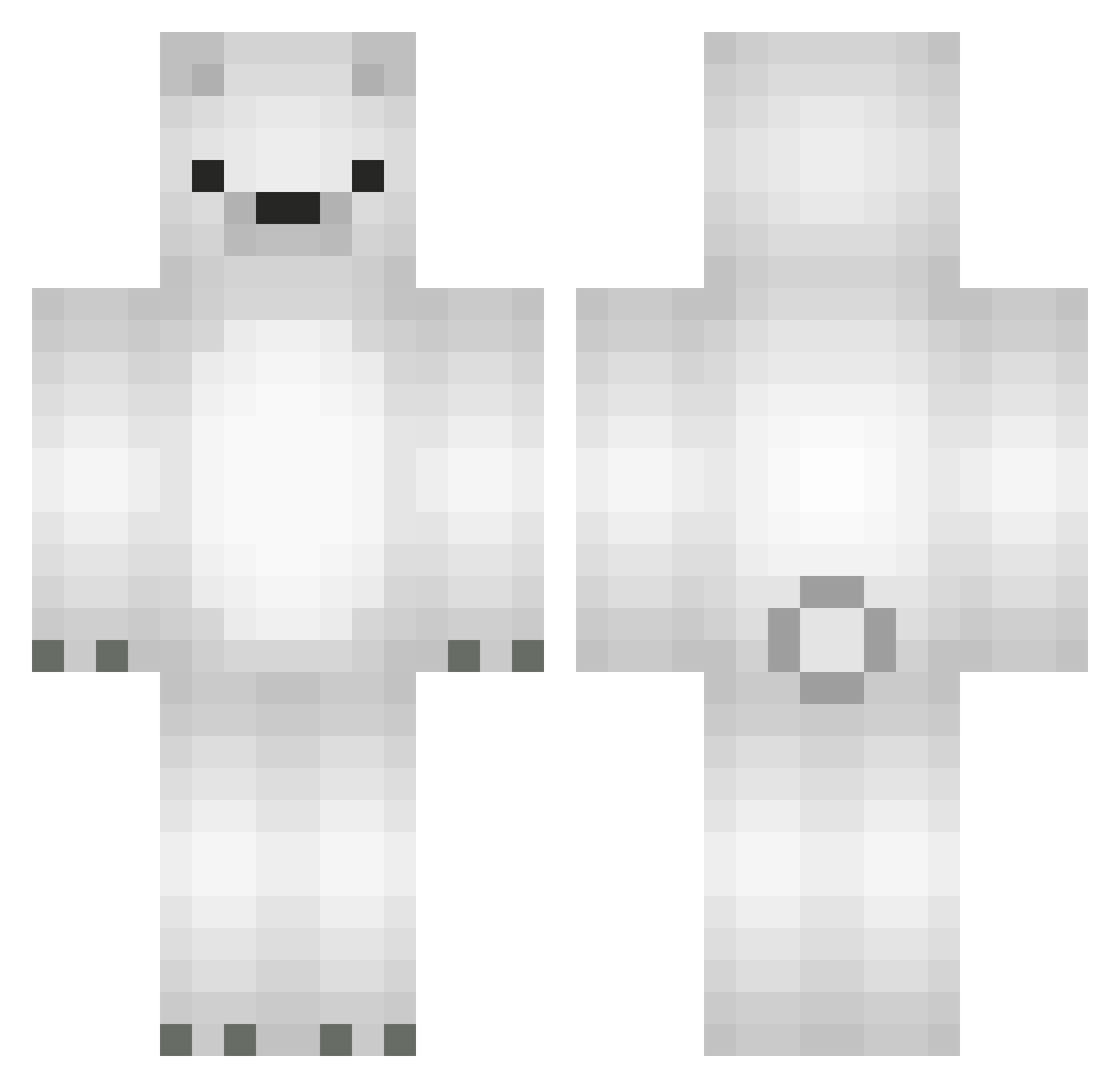
Current Minecraft skin of the player Kwisu, loaded from the official Mojang API. Rotate the 3D model with your mouse or finger, then download the skin as a PNG file and use it in Minecraft: Bedrock Edition or Java Edition for free. When Kwisu changes their skin, this page updates automatically and the old skin stays in the history below.
Other players with this skin (564)
Kwisu was the 86th player we have seen with this skin, first spotted on 13.08.2026. The same skin was seen on these players. Open a nickname to see their current skin and skin history.
 Kimdae_ Homeorhesis eliflsl ryozo64 joejoemcgo Swagmaster_1738 ch5nel _cotton__ kryptoxxz PyroRicky FareDrengen BriansXd TroniscupIsFurry BoeitDeNaam BrightPolarBear snnowiii yjh0702 Bear_Ham RAINA_PLUS graficiarz8 men9s kya0312 Rattpi wah0o0 LunLai Theadybear Karolamix FrostAlt2 Denis_Warwick 4ng3ll_lov3rr imug76 PolaroBearo PackoPolarB3ar NWEGhost Ryo_PolarBear yuuuza milkcms 6f7 Lemniscate107 Thommo06 n0strils Dolphin_1001 9Bilin nemuiiii Ufosniper qms_msmc_iso Maxjohnlin pO000 20051218 Cigarcat032 Lycheetea00 Icebears pak8398 _alstjd Artic_Volgar kooooouuuu Jjeren GiunoX06 ZattenUA BestSaeran
More Polar Bear Minecraft skins
How to install the Kwisu skin
- Press the Download button above to save the skin as a PNG file.
- Minecraft: Bedrock Edition (PE): open the Dressing Room from the main menu (or tap your character → Edit Character), go to Classic Skins → Owned, press the + (new skin) button, choose the downloaded PNG and pick the Classic (Steve) model. Works on PC and mobile; consoles cannot import custom skins.
- Minecraft: Java Edition: open the Minecraft Launcher, go to the Skins tab, click New Skin, load the PNG, pick the Classic (Steve) model and press Save & Use. You can also upload it at minecraft.net → Profile → Change Skin.
The skin does not show up after import - what should I do?
Restart Minecraft and open the Dressing Room again - imported skins sometimes appear only after a restart. Also make sure you selected the imported skin and picked the Classic (Steve) model.
Which model should I choose, Classic or Slim?
This skin is designed for the Classic (Steve) model. If you pick the wrong model, the arms of the skin will look stretched or squeezed.
Is the skin of Kwisu free to download?
Yes. Press Download, save the PNG file and use it in Minecraft: Bedrock Edition or Java Edition - no payment or registration needed. The skin also works on multiplayer servers and Realms.
More skins
Looking for more? Go back to all Minecraft skins and check the top skins of the week, month and all time, or find any player's skin by nickname.