
Kukititi - Minecraft Skins & Skin History
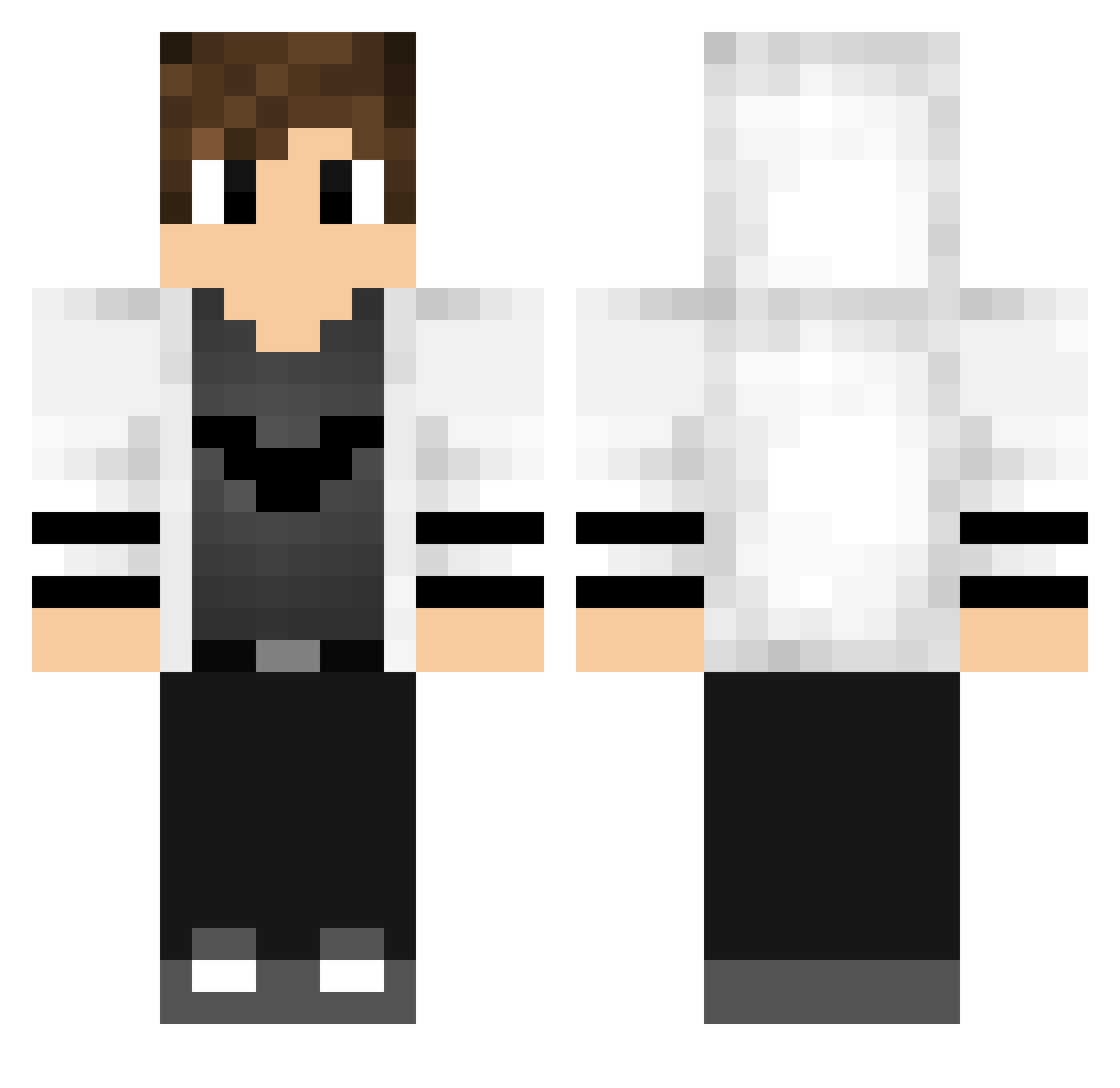
Current Minecraft skin of the player Kukititi, loaded from the official Mojang API. Rotate the 3D model with your mouse or finger, then download the skin as a PNG file and use it in Minecraft: Bedrock Edition or Java Edition for free. When Kukititi changes their skin, this page updates automatically and the old skin stays in the history below.
Other players with this skin (769)
Kukititi was the 323rd player we have seen with this skin, first spotted on 16.09.2026. The same skin was seen on these players. Open a nickname to see their current skin and skin history.
 xTyosx YLZeros hidayetaz cfzwy ThDioniz techSAB FireVyrn BatuhanOzkan Kapeseikai huangssg Fran_fr HelloImByron InSaFe Artisticgnome sweetminecraft8 marcosbp kokkan_8 SeWat03 WASPEi2 Gustavo_13 SimoVise10 NoterI2013 Expens1vee Jasoon777 NicolasCopello Pakeim vitin_22 pizzaneo FryPie PepGaming93 TunderFirea Darcrai08 laughingfox22 GuyThePrince nyyck107 SaftigSaft big_Steve85 AlexGRonYT LiamAsta239 daidai6661 Benicuss23 ZnAllen Praise_Thee_Lord noah2906 Jason_Dragons SplentyG ClawZ7 Boss1234bg Supermeatboy1234 Fofurinhas2 guilherme_luiz ccyao tunux W1NTER_BIRD SquidDaddyy PontifexMaximusI Garibaldi12313 Nicco_B_29 shuumai0891 Highboss
More Bat Symbol Minecraft skins
How to install the Kukititi skin
- Press the Download button above to save the skin as a PNG file.
- Minecraft: Bedrock Edition (PE): open the Dressing Room from the main menu (or tap your character → Edit Character), go to Classic Skins → Owned, press the + (new skin) button, choose the downloaded PNG and pick the Classic (Steve) model. Works on PC and mobile; consoles cannot import custom skins.
- Minecraft: Java Edition: open the Minecraft Launcher, go to the Skins tab, click New Skin, load the PNG, pick the Classic (Steve) model and press Save & Use. You can also upload it at minecraft.net → Profile → Change Skin.
The skin does not show up after import - what should I do?
Restart Minecraft and open the Dressing Room again - imported skins sometimes appear only after a restart. Also make sure you selected the imported skin and picked the Classic (Steve) model.
Which model should I choose, Classic or Slim?
This skin is designed for the Classic (Steve) model. If you pick the wrong model, the arms of the skin will look stretched or squeezed.
Is the skin of Kukititi free to download?
Yes. Press Download, save the PNG file and use it in Minecraft: Bedrock Edition or Java Edition - no payment or registration needed. The skin also works on multiplayer servers and Realms.
More skins
Looking for more? Go back to all Minecraft skins and check the top skins of the week, month and all time, or find any player's skin by nickname.