
Kubsonik13 - Minecraft Skins & Skin History
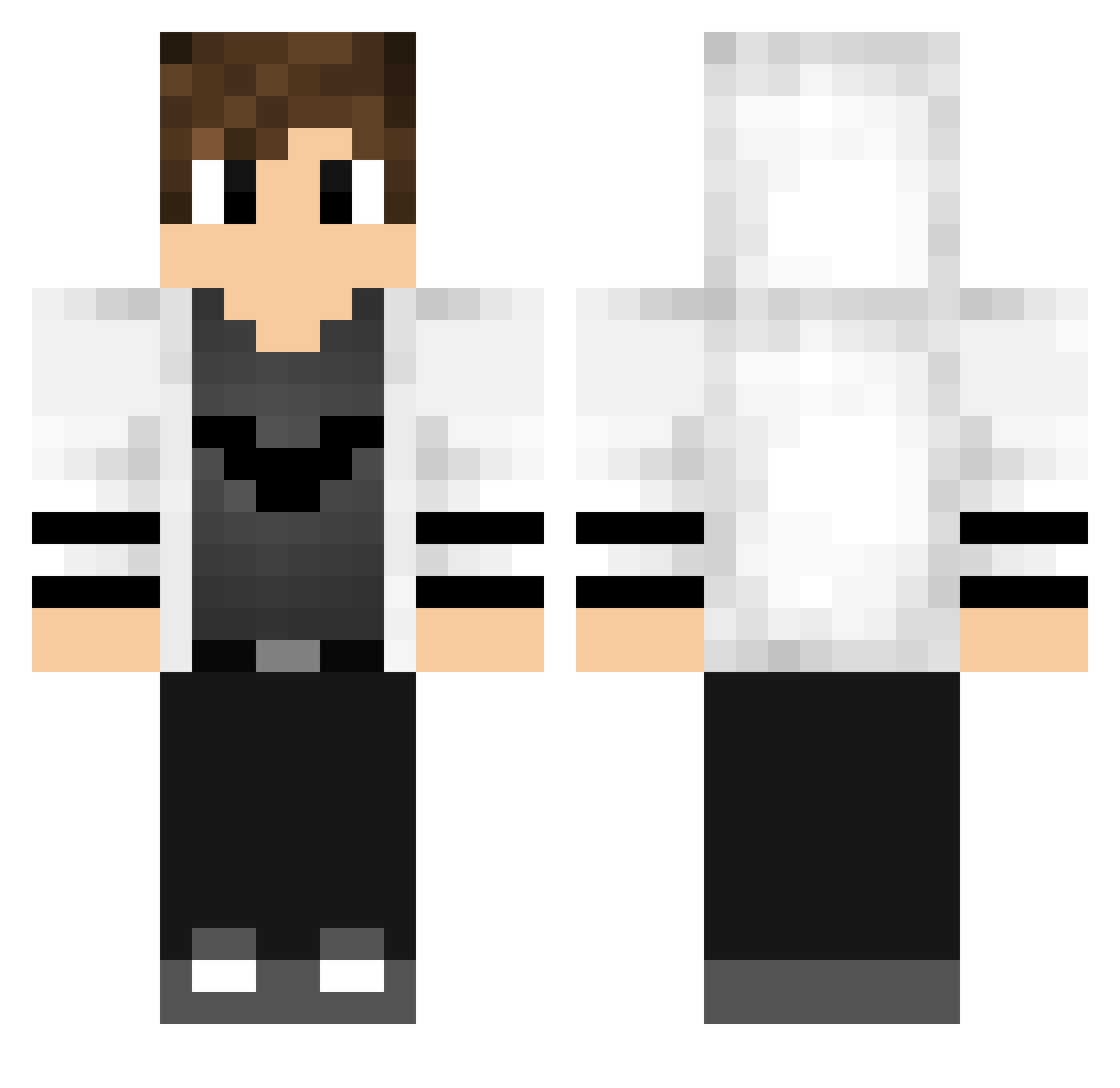
Current Minecraft skin of the player Kubsonik13, loaded from the official Mojang API. Rotate the 3D model with your mouse or finger, then download the skin as a PNG file and use it in Minecraft: Bedrock Edition or Java Edition for free. When Kubsonik13 changes their skin, this page updates automatically and the old skin stays in the history below.
Other players with this skin (769)
Kubsonik13 was the 457th player we have seen with this skin, first spotted on 03.10.2026. The same skin was seen on these players. Open a nickname to see their current skin and skin history.
 jarquavioustoe Anton7179 iikarim_rawy Feel_MA Udoallstars x5thgamer12 M3hm3tEmin RaneshProduction RandomRex3_YT Abdtosun_23 hanminS12 Alen022 StrawBoiTurtle mateusgamerrh FLSWfrank Cr1tch Necroniscute Monk1116 Sharppi dr_zero_1234 clover_428 TOX1C_Slug 0mar124 yAngyAaaa HDieTox XProShadow StormX1X DnBLover ProAkdeniz xSHARKv wildmarkus Kurone1103 Flame_san71 The_FedeeX Roro_12 INKspire _JakeBandana Mon_Light kkkkkkony Ceeemmm Pedrolsantos1 Jam0766 J0seph125 GreenBean_13230 kisagi00 StarBook9508617 maxlee1 Takrono Vtxx_ partez Gautch69 Tosum32 variesss BlizzardLuke2018 AaronMan911 JKungp OstAndr14 Sapelinijr HelloDamy barbar555
More Bat Symbol Minecraft skins
How to install the Kubsonik13 skin
- Press the Download button above to save the skin as a PNG file.
- Minecraft: Bedrock Edition (PE): open the Dressing Room from the main menu (or tap your character → Edit Character), go to Classic Skins → Owned, press the + (new skin) button, choose the downloaded PNG and pick the Classic (Steve) model. Works on PC and mobile; consoles cannot import custom skins.
- Minecraft: Java Edition: open the Minecraft Launcher, go to the Skins tab, click New Skin, load the PNG, pick the Classic (Steve) model and press Save & Use. You can also upload it at minecraft.net → Profile → Change Skin.
The skin does not show up after import - what should I do?
Restart Minecraft and open the Dressing Room again - imported skins sometimes appear only after a restart. Also make sure you selected the imported skin and picked the Classic (Steve) model.
Which model should I choose, Classic or Slim?
This skin is designed for the Classic (Steve) model. If you pick the wrong model, the arms of the skin will look stretched or squeezed.
Is the skin of Kubsonik13 free to download?
Yes. Press Download, save the PNG file and use it in Minecraft: Bedrock Edition or Java Edition - no payment or registration needed. The skin also works on multiplayer servers and Realms.
More skins
Looking for more? Go back to all Minecraft skins and check the top skins of the week, month and all time, or find any player's skin by nickname.