
Ksks04 - Minecraft Skins & Skin History
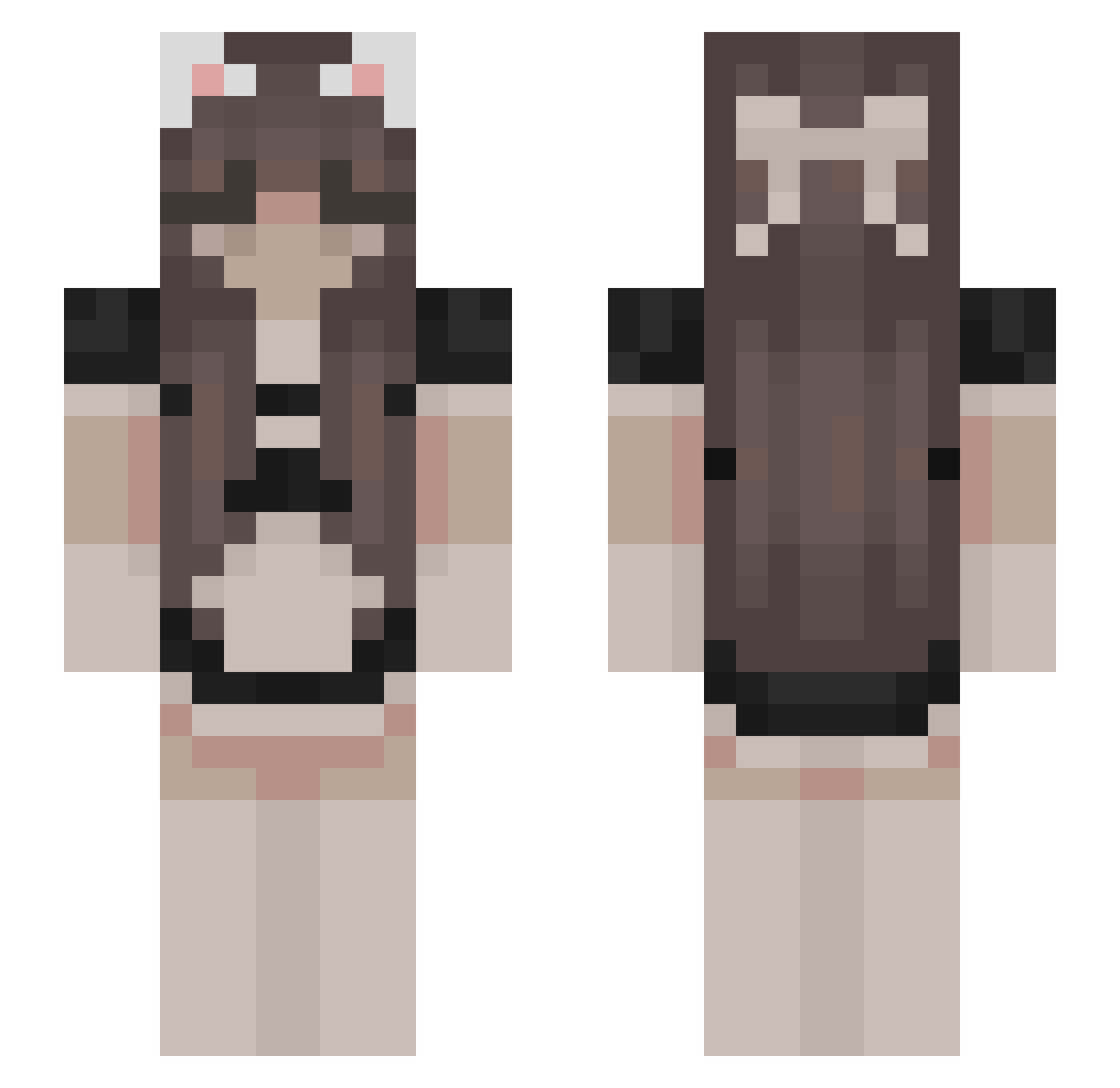
Current Minecraft skin of the player Ksks04, loaded from the official Mojang API. Rotate the 3D model with your mouse or finger, then download the skin as a PNG file and use it in Minecraft: Bedrock Edition or Java Edition for free. When Ksks04 changes their skin, this page updates automatically and the old skin stays in the history below.
Other players with this skin (523)
Ksks04 was the 70th player we have seen with this skin, first spotted on 09.08.2026. The same skin was seen on these players. Open a nickname to see their current skin and skin history.
 Devon_j Feuerfuchs61020 Minakooo liviaaaaaa Waldschratx3 Lunithax18 Shaayaa Sakura_Cutie MyyShorty xLonelyStar_ sadie1218 kaizyo_ catovo1225 PKath77 m0mmym1lkers3 lexidad BanBQ Hikigaya1234 ZhangYanLOVE Kosmira lovdri b1gjoker xvichox909 jordaddyy w1tch2021 oryz Alluzja GirlNamedAzi paraparadic IImadmadiII Bobbyisbackk Ryzhiqq theycallmeShy soonmen KaddeTheRat elsiekay42 fruuvy Ashleycat63 yolocookie10 TomatoFloper6942 FallingMicrowave OlciaUvU OlcikMinecraft RoastingPepper _Error____ taeeun333 kiantoucherfrfr chinesisches xmiyuox Amia666 BunnyUwU_ Jvlciag Pousse2soja __IKEA Mayaoshe Kyuming2 jls2025 iamindomitable Karlee104 ilyeleanor
More Bow Minecraft skins
How to install the Ksks04 skin
- Press the Download button above to save the skin as a PNG file.
- Minecraft: Bedrock Edition (PE): open the Dressing Room from the main menu (or tap your character → Edit Character), go to Classic Skins → Owned, press the + (new skin) button, choose the downloaded PNG and pick the Slim (Alex) model. Works on PC and mobile; consoles cannot import custom skins.
- Minecraft: Java Edition: open the Minecraft Launcher, go to the Skins tab, click New Skin, load the PNG, pick the Slim (Alex) model and press Save & Use. You can also upload it at minecraft.net → Profile → Change Skin.
The skin does not show up after import - what should I do?
Restart Minecraft and open the Dressing Room again - imported skins sometimes appear only after a restart. Also make sure you selected the imported skin and picked the Slim (Alex) model.
Which model should I choose, Classic or Slim?
This skin is designed for the Slim (Alex) model. If you pick the wrong model, the arms of the skin will look stretched or squeezed.
Is the skin of Ksks04 free to download?
Yes. Press Download, save the PNG file and use it in Minecraft: Bedrock Edition or Java Edition - no payment or registration needed. The skin also works on multiplayer servers and Realms.
More skins
Looking for more? Go back to all Minecraft skins and check the top skins of the week, month and all time, or find any player's skin by nickname.