
Kryos08 - Minecraft Skins & Skin History
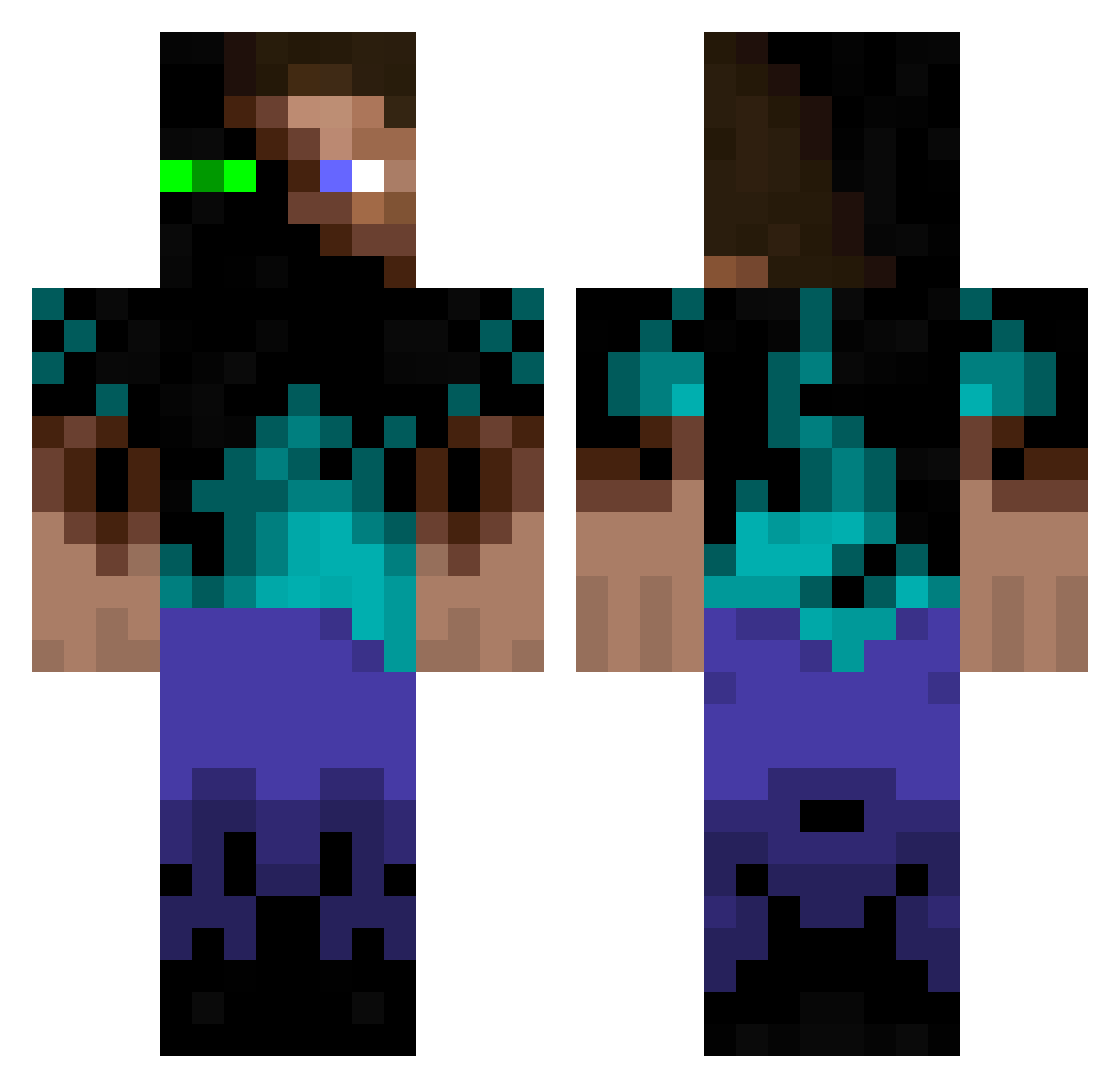
Current Minecraft skin of the player Kryos08, loaded from the official Mojang API. Rotate the 3D model with your mouse or finger, then download the skin as a PNG file and use it in Minecraft: Bedrock Edition or Java Edition for free. When Kryos08 changes their skin, this page updates automatically and the old skin stays in the history below.
Other players with this skin (354)
Kryos08 was the 324th player we have seen with this skin, first spotted on 30.10.2026. The same skin was seen on these players. Open a nickname to see their current skin and skin history.
 FullmetalMunchkn 656665 pemaswag Quadssivi xROBSNx s4Gan mr_sir007 Small_Nipz ExoShox94 Yassel202 M1chau Diegolski jevvvk Ronian BOORZ _whoam1_ 1295052 Token_chong purpled0 genjidoragon Nivergas23 Esteinercito Azimits gabehuffman N_Tony95 helum101 Giioh Radlod FedeFiume Evie_47 BigMac027 KImnovagg BryanCTG 1243908721494871 Kauebh77 pr0ffeser_pie Aovin celtic_hammer LogMan616 Verdehere SwiftWings007 Adax13 HulkSmasher1 Scoonus digitalmus Gharett21 janiakkoks LordMiika KadenTheDude15 AusartheVile17 Blackwyn Liipszz BananasJay MooSiaH2K Vicking__ Thebonum119 piro_kar yoshisuke0804 Sifo_Days Ruze12
More Glowing Eyes Minecraft skins
See all 2873 Glowing Eyes skins
How to install the Kryos08 skin
- Press the Download button above to save the skin as a PNG file.
- Minecraft: Bedrock Edition (PE): open the Dressing Room from the main menu (or tap your character → Edit Character), go to Classic Skins → Owned, press the + (new skin) button, choose the downloaded PNG and pick the Classic (Steve) model. Works on PC and mobile; consoles cannot import custom skins.
- Minecraft: Java Edition: open the Minecraft Launcher, go to the Skins tab, click New Skin, load the PNG, pick the Classic (Steve) model and press Save & Use. You can also upload it at minecraft.net → Profile → Change Skin.
The skin does not show up after import - what should I do?
Restart Minecraft and open the Dressing Room again - imported skins sometimes appear only after a restart. Also make sure you selected the imported skin and picked the Classic (Steve) model.
Which model should I choose, Classic or Slim?
This skin is designed for the Classic (Steve) model. If you pick the wrong model, the arms of the skin will look stretched or squeezed.
Is the skin of Kryos08 free to download?
Yes. Press Download, save the PNG file and use it in Minecraft: Bedrock Edition or Java Edition - no payment or registration needed. The skin also works on multiplayer servers and Realms.
More skins
Looking for more? Go back to all Minecraft skins and check the top skins of the week, month and all time, or find any player's skin by nickname.