
KnightKoala - Minecraft Skins & Skin History
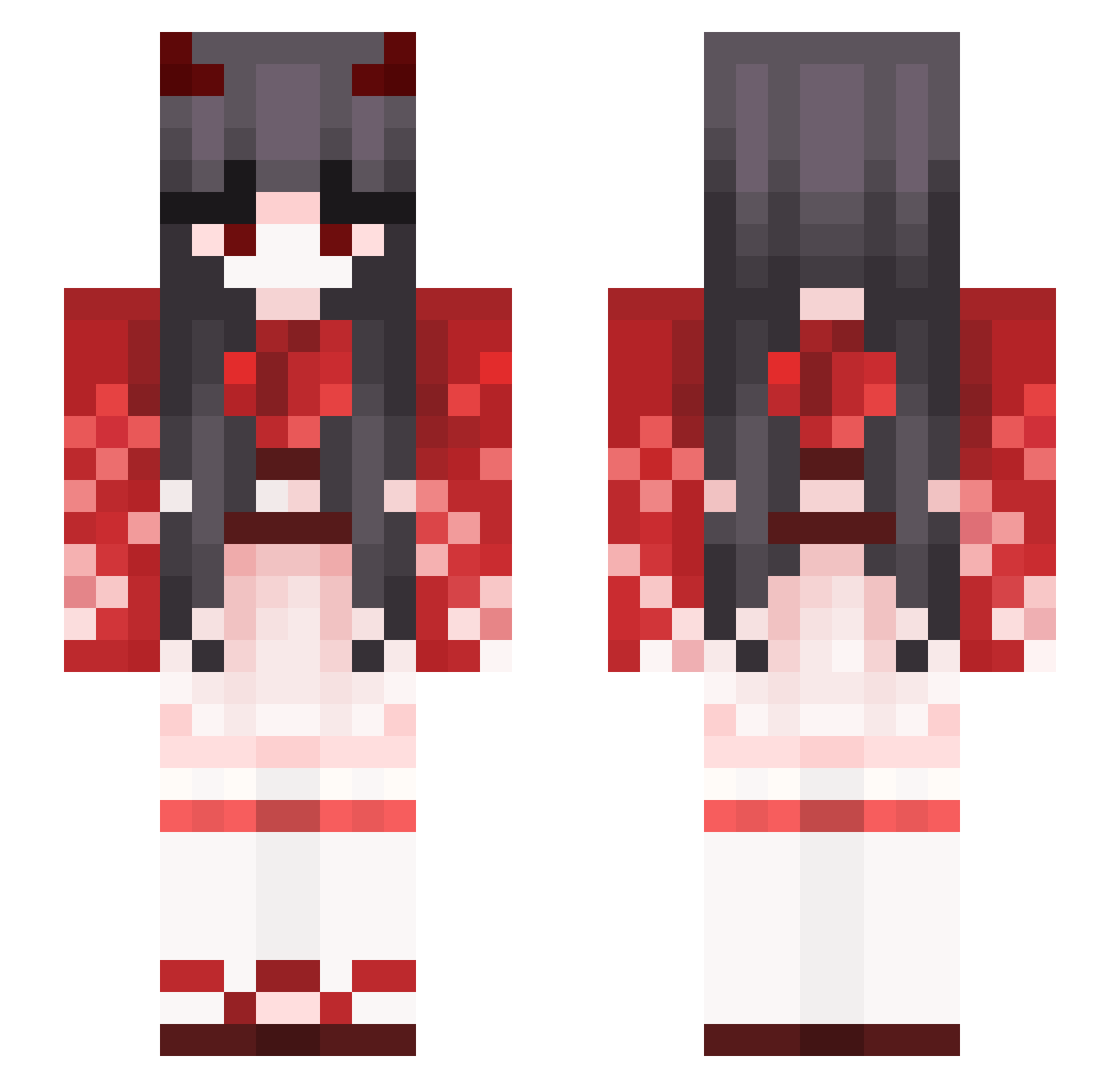
Current Minecraft skin of the player KnightKoala, loaded from the official Mojang API. Rotate the 3D model with your mouse or finger, then download the skin as a PNG file and use it in Minecraft: Bedrock Edition or Java Edition for free. When KnightKoala changes their skin, this page updates automatically and the old skin stays in the history below.
Other players with this skin (391)
KnightKoala was the 306th player we have seen with this skin, first spotted on 21.10.2026. The same skin was seen on these players. Open a nickname to see their current skin and skin history.
 BURAK_KAAN ryuki624 Miriil _Tsundere_0 LeslieeSwan Akita_Kia Sraoh Niku667 Velnarrr bZop Jeyniii ellomeondumb _Residualhave_ AmberAstral loipoam Gumi_Fox kikkatsubasa Bum_ComeingDown ChammK AmamiItigo Eternity51 emujoy7676 0N001 nonochan__ Cognon RoryRyder Rexundazo SUNXINGBO LSCTW004 Vincyxz Happy__Feets MommyDelta BURAK098765 RainyTonight J_hyang Eyes_O violettn npls036 Hyamtop R_Che1217 Souly17 root_omp Jie_Yu_1122 purpleturtle1748 Misti Zhejaaa niconeko8998 Zoe7_ Gasshrod210 GXCL PerfectTiming Vanity_Fiend honeyhotcake hayun310 RingomuraRINGO nerdsstocks pipi5 SafaCastro SmallMoon104 Manayo
More Demon Minecraft skins
How to install the KnightKoala skin
- Press the Download button above to save the skin as a PNG file.
- Minecraft: Bedrock Edition (PE): open the Dressing Room from the main menu (or tap your character → Edit Character), go to Classic Skins → Owned, press the + (new skin) button, choose the downloaded PNG and pick the Slim (Alex) model. Works on PC and mobile; consoles cannot import custom skins.
- Minecraft: Java Edition: open the Minecraft Launcher, go to the Skins tab, click New Skin, load the PNG, pick the Slim (Alex) model and press Save & Use. You can also upload it at minecraft.net → Profile → Change Skin.
The skin does not show up after import - what should I do?
Restart Minecraft and open the Dressing Room again - imported skins sometimes appear only after a restart. Also make sure you selected the imported skin and picked the Slim (Alex) model.
Which model should I choose, Classic or Slim?
This skin is designed for the Slim (Alex) model. If you pick the wrong model, the arms of the skin will look stretched or squeezed.
Is the skin of KnightKoala free to download?
Yes. Press Download, save the PNG file and use it in Minecraft: Bedrock Edition or Java Edition - no payment or registration needed. The skin also works on multiplayer servers and Realms.
More skins
Looking for more? Go back to all Minecraft skins and check the top skins of the week, month and all time, or find any player's skin by nickname.