
Klara_10 - Minecraft Skins & Skin History
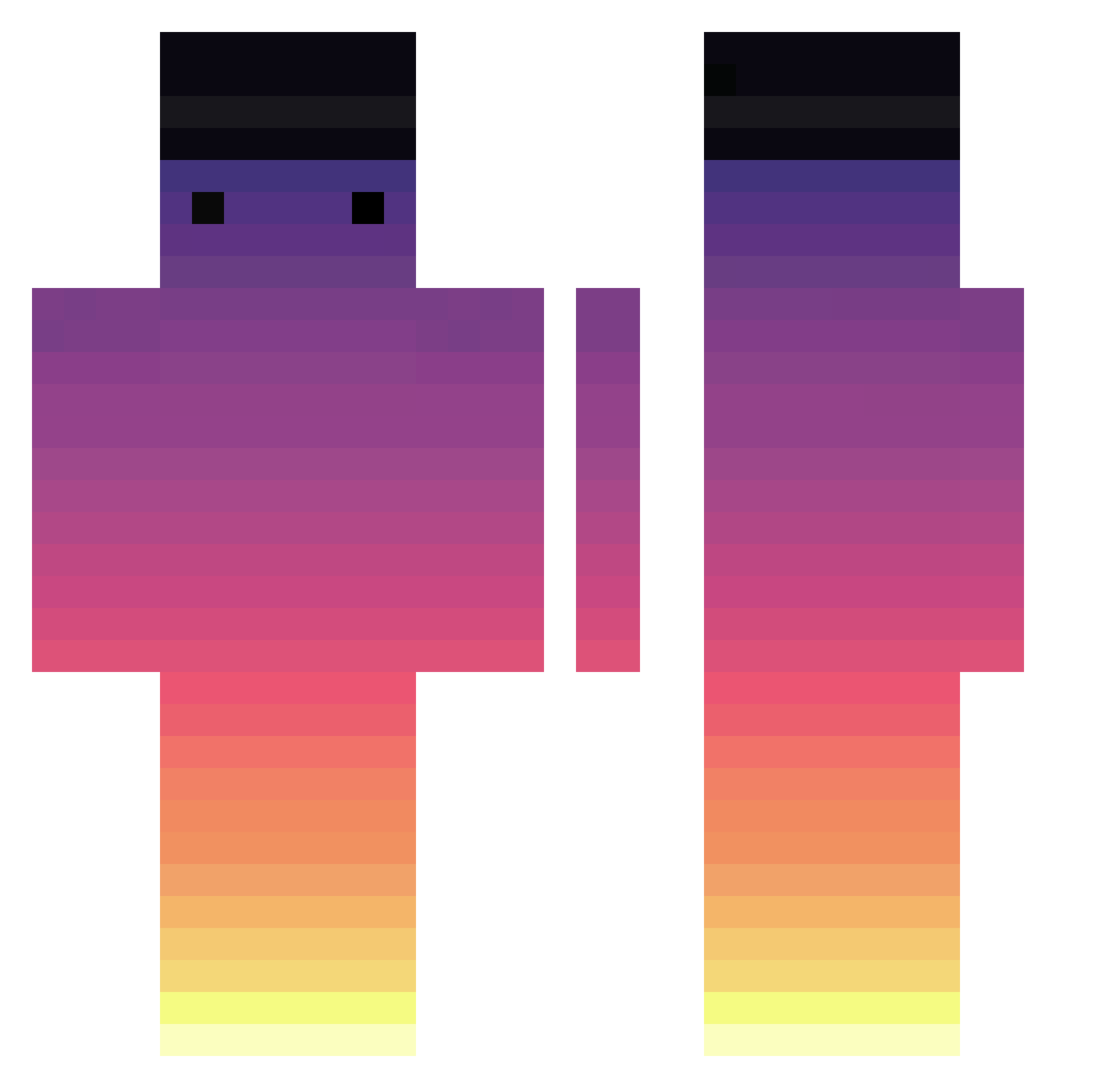
Current Minecraft skin of the player Klara_10, loaded from the official Mojang API. Rotate the 3D model with your mouse or finger, then download the skin as a PNG file and use it in Minecraft: Bedrock Edition or Java Edition for free. When Klara_10 changes their skin, this page updates automatically and the old skin stays in the history below.
Other players with this skin (717)
Klara_10 was the 269th player we have seen with this skin, first spotted on 06.09.2026. The same skin was seen on these players. Open a nickname to see their current skin and skin history.
 FalconVola Francesco21XD4 DeadLezy JK7EVEN _think_00 MomoVega Hyun__SeoK Perdwim shatefaka Lortex_ Brenzalor TheMasso poiume Connect_ ansudwnsrowkddo Krishy_bai UnicornFarts27 _P2W_ Sasmax5 mcfy3312 xeriitoo RokoNiber puccione Chasmless HyperArrow MrGumbyyy veyFXC Meow__Cat Luizinhh Lord_Kroos zSweety AmazingDxck tomytom13 WakanaM Mobbingdown uncquit Eryushow schlibadibix Kry170 Maully18 imPlPl CiscoVelez_ KumKay ILostMyThumbs HUMTYDUMPTY69 d1zzy0 Pelorat233 lalakos hong_sik_ Maasan_0401 taGalil J1IN1 yukichidori Flp_22 Nopezinn RipleysRide All3n2002 happy4u Mihasha_Tr calebuwu
How to install the Klara_10 skin
- Press the Download button above to save the skin as a PNG file.
- Minecraft: Bedrock Edition (PE): open the Dressing Room from the main menu (or tap your character → Edit Character), go to Classic Skins → Owned, press the + (new skin) button, choose the downloaded PNG and pick the Classic (Steve) model. Works on PC and mobile; consoles cannot import custom skins.
- Minecraft: Java Edition: open the Minecraft Launcher, go to the Skins tab, click New Skin, load the PNG, pick the Classic (Steve) model and press Save & Use. You can also upload it at minecraft.net → Profile → Change Skin.
The skin does not show up after import - what should I do?
Restart Minecraft and open the Dressing Room again - imported skins sometimes appear only after a restart. Also make sure you selected the imported skin and picked the Classic (Steve) model.
Which model should I choose, Classic or Slim?
This skin is designed for the Classic (Steve) model. If you pick the wrong model, the arms of the skin will look stretched or squeezed.
Is the skin of Klara_10 free to download?
Yes. Press Download, save the PNG file and use it in Minecraft: Bedrock Edition or Java Edition - no payment or registration needed. The skin also works on multiplayer servers and Realms.
More skins
Looking for more? Go back to all Minecraft skins and check the top skins of the week, month and all time, or find any player's skin by nickname.