
Kirbymonster1 - Minecraft Skins & Skin History
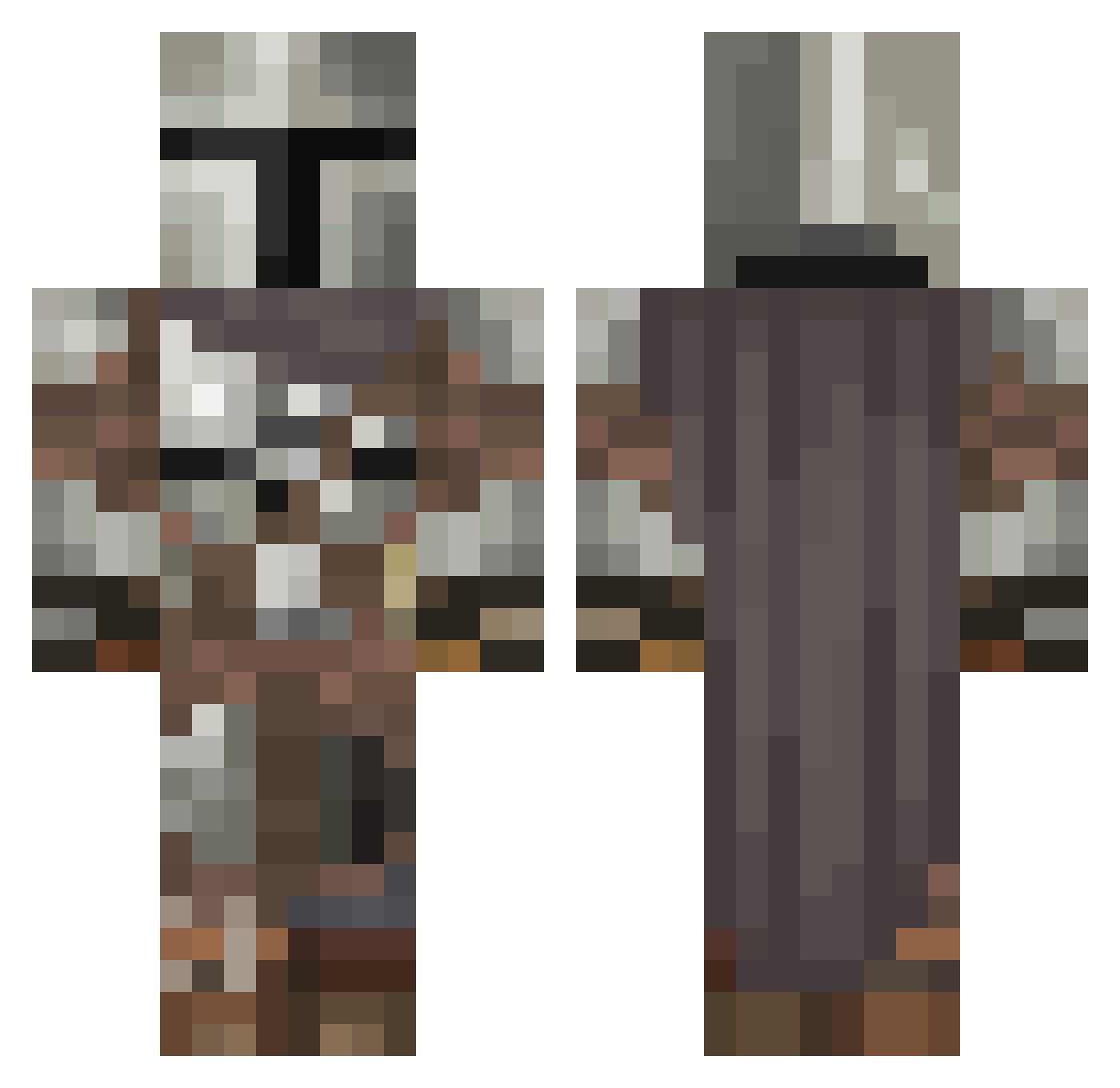
Current Minecraft skin of the player Kirbymonster1, loaded from the official Mojang API. Rotate the 3D model with your mouse or finger, then download the skin as a PNG file and use it in Minecraft: Bedrock Edition or Java Edition for free. When Kirbymonster1 changes their skin, this page updates automatically and the old skin stays in the history below.
Other players with this skin (546)
Kirbymonster1 was the 256th player we have seen with this skin, first spotted on 14.09.2026. The same skin was seen on these players. Open a nickname to see their current skin and skin history.
 Donvicente29 War_machine3721 mambi06 Trow2234 Mr_Avtomat HeroOfOsiris MLP_InSaNiTY Dale_h44 Daestrasz Tenorbeast Drac_meister YungCringe NigthArmor merre____ Your_mother123 zfluxen kalo_3567 GrassNic19 Sega1331 Shapiro_ greenxcool Halpathe wolffuschia CBenwa DarthBane224 TheMrFreddy AngrySheep707 BigDaddySalvia9 Streetmayor Dentley_Ast Coppersamurai F1n14y Langersly FlyingAuto sutherlanda414 BradBoi2 TitanHammer365 Koning__Gavin Gofrt theocaspo TheNilsson321 DLoki R4K3_ ManipulativeEye SATAK19 Kundendienst Illee2 BoooomTanks Alyahr Wampir100 Sith10_97 poweboy52 Yisho0126 charleytango05 Phantomias9 laur666c PuchiMC123 IDoNotMind Teary_the_Animal Lunahturtle
More The Mandalorian Minecraft skins
See all 592 The Mandalorian skins
How to install the Kirbymonster1 skin
- Press the Download button above to save the skin as a PNG file.
- Minecraft: Bedrock Edition (PE): open the Dressing Room from the main menu (or tap your character → Edit Character), go to Classic Skins → Owned, press the + (new skin) button, choose the downloaded PNG and pick the Classic (Steve) model. Works on PC and mobile; consoles cannot import custom skins.
- Minecraft: Java Edition: open the Minecraft Launcher, go to the Skins tab, click New Skin, load the PNG, pick the Classic (Steve) model and press Save & Use. You can also upload it at minecraft.net → Profile → Change Skin.
The skin does not show up after import - what should I do?
Restart Minecraft and open the Dressing Room again - imported skins sometimes appear only after a restart. Also make sure you selected the imported skin and picked the Classic (Steve) model.
Which model should I choose, Classic or Slim?
This skin is designed for the Classic (Steve) model. If you pick the wrong model, the arms of the skin will look stretched or squeezed.
Is the skin of Kirbymonster1 free to download?
Yes. Press Download, save the PNG file and use it in Minecraft: Bedrock Edition or Java Edition - no payment or registration needed. The skin also works on multiplayer servers and Realms.
More skins
Looking for more? Go back to all Minecraft skins and check the top skins of the week, month and all time, or find any player's skin by nickname.