
Kippy9 - Minecraft Skins & Skin History
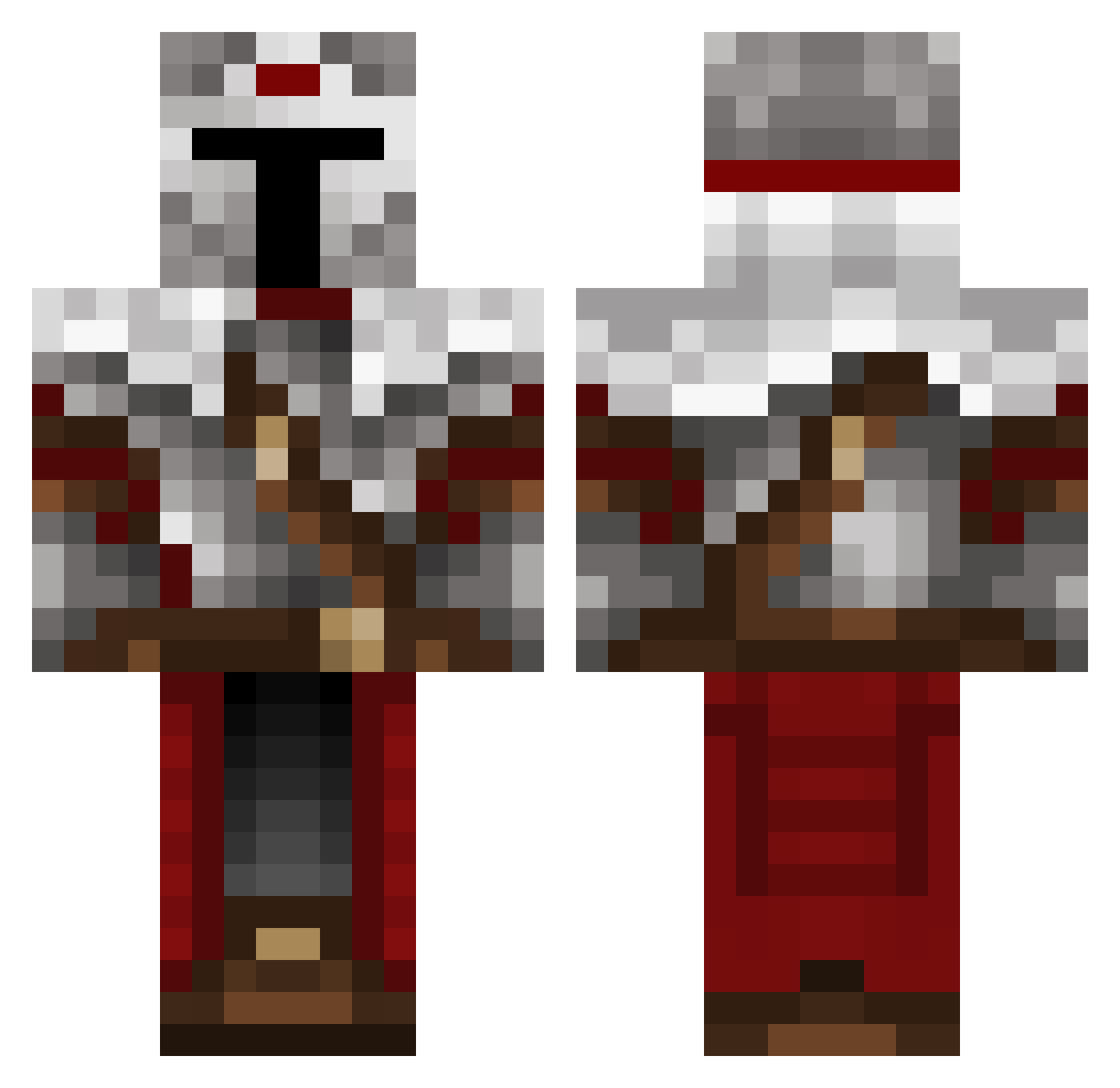
Current Minecraft skin of the player Kippy9, loaded from the official Mojang API. Rotate the 3D model with your mouse or finger, then download the skin as a PNG file and use it in Minecraft: Bedrock Edition or Java Edition for free. When Kippy9 changes their skin, this page updates automatically and the old skin stays in the history below.
Other players with this skin (577)
Kippy9 was the 541st player we have seen with this skin, first spotted on 14.11.2026. The same skin was seen on these players. Open a nickname to see their current skin and skin history.
 shaunathan thatoneguy2709 MichelahAluka RX8A Henriquew Dahakar96 Mahojey OdinWil AnchelyBD Pablo_990 BayMsb HawaiianViking Red410_ Volderius Samitopipo27 AdamTheGuardian lolo1502 Rumex_YT Champion_Nitrix UnGentilLardon FinalFormNoob rot315 Uno_thecat14 x_Sir_Galahad_x Rikki270 Dgjio KratRan Ninbuss zHades_ MythicalCreative Lubie_kartofle_ Tokiwooki B_I_G__L NUNT1 TheNotison Slayyer11 Wilimix12 ObservedCube BigDaddyG0blin I_MATT05 Simonval FireGalaxy11 Thirty_0030 Skittex7412 JoeMC FxschBim DeadKing528 DavieBones6 FrederikTer BartlomiejM Ziegenking azmix_off Crusader_Dan Rhyuda 9I4N9 Schnobbler Promptness CORGZ_33 AleC_01 Alle_banan
More Mandalorian Minecraft skins
How to install the Kippy9 skin
- Press the Download button above to save the skin as a PNG file.
- Minecraft: Bedrock Edition (PE): open the Dressing Room from the main menu (or tap your character → Edit Character), go to Classic Skins → Owned, press the + (new skin) button, choose the downloaded PNG and pick the Classic (Steve) model. Works on PC and mobile; consoles cannot import custom skins.
- Minecraft: Java Edition: open the Minecraft Launcher, go to the Skins tab, click New Skin, load the PNG, pick the Classic (Steve) model and press Save & Use. You can also upload it at minecraft.net → Profile → Change Skin.
The skin does not show up after import - what should I do?
Restart Minecraft and open the Dressing Room again - imported skins sometimes appear only after a restart. Also make sure you selected the imported skin and picked the Classic (Steve) model.
Which model should I choose, Classic or Slim?
This skin is designed for the Classic (Steve) model. If you pick the wrong model, the arms of the skin will look stretched or squeezed.
Is the skin of Kippy9 free to download?
Yes. Press Download, save the PNG file and use it in Minecraft: Bedrock Edition or Java Edition - no payment or registration needed. The skin also works on multiplayer servers and Realms.
More skins
Looking for more? Go back to all Minecraft skins and check the top skins of the week, month and all time, or find any player's skin by nickname.