
Kimo353 - Minecraft Skins & Skin History
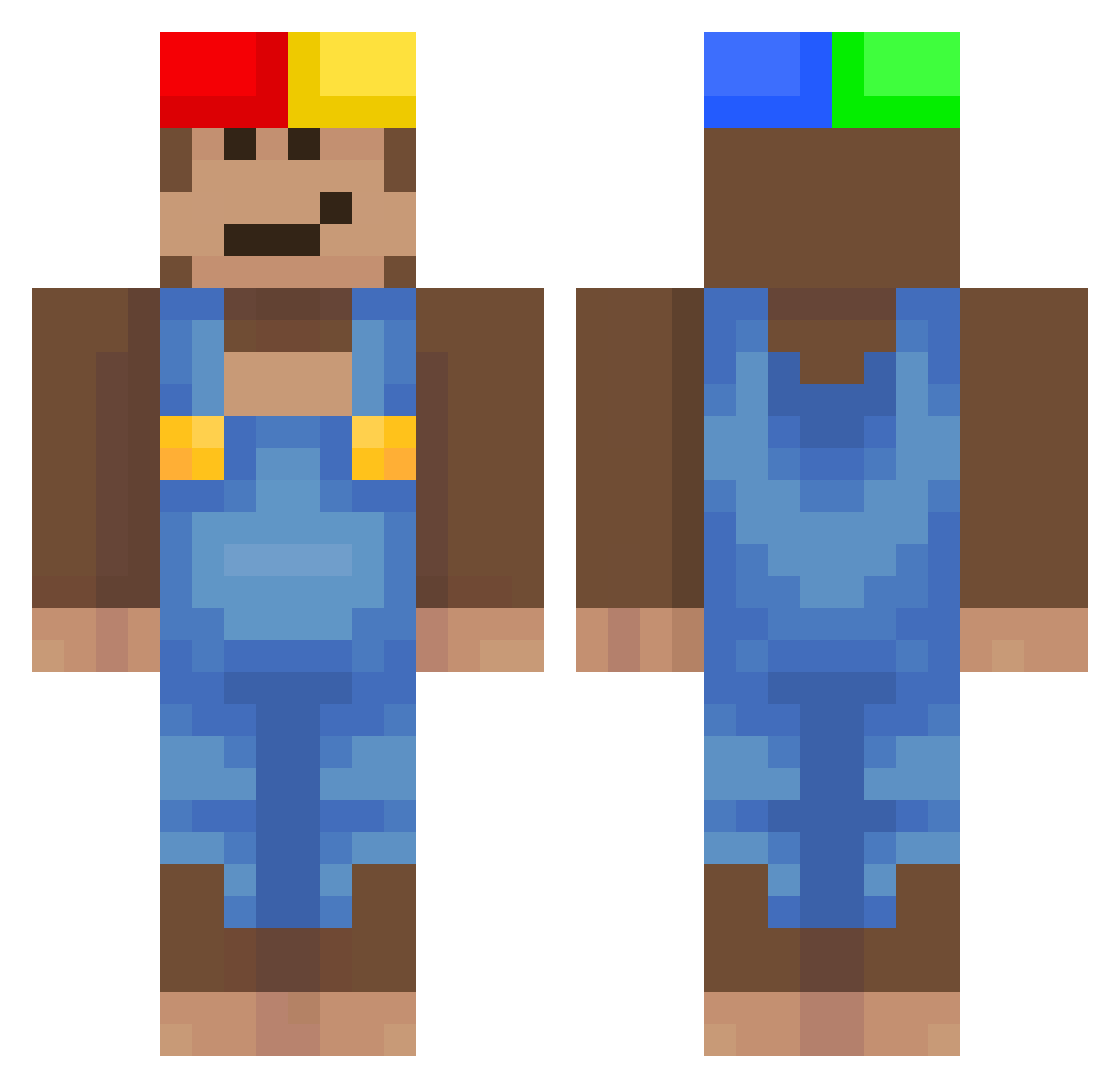
Current Minecraft skin of the player Kimo353, loaded from the official Mojang API. Rotate the 3D model with your mouse or finger, then download the skin as a PNG file and use it in Minecraft: Bedrock Edition or Java Edition for free. When Kimo353 changes their skin, this page updates automatically and the old skin stays in the history below.
Other players with this skin (476)
Kimo353 was the 457th player we have seen with this skin, first spotted on 24.10.2026. The same skin was seen on these players. Open a nickname to see their current skin and skin history.
 Chheesey CrackMino_ Kyu2k quenxyy Blaze_j Borbii Gyeom0317 janessarae aizenmog SABIQUI rufussarp _CFSO_ cxcx1402 handsomeseungjun StreetH0bo neospyd3rJR vex_kl trzeba_sie_napic zzz_mc THICCBoi631 YouTubeByJuaco1 ZZippiEE Lzfy EbenenGraph14 Rabstaa KoreQumi Rd954 Julo54 SahmNaym Ragheb741 SoddKerPlungus Qezad Adamemes capivarambulante Kl0dsMajor uraure_ imran22 Onvyr Ayhzy Yakustar07 zCliped winterbird_1201 Bwndit FL1xN PeterTrogio War0f1812 BROCAVEG Kesha111 xiexuexi MrKeys_ CyberMacs dreepmonkey moonglaze Pacsuu vinirt keremp1nkmaN Boina_Verdes Bigbreze WastedFries cgdjdhbcj
More Donkey Kong Minecraft skins
How to install the Kimo353 skin
- Press the Download button above to save the skin as a PNG file.
- Minecraft: Bedrock Edition (PE): open the Dressing Room from the main menu (or tap your character → Edit Character), go to Classic Skins → Owned, press the + (new skin) button, choose the downloaded PNG and pick the Classic (Steve) model. Works on PC and mobile; consoles cannot import custom skins.
- Minecraft: Java Edition: open the Minecraft Launcher, go to the Skins tab, click New Skin, load the PNG, pick the Classic (Steve) model and press Save & Use. You can also upload it at minecraft.net → Profile → Change Skin.
The skin does not show up after import - what should I do?
Restart Minecraft and open the Dressing Room again - imported skins sometimes appear only after a restart. Also make sure you selected the imported skin and picked the Classic (Steve) model.
Which model should I choose, Classic or Slim?
This skin is designed for the Classic (Steve) model. If you pick the wrong model, the arms of the skin will look stretched or squeezed.
Is the skin of Kimo353 free to download?
Yes. Press Download, save the PNG file and use it in Minecraft: Bedrock Edition or Java Edition - no payment or registration needed. The skin also works on multiplayer servers and Realms.
More skins
Looking for more? Go back to all Minecraft skins and check the top skins of the week, month and all time, or find any player's skin by nickname.