
KillaN00b - Minecraft Skins & Skin History
Current Minecraft skin of the player KillaN00b, loaded from the official Mojang API. Rotate the 3D model with your mouse or finger, then download the skin as a PNG file and use it in Minecraft: Bedrock Edition or Java Edition for free. When KillaN00b changes their skin, this page updates automatically and the old skin stays in the history below.
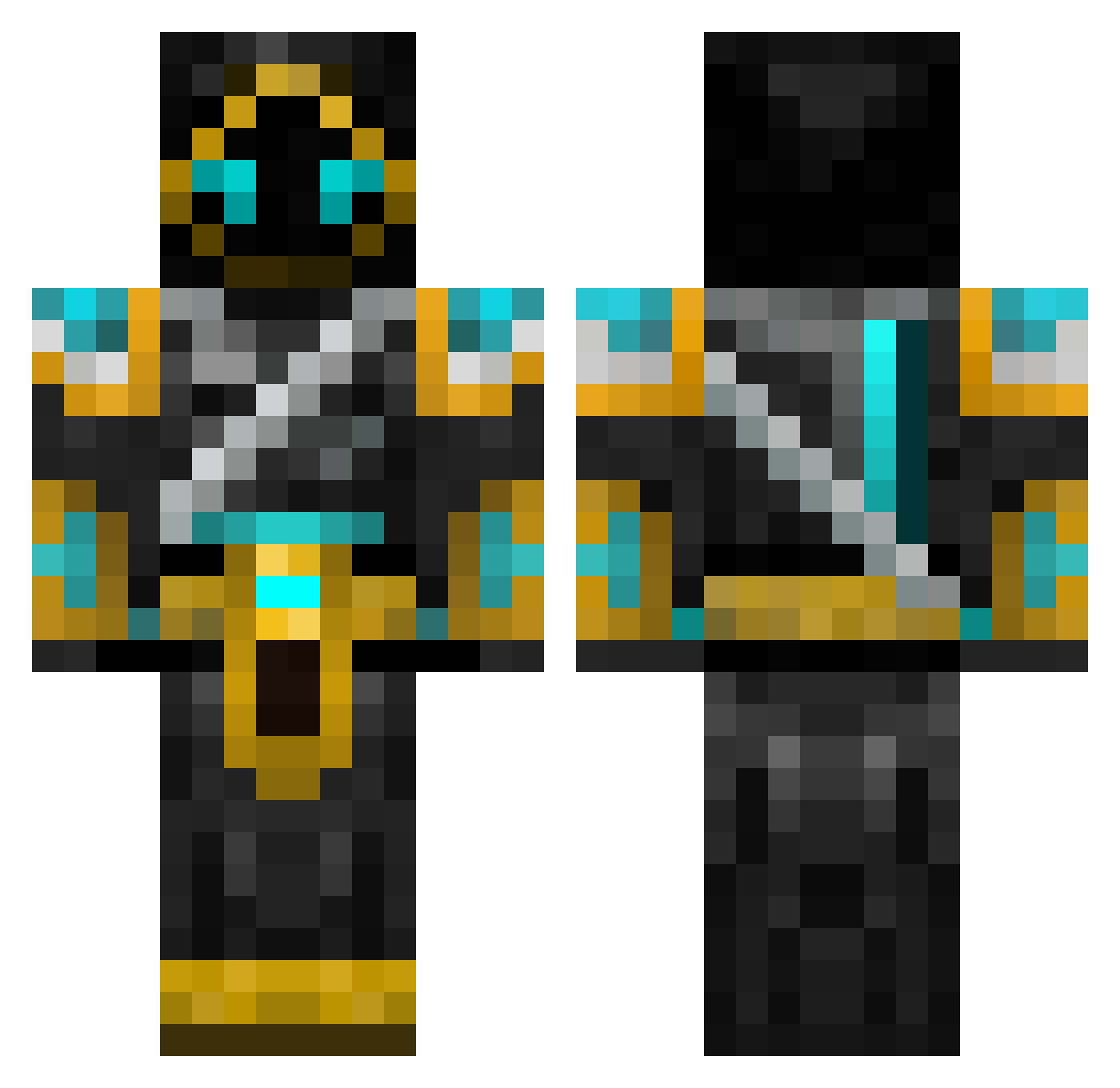
Other players with this skin (701)
KillaN00b was the 207th player we have seen with this skin, first spotted on 31.08.2026. The same skin was seen on these players. Open a nickname to see their current skin and skin history.
 perseus1233 Vespid90 Takun777 IIRyxnZZ seabiscuit16 BanannenBoss Xoxoi Dawn_King SilverRupee CorbiWon TRAMPSTER Gilbetron5000 Jakers71 Xeph_Nebula RedRazor511 ItzWes360 eddie131 terraprimal_4 Rewtsop The_cool_boy123 solllpl Hagen1988 HustinWinner7 Fnunez93 VodevilFirefly poseido42 murakaz Majestatis zendice Liij FranklinNZ Skkyy2002 toby238 Upgrade006 Chryxiras BlazinArrow SilentAble silverswamp6 Foulshy Swedmonkey quise1994 haboa94 milkshake000 Ferric iTz_Dex HariChrishna jacksontj RedDeath393 partyToffee Skaffos rodney09 Roporygon Midnight_Terrain Sebastianogjakob the9thArchivist Deiwos Yonav Trickbash Cheskaz Homy91
More Hooded Warrior Minecraft skins
See all 49 Hooded Warrior skins
How to install the KillaN00b skin
- Press the Download button above to save the skin as a PNG file.
- Minecraft: Bedrock Edition (PE): open the Dressing Room from the main menu (or tap your character → Edit Character), go to Classic Skins → Owned, press the + (new skin) button, choose the downloaded PNG and pick the Classic (Steve) model. Works on PC and mobile; consoles cannot import custom skins.
- Minecraft: Java Edition: open the Minecraft Launcher, go to the Skins tab, click New Skin, load the PNG, pick the Classic (Steve) model and press Save & Use. You can also upload it at minecraft.net → Profile → Change Skin.
The skin does not show up after import - what should I do?
Restart Minecraft and open the Dressing Room again - imported skins sometimes appear only after a restart. Also make sure you selected the imported skin and picked the Classic (Steve) model.
Which model should I choose, Classic or Slim?
This skin is designed for the Classic (Steve) model. If you pick the wrong model, the arms of the skin will look stretched or squeezed.
Is the skin of KillaN00b free to download?
Yes. Press Download, save the PNG file and use it in Minecraft: Bedrock Edition or Java Edition - no payment or registration needed. The skin also works on multiplayer servers and Realms.
More skins
Looking for more? Go back to all Minecraft skins and check the top skins of the week, month and all time, or find any player's skin by nickname.