
KerryGiles - Minecraft Skins & Skin History
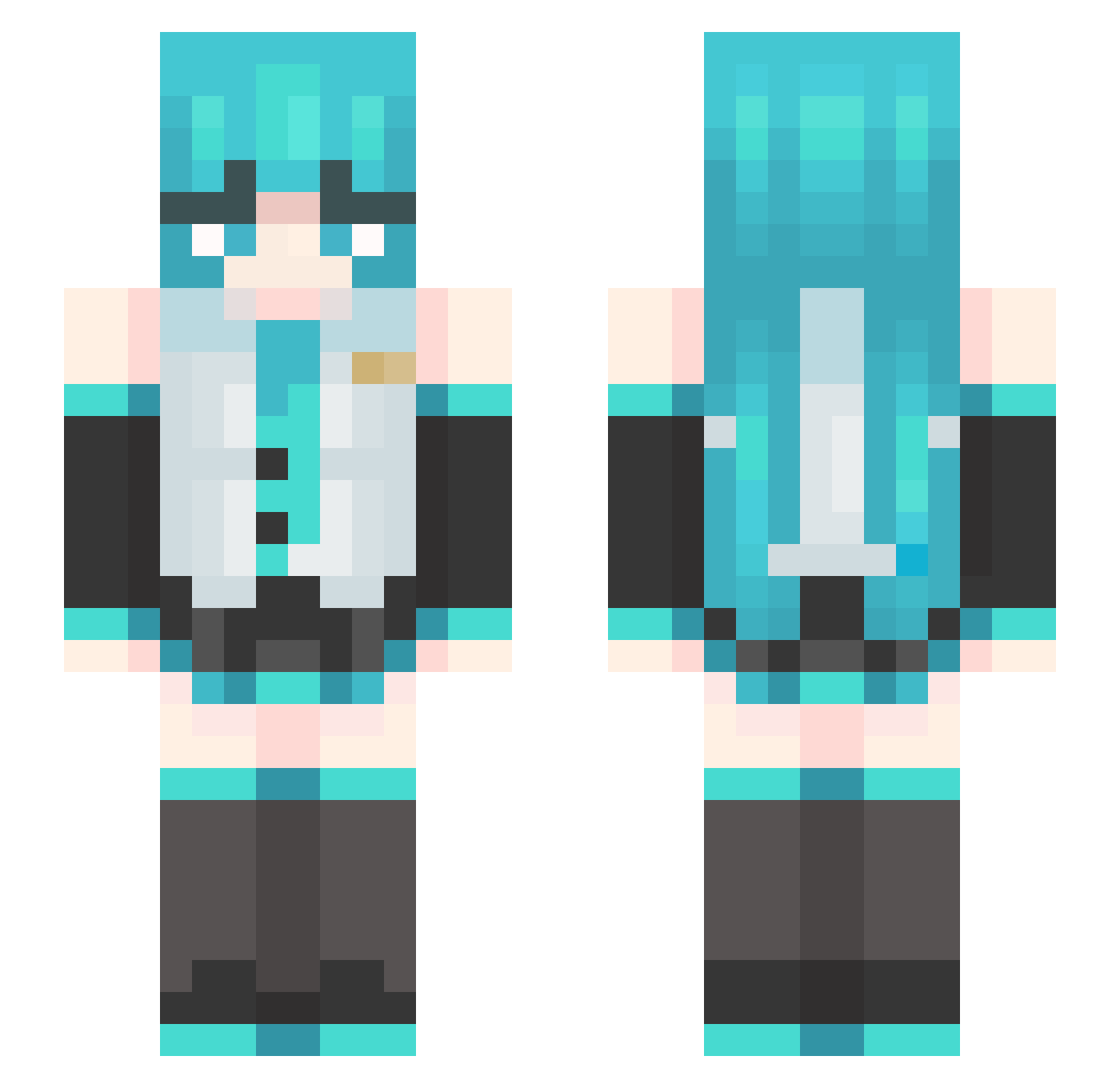
Current Minecraft skin of the player KerryGiles, loaded from the official Mojang API. Rotate the 3D model with your mouse or finger, then download the skin as a PNG file and use it in Minecraft: Bedrock Edition or Java Edition for free. When KerryGiles changes their skin, this page updates automatically and the old skin stays in the history below.
Other players with this skin (489)
KerryGiles was the 262nd player we have seen with this skin, first spotted on 26.09.2026. The same skin was seen on these players. Open a nickname to see their current skin and skin history.
 redblockr2 ArchOnTren EpicZombieSlayer Topwolfspirit G_Tae InKevyn PigeonEra c0leg dragonizer007 hmhnm Dindinx777 Ricokang AlyisLIT L_hellsing SupxrSuicidxl luka_02 Reddosuta_ EKSteve choonging Lulusee Marcle_ IGUSushi Otaku_Vampire yamamayu4472 T0xiczek Yukiiiii1 LilyBarkerVP RivalDanie1 Elitemikox HuNNdo0 NinelieYuan Xred25 MHe_bE3_CAXARA langmong ImNotHatsuneMiku St4rx1an boundhand falkmannn oamiwasabi Lucia91 qiwll TDEMC Neeko757 RIOS_117 zyxbest ChesshireCat13 Aspectable OddDude4 Meliodas_assalt DogeMaster2010 Gubii nic_er SrDrones N0TCheater imsifu chen5223 airqiqi MikuM1kuBeam qgs6 Troninho69
More Hatsune Miku Minecraft skins
See all 904 Hatsune Miku skins
How to install the KerryGiles skin
- Press the Download button above to save the skin as a PNG file.
- Minecraft: Bedrock Edition (PE): open the Dressing Room from the main menu (or tap your character → Edit Character), go to Classic Skins → Owned, press the + (new skin) button, choose the downloaded PNG and pick the Slim (Alex) model. Works on PC and mobile; consoles cannot import custom skins.
- Minecraft: Java Edition: open the Minecraft Launcher, go to the Skins tab, click New Skin, load the PNG, pick the Slim (Alex) model and press Save & Use. You can also upload it at minecraft.net → Profile → Change Skin.
The skin does not show up after import - what should I do?
Restart Minecraft and open the Dressing Room again - imported skins sometimes appear only after a restart. Also make sure you selected the imported skin and picked the Slim (Alex) model.
Which model should I choose, Classic or Slim?
This skin is designed for the Slim (Alex) model. If you pick the wrong model, the arms of the skin will look stretched or squeezed.
Is the skin of KerryGiles free to download?
Yes. Press Download, save the PNG file and use it in Minecraft: Bedrock Edition or Java Edition - no payment or registration needed. The skin also works on multiplayer servers and Realms.
More skins
Looking for more? Go back to all Minecraft skins and check the top skins of the week, month and all time, or find any player's skin by nickname.