
Keomah - Minecraft Skins & Skin History
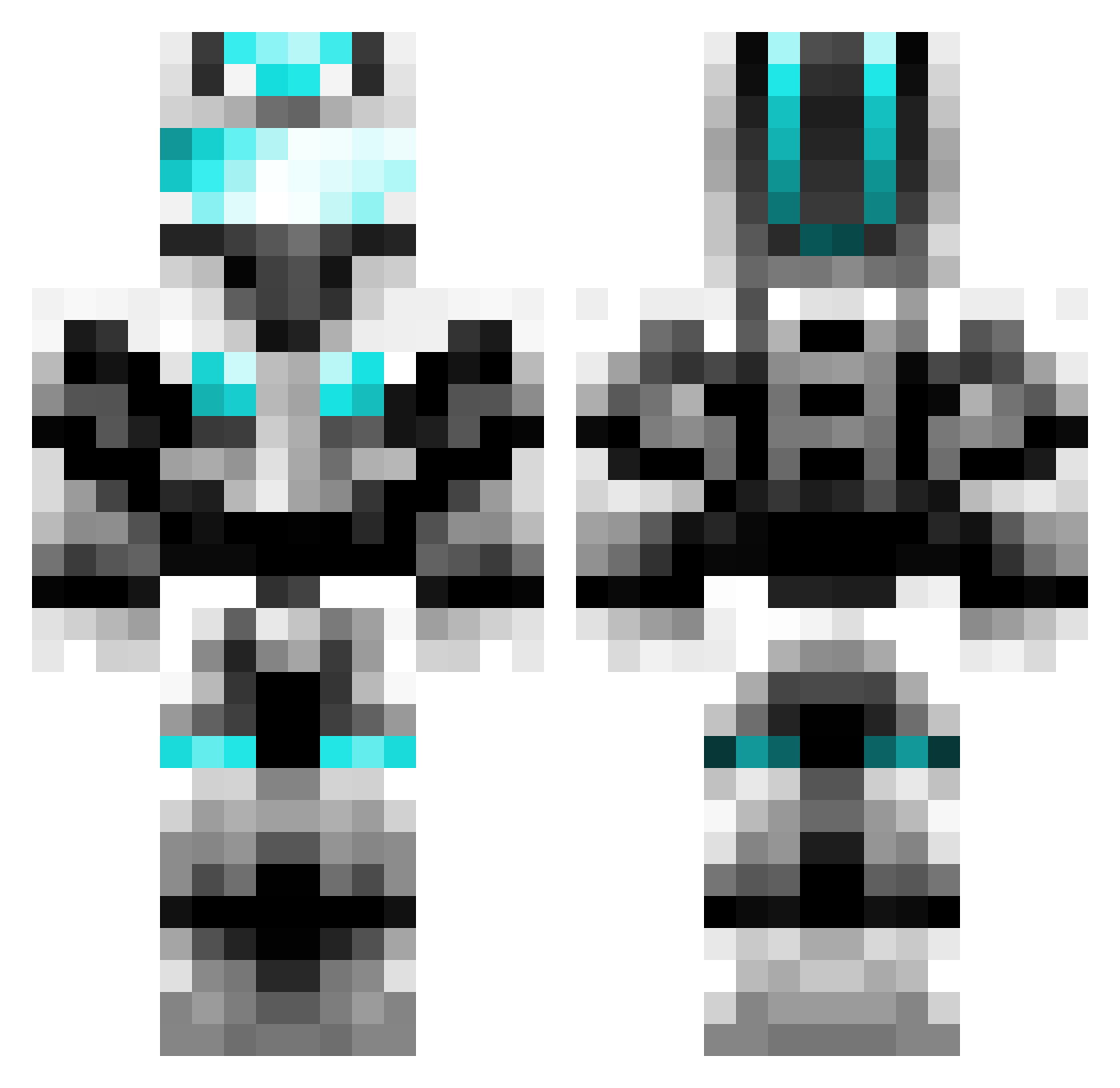
Current Minecraft skin of the player Keomah, loaded from the official Mojang API. Rotate the 3D model with your mouse or finger, then download the skin as a PNG file and use it in Minecraft: Bedrock Edition or Java Edition for free. When Keomah changes their skin, this page updates automatically and the old skin stays in the history below.
Other players with this skin (601)
Keomah was the 566th player we have seen with this skin, first spotted on 17.10.2026. The same skin was seen on these players. Open a nickname to see their current skin and skin history.
 triarac gettocruiser chris2702 TurfyTundra51 jamaican121 cppineapple alearb20 PercyJ3 fuuckchucknorris mw3beast80 fridge1203 redline400 iamaorange140 Gallysmax andyhero153 Jones79 TommyF3000 breuer1416 PlasmaOrb MineWolf2013 Penguinator911 mmgm3214 Kub29 arunptl100 Der_Zocker1 Tawnyman hugofh79 JaphethA Smiggle_Razor Abistory roukong LeviTheGreat1 grimmi_12 kasperrr1234 fastkill69 bweb777 trufleshuffle TechnoTiger Samstar9 countrykindaguy GamerZocker1999 Failedkey Andy0209 MIK3K2 X_Treme Epicbrickx maddinr Dariox_2002 Subzero7124 armed_legend OfficialCatFish huntermb Bgswarstrike Pokemon3343 ROADLU samhubbard23 tivi694 speeder_soon Pvt_Panda211 sayancookie
More Cyber Soldier Minecraft skins
See all 43 Cyber Soldier skins
How to install the Keomah skin
- Press the Download button above to save the skin as a PNG file.
- Minecraft: Bedrock Edition (PE): open the Dressing Room from the main menu (or tap your character → Edit Character), go to Classic Skins → Owned, press the + (new skin) button, choose the downloaded PNG and pick the Classic (Steve) model. Works on PC and mobile; consoles cannot import custom skins.
- Minecraft: Java Edition: open the Minecraft Launcher, go to the Skins tab, click New Skin, load the PNG, pick the Classic (Steve) model and press Save & Use. You can also upload it at minecraft.net → Profile → Change Skin.
The skin does not show up after import - what should I do?
Restart Minecraft and open the Dressing Room again - imported skins sometimes appear only after a restart. Also make sure you selected the imported skin and picked the Classic (Steve) model.
Which model should I choose, Classic or Slim?
This skin is designed for the Classic (Steve) model. If you pick the wrong model, the arms of the skin will look stretched or squeezed.
Is the skin of Keomah free to download?
Yes. Press Download, save the PNG file and use it in Minecraft: Bedrock Edition or Java Edition - no payment or registration needed. The skin also works on multiplayer servers and Realms.
More skins
Looking for more? Go back to all Minecraft skins and check the top skins of the week, month and all time, or find any player's skin by nickname.