
KenGriffeyJr - Minecraft Skins & Skin History
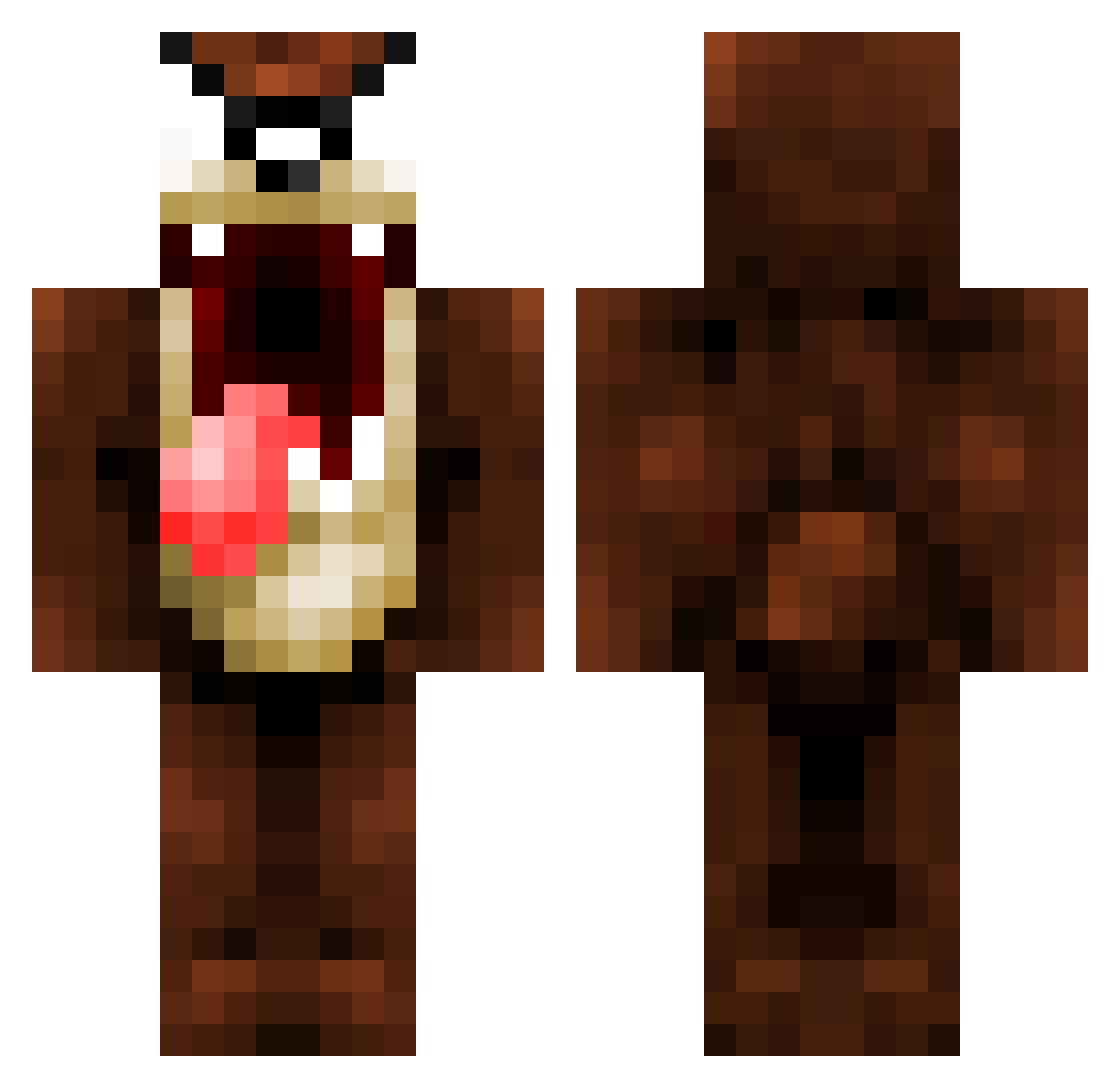
Current Minecraft skin of the player KenGriffeyJr, loaded from the official Mojang API. Rotate the 3D model with your mouse or finger, then download the skin as a PNG file and use it in Minecraft: Bedrock Edition or Java Edition for free. When KenGriffeyJr changes their skin, this page updates automatically and the old skin stays in the history below.
Other players with this skin (159)
KenGriffeyJr was the 133rd player we have seen with this skin, first spotted on 03.11.2026. The same skin was seen on these players. Open a nickname to see their current skin and skin history.
 Gabbbye internetctrl Kofo chamalito12 TheQuens m1ndgames RRoundSSquare MannersMike Skizorg lil_eli JanReu kharnaaage Schmitha Jujucki bib38 Glebstar_ BeamerButt sabbadash Shroom_zz blackstar2009 bradrulz1234 Ethorien XingHeeee Hash257 Paton1234 VuTang1 NIGHTpAkZ55 Mackburn Justacijus amillxan TazDev101 ginjao Star_BlackBird HoriaAndrei plazmafield yyw114514 DizzyNerd willcox31 Krollosaurus ProTazz KacmosBastos Bigjoker35 mini_me06 DragonFiry Ryan19k76 Ak0Y6 LtcClover CleverlyStupid Muzzers03 recoil2stronk Spawn_2289 TWISTEDtazzz Xinous Velociraptor33 dragonjan marcomarxo dillytoon OFFPSY FatStanly expl1c1tt
More Taz Minecraft skins
How to install the KenGriffeyJr skin
- Press the Download button above to save the skin as a PNG file.
- Minecraft: Bedrock Edition (PE): open the Dressing Room from the main menu (or tap your character → Edit Character), go to Classic Skins → Owned, press the + (new skin) button, choose the downloaded PNG and pick the Classic (Steve) model. Works on PC and mobile; consoles cannot import custom skins.
- Minecraft: Java Edition: open the Minecraft Launcher, go to the Skins tab, click New Skin, load the PNG, pick the Classic (Steve) model and press Save & Use. You can also upload it at minecraft.net → Profile → Change Skin.
The skin does not show up after import - what should I do?
Restart Minecraft and open the Dressing Room again - imported skins sometimes appear only after a restart. Also make sure you selected the imported skin and picked the Classic (Steve) model.
Which model should I choose, Classic or Slim?
This skin is designed for the Classic (Steve) model. If you pick the wrong model, the arms of the skin will look stretched or squeezed.
Is the skin of KenGriffeyJr free to download?
Yes. Press Download, save the PNG file and use it in Minecraft: Bedrock Edition or Java Edition - no payment or registration needed. The skin also works on multiplayer servers and Realms.
More skins
Looking for more? Go back to all Minecraft skins and check the top skins of the week, month and all time, or find any player's skin by nickname.