
KemalHasan09 - Minecraft Skins & Skin History
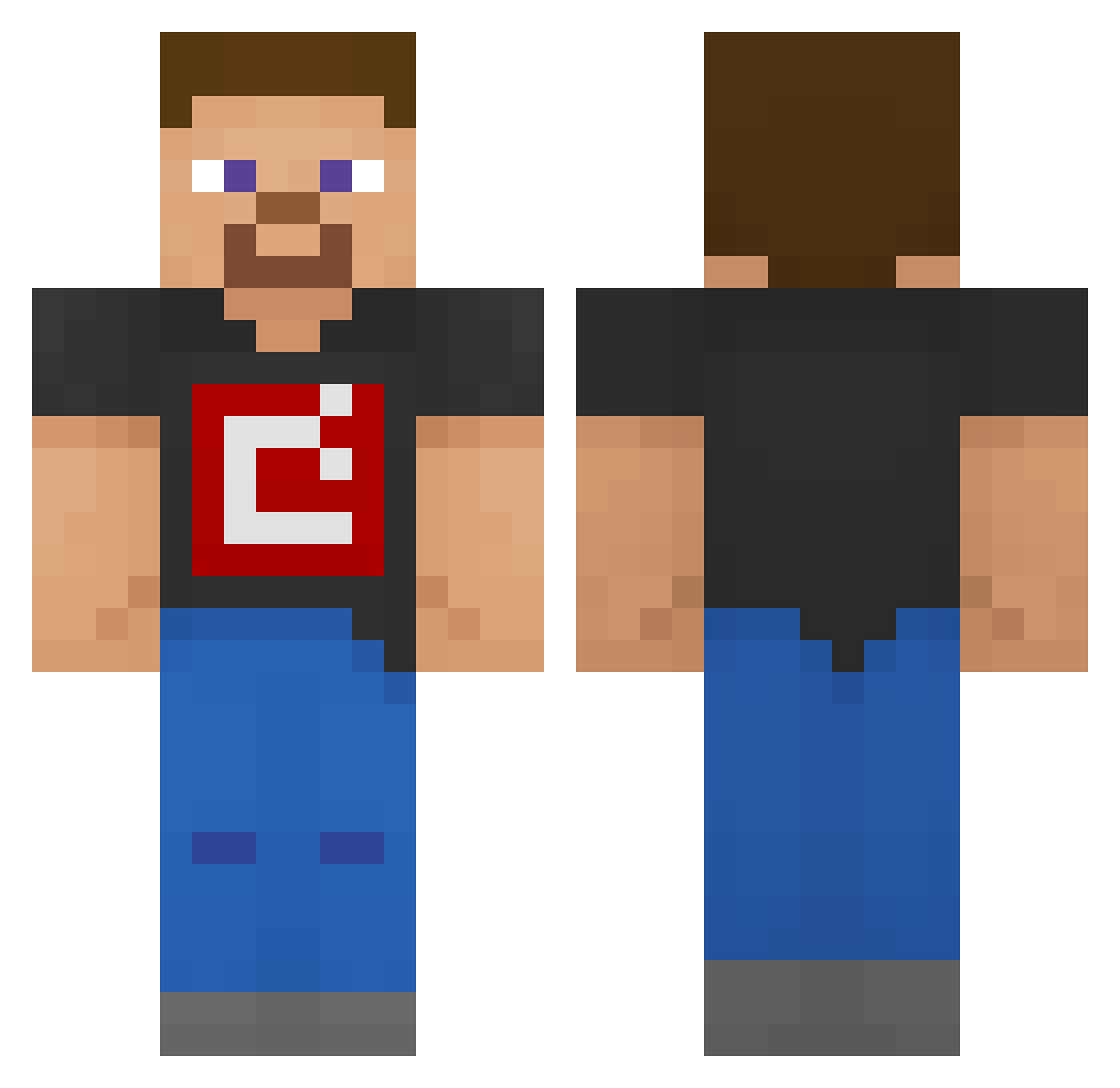
Current Minecraft skin of the player KemalHasan09, loaded from the official Mojang API. Rotate the 3D model with your mouse or finger, then download the skin as a PNG file and use it in Minecraft: Bedrock Edition or Java Edition for free. When KemalHasan09 changes their skin, this page updates automatically and the old skin stays in the history below.
Other players with this skin (193)
KemalHasan09 was the 103rd player we have seen with this skin, first spotted on 17.09.2026. The same skin was seen on these players. Open a nickname to see their current skin and skin history.
 Nobody259 LegendOfRdr2 Sum_Yun_Gaii Stofith mario_sonic1 Cirkambo chromeee1 fabriciopaz13 VolovikT You2a FireThing432 y4ch0_ UltraMaxim s202ii Cabelcar56 shimon09 Dang29 yalin12344321 TidakTahu Lcon331 Shn1zel At0wu Goldish_Apple Tandoo79 SpiralYT09 ShadowVN99 FinPoseidon51 Arth5566 Dylan_g1161 VrIndieGames Unallowable
 Drjameslfc DrDSP dedocta JustAdam17 MegaJawor76 Hunterluigimario zhangshaoxuan70 dodgerdogydog N3GHTMARE_BLADE Ryanlw101 Sage_San Crazygramps41 Coleshark930 zJuaum morgondajen Blackblip feirce_hunter16 JAWADGAMER HenriqueP100 IamSpeeby ProNinja12_ xmonteiro18 Dragon_Knight_ FunJuanPablo quas1_ steve2024 CandyMerch raf13lol Mattew21
How to install the KemalHasan09 skin
- Press the Download button above to save the skin as a PNG file.
- Minecraft: Bedrock Edition (PE): open the Dressing Room from the main menu (or tap your character → Edit Character), go to Classic Skins → Owned, press the + (new skin) button, choose the downloaded PNG and pick the Classic (Steve) model. Works on PC and mobile; consoles cannot import custom skins.
- Minecraft: Java Edition: open the Minecraft Launcher, go to the Skins tab, click New Skin, load the PNG, pick the Classic (Steve) model and press Save & Use. You can also upload it at minecraft.net → Profile → Change Skin.
The skin does not show up after import - what should I do?
Restart Minecraft and open the Dressing Room again - imported skins sometimes appear only after a restart. Also make sure you selected the imported skin and picked the Classic (Steve) model.
Which model should I choose, Classic or Slim?
This skin is designed for the Classic (Steve) model. If you pick the wrong model, the arms of the skin will look stretched or squeezed.
Is the skin of KemalHasan09 free to download?
Yes. Press Download, save the PNG file and use it in Minecraft: Bedrock Edition or Java Edition - no payment or registration needed. The skin also works on multiplayer servers and Realms.
More skins
Looking for more? Go back to all Minecraft skins and check the top skins of the week, month and all time, or find any player's skin by nickname.