
Katega_ - Minecraft Skins & Skin History
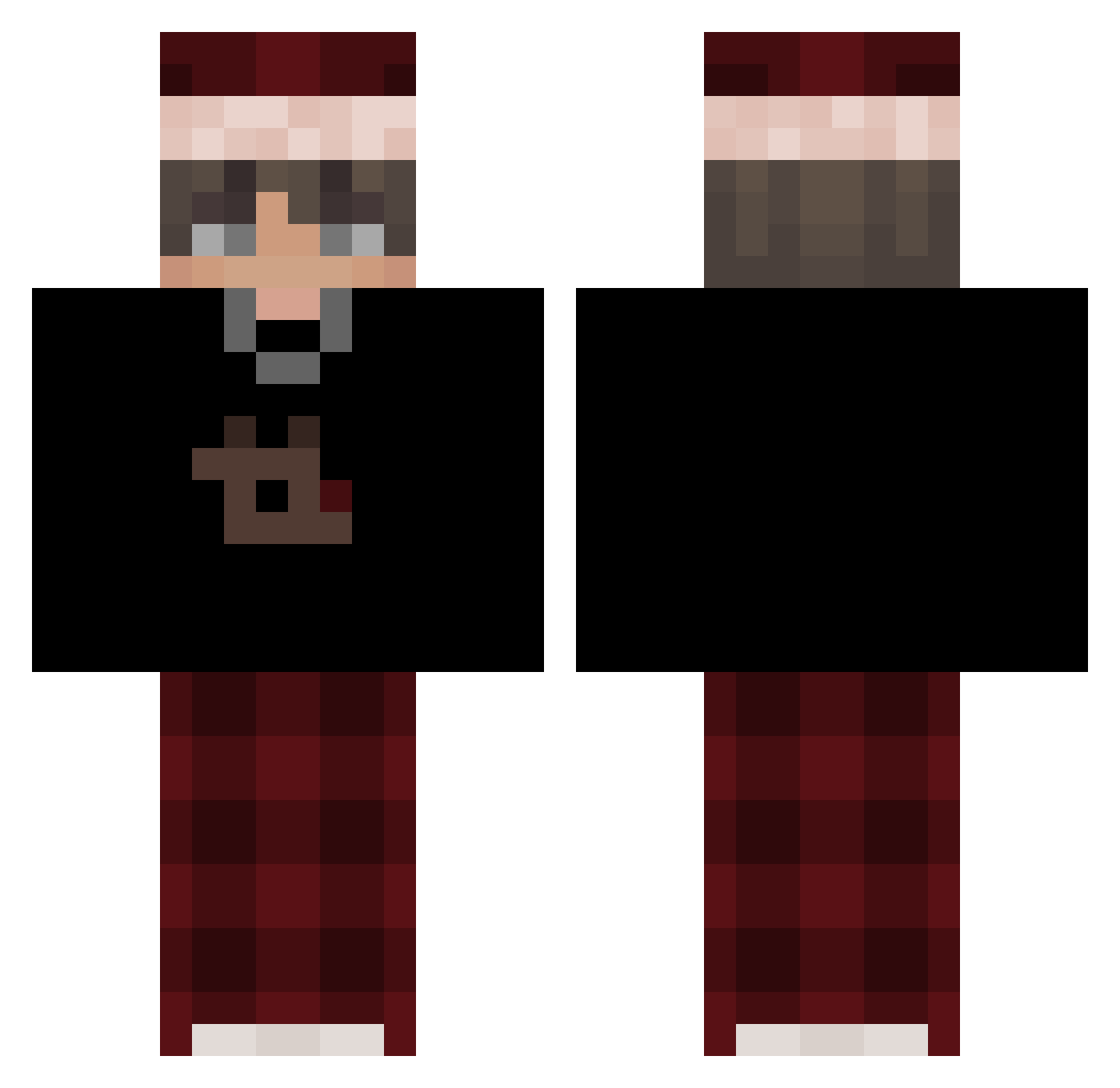
Current Minecraft skin of the player Katega_, loaded from the official Mojang API. Rotate the 3D model with your mouse or finger, then download the skin as a PNG file and use it in Minecraft: Bedrock Edition or Java Edition for free. When Katega_ changes their skin, this page updates automatically and the old skin stays in the history below.
Other players with this skin (501)
Katega_ was the 395th player we have seen with this skin, first spotted on 04.10.2026. The same skin was seen on these players. Open a nickname to see their current skin and skin history.
 Aedy_bae Noobsie98 Ayoloree YunGou112 m1dtsand I_I_V ICHIBANN13 blue_angel12345 vexarity_ YowiGaming XxXFiFeKXxX Marb1201 DEVOSO DrinkyMara Cyberassassin TurtleFox45 Marco3133333 ksyzISchefJLDbb ts7rt12 Itz3morYT hahahoho61 LegendHei itsmeQuinn1 _tx3ture LambooFN YAR1IN XDDanyPinguin Tomekzgo7 MarkoBoosted23 E_cos SenaX_Z Dycha3500PL WellJungle Cass733 Oreoeater021 Natsukin14 Matteo121010 Tom18040 tmm1323 Terminuss1 pit3r_3 aldqrr CinzaoFake sebus66 Cifarelli MeuAmigo xiangdangran sj_back Mathimair1 WizardTrong Zyxle_ baloxz sebuccio G_O_S_T imJRyze EmptyOw Mandal99 uich2115 AGTShinazen KaiCrafter_
More Santa Hat Minecraft skins
How to install the Katega_ skin
- Press the Download button above to save the skin as a PNG file.
- Minecraft: Bedrock Edition (PE): open the Dressing Room from the main menu (or tap your character → Edit Character), go to Classic Skins → Owned, press the + (new skin) button, choose the downloaded PNG and pick the Classic (Steve) model. Works on PC and mobile; consoles cannot import custom skins.
- Minecraft: Java Edition: open the Minecraft Launcher, go to the Skins tab, click New Skin, load the PNG, pick the Classic (Steve) model and press Save & Use. You can also upload it at minecraft.net → Profile → Change Skin.
The skin does not show up after import - what should I do?
Restart Minecraft and open the Dressing Room again - imported skins sometimes appear only after a restart. Also make sure you selected the imported skin and picked the Classic (Steve) model.
Which model should I choose, Classic or Slim?
This skin is designed for the Classic (Steve) model. If you pick the wrong model, the arms of the skin will look stretched or squeezed.
Is the skin of Katega_ free to download?
Yes. Press Download, save the PNG file and use it in Minecraft: Bedrock Edition or Java Edition - no payment or registration needed. The skin also works on multiplayer servers and Realms.
More skins
Looking for more? Go back to all Minecraft skins and check the top skins of the week, month and all time, or find any player's skin by nickname.