
Karinyu - Minecraft Skins & Skin History
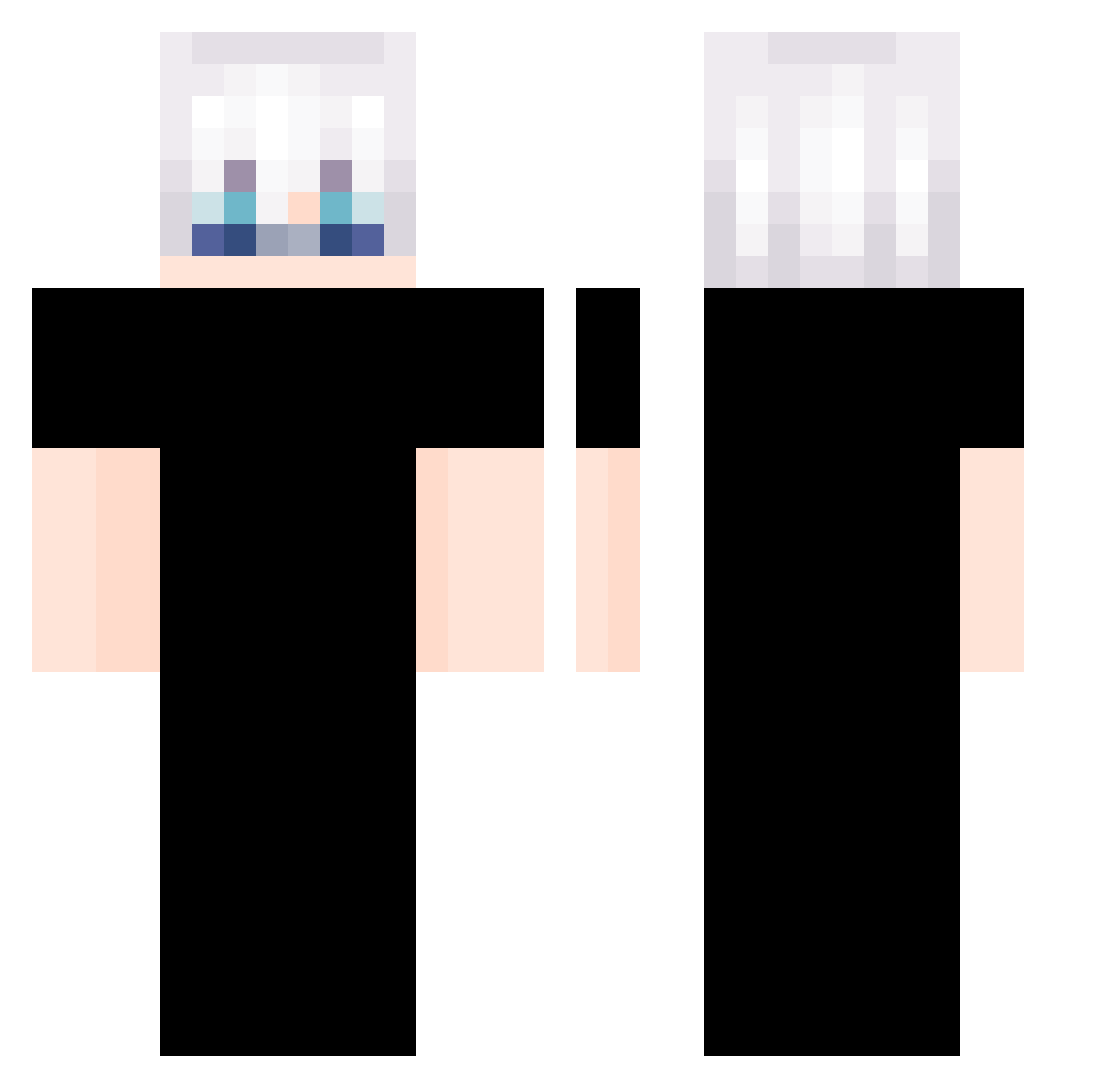
Current Minecraft skin of the player Karinyu, loaded from the official Mojang API. Rotate the 3D model with your mouse or finger, then download the skin as a PNG file and use it in Minecraft: Bedrock Edition or Java Edition for free. When Karinyu changes their skin, this page updates automatically and the old skin stays in the history below.
Other players with this skin (338)
Karinyu was the 36th player we have seen with this skin, first spotted on 06.08.2026. The same skin was seen on these players. Open a nickname to see their current skin and skin history.
 LoveForHer AZ4LIFE1 Stress_king thana17 ExilenceMC Frostbite08
 lastwalker Sunny0726_ supermagua Aniki2386 AZYPJ sadboi404 Mrvalak Ziro_04 dooope Dondonyan87a Pitales Fleta2779 glesz
 pta1111111 DruidaSauro NoxVyxen esteban_ll PIG__ONE Alpha_X_God Tybalt_19 MinkWitz9 Hajime7 moji66666666666 wsdsb250 alwaysimsim iESHU Pangzi14 asuune alilcec rickfeller Yoya_11 _BLACKLIST_ royal0602 Kaladanh Ye_Huang_source IjuI 0ldman1102 T0kyo__ guidoredux29 RealCat__ AutumnLeaves623 flamrgamer MiniGibby Ic1roI HARDCORe_HOLDEn 00ke00 zeno_T HuangDaDa666 suuh11 Yuji_____ Donnot_Cry Talge DOTOREE123 lamda1
More Satoru Gojo Minecraft skins
See all 1317 Satoru Gojo skins
How to install the Karinyu skin
- Press the Download button above to save the skin as a PNG file.
- Minecraft: Bedrock Edition (PE): open the Dressing Room from the main menu (or tap your character → Edit Character), go to Classic Skins → Owned, press the + (new skin) button, choose the downloaded PNG and pick the Classic (Steve) model. Works on PC and mobile; consoles cannot import custom skins.
- Minecraft: Java Edition: open the Minecraft Launcher, go to the Skins tab, click New Skin, load the PNG, pick the Classic (Steve) model and press Save & Use. You can also upload it at minecraft.net → Profile → Change Skin.
The skin does not show up after import - what should I do?
Restart Minecraft and open the Dressing Room again - imported skins sometimes appear only after a restart. Also make sure you selected the imported skin and picked the Classic (Steve) model.
Which model should I choose, Classic or Slim?
This skin is designed for the Classic (Steve) model. If you pick the wrong model, the arms of the skin will look stretched or squeezed.
Is the skin of Karinyu free to download?
Yes. Press Download, save the PNG file and use it in Minecraft: Bedrock Edition or Java Edition - no payment or registration needed. The skin also works on multiplayer servers and Realms.
More skins
Looking for more? Go back to all Minecraft skins and check the top skins of the week, month and all time, or find any player's skin by nickname.