
Kararez - Minecraft Skins & Skin History
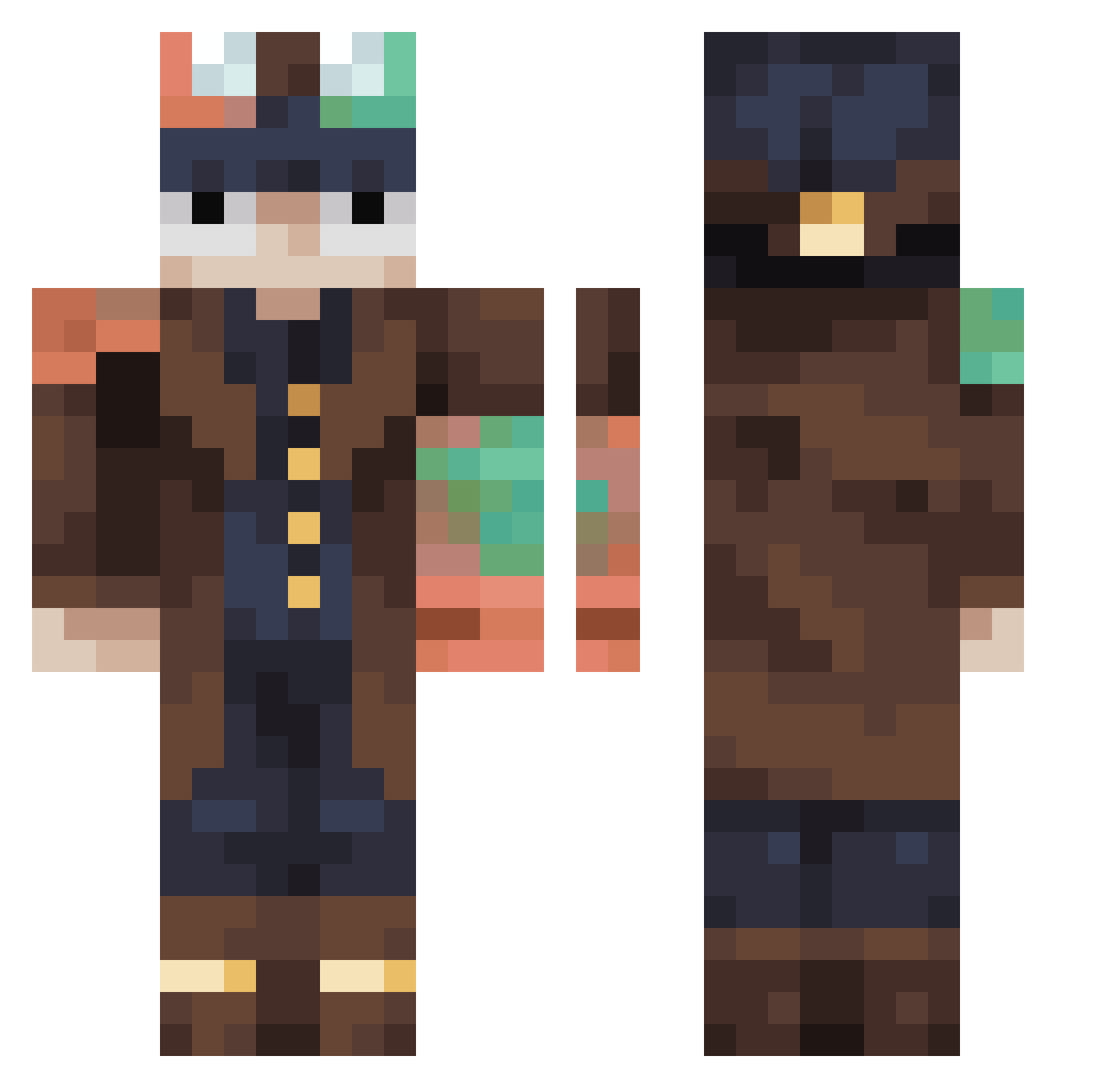
Current Minecraft skin of the player Kararez, loaded from the official Mojang API. Rotate the 3D model with your mouse or finger, then download the skin as a PNG file and use it in Minecraft: Bedrock Edition or Java Edition for free. When Kararez changes their skin, this page updates automatically and the old skin stays in the history below.
Other players with this skin (457)
Kararez was the 95th player we have seen with this skin, first spotted on 18.08.2026. The same skin was seen on these players. Open a nickname to see their current skin and skin history.
 ARcrafter0830 Hoshiyo1 FXDr101 Sockburgler
 Necrosxz Tvarnice RileyJack16
 Cutiebear33193 Bastos441 FreddyFazBallz69 manogota sallystrike Lowqualitybeans FelsDwarf RLiine Papetta Pettardo Tertcity Golden_Blooper chamchimayoyami Siftr6 arielp1309 Offriders13 mantiz1 3212A LuckyDucky2500 Azon12 Nono33700
 BladeT1 Mr_Koks228 D125427 aligator8921 Skullc3t jona41 YaYoRicky Raes24 Alzele
 cenitaa
 xXbagonghiXx piszys yKaio09 AsaMitak4 BT1DT4 limepie322 Galgay ike46150829 kabalelitte10 V_1_s_P saperspas Goldwinding HadesWRX Tornix57 5283zxzx triggers2020 Magucci56 goofygoober68 ebaka0cry E1i2545 sakuharu3986 Lopa55
More Steampunk Minecraft skins
How to install the Kararez skin
- Press the Download button above to save the skin as a PNG file.
- Minecraft: Bedrock Edition (PE): open the Dressing Room from the main menu (or tap your character → Edit Character), go to Classic Skins → Owned, press the + (new skin) button, choose the downloaded PNG and pick the Classic (Steve) model. Works on PC and mobile; consoles cannot import custom skins.
- Minecraft: Java Edition: open the Minecraft Launcher, go to the Skins tab, click New Skin, load the PNG, pick the Classic (Steve) model and press Save & Use. You can also upload it at minecraft.net → Profile → Change Skin.
The skin does not show up after import - what should I do?
Restart Minecraft and open the Dressing Room again - imported skins sometimes appear only after a restart. Also make sure you selected the imported skin and picked the Classic (Steve) model.
Which model should I choose, Classic or Slim?
This skin is designed for the Classic (Steve) model. If you pick the wrong model, the arms of the skin will look stretched or squeezed.
Is the skin of Kararez free to download?
Yes. Press Download, save the PNG file and use it in Minecraft: Bedrock Edition or Java Edition - no payment or registration needed. The skin also works on multiplayer servers and Realms.
More skins
Looking for more? Go back to all Minecraft skins and check the top skins of the week, month and all time, or find any player's skin by nickname.