
KannackAttack - Minecraft Skins & Skin History
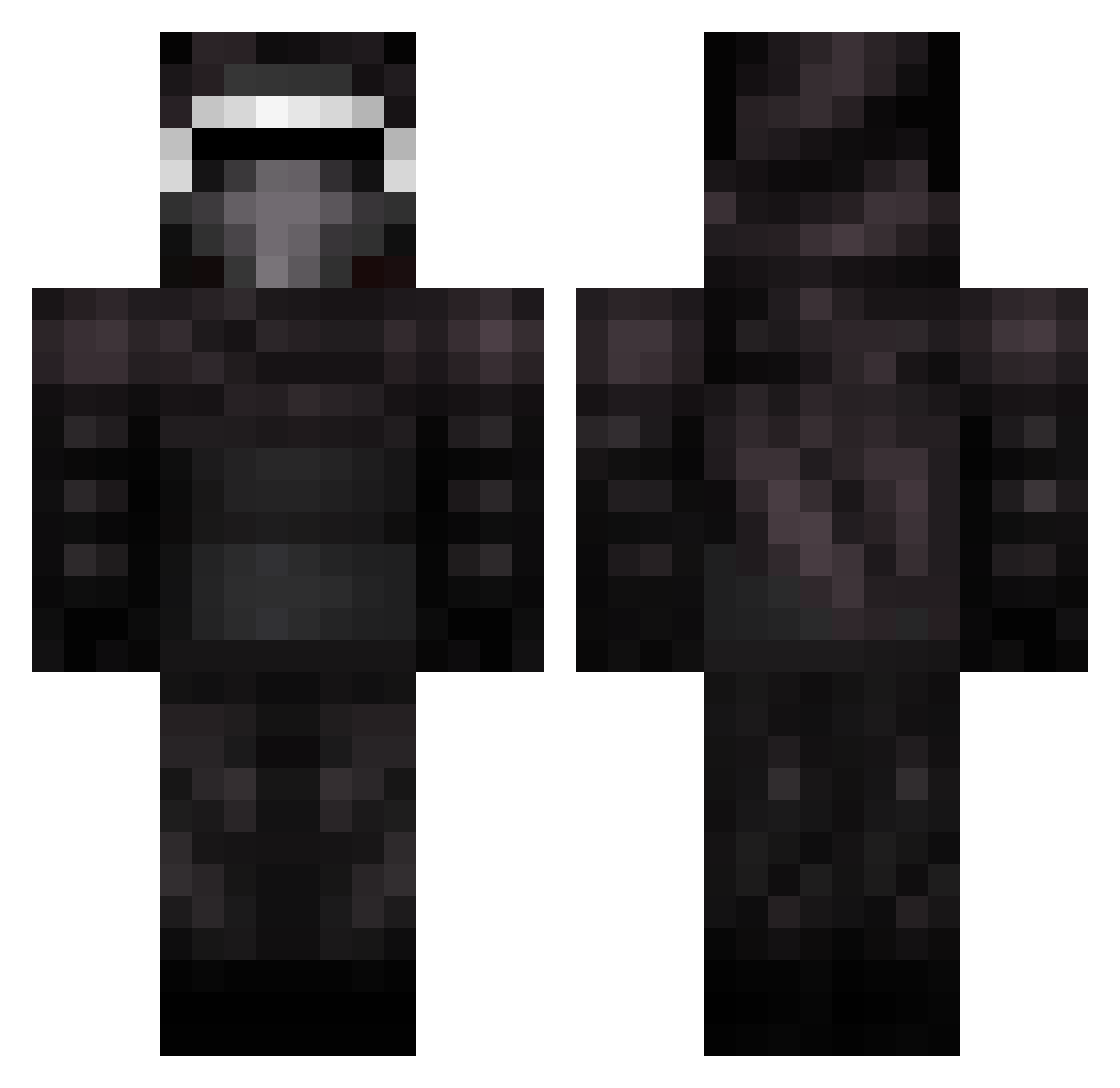
Current Minecraft skin of the player KannackAttack, loaded from the official Mojang API. Rotate the 3D model with your mouse or finger, then download the skin as a PNG file and use it in Minecraft: Bedrock Edition or Java Edition for free. When KannackAttack changes their skin, this page updates automatically and the old skin stays in the history below.
Other players with this skin (399)
KannackAttack was the 90th player we have seen with this skin, first spotted on 19.08.2026. The same skin was seen on these players. Open a nickname to see their current skin and skin history.
 EliasOverli JesusQ408 Perpalnor NathanE2010 NoahW2008 supersniper434 I_N0_SC0PEDJFK LiamHero haiYogo Mathematica _Archeron_ UmeZume AnthraxGaming kyloren1 0af Jaysjohnson Fuzil Starwarskid777 OutStancing xShadowLord19 CheesyBurger23 herp_derp217 kyloren_123 TheSpaghetti_Man swanebach LaskohMC nikolajlundgaard CheifWahoo kall0350 Purplepig72 08Alexx Statebattle14 __VICTUS__ jvw Energetixz EmperorBlastus ajfrags Mister_Thom Stormwinrey RileyReiid JJkylo Annix3n Razerblade101 MSNJHNSTN JSteParker aleb03 Jafs_ Kapitein2004 dylandoodle45 Kasper_zombie KattenSimba oskarvaltteri Elehmia DanBohWey Darkxman jb949 TheRealStickyJoe sausagesuperman Grant3439 nightkiller620
More Kylo Ren Minecraft skins
How to install the KannackAttack skin
- Press the Download button above to save the skin as a PNG file.
- Minecraft: Bedrock Edition (PE): open the Dressing Room from the main menu (or tap your character → Edit Character), go to Classic Skins → Owned, press the + (new skin) button, choose the downloaded PNG and pick the Classic (Steve) model. Works on PC and mobile; consoles cannot import custom skins.
- Minecraft: Java Edition: open the Minecraft Launcher, go to the Skins tab, click New Skin, load the PNG, pick the Classic (Steve) model and press Save & Use. You can also upload it at minecraft.net → Profile → Change Skin.
The skin does not show up after import - what should I do?
Restart Minecraft and open the Dressing Room again - imported skins sometimes appear only after a restart. Also make sure you selected the imported skin and picked the Classic (Steve) model.
Which model should I choose, Classic or Slim?
This skin is designed for the Classic (Steve) model. If you pick the wrong model, the arms of the skin will look stretched or squeezed.
Is the skin of KannackAttack free to download?
Yes. Press Download, save the PNG file and use it in Minecraft: Bedrock Edition or Java Edition - no payment or registration needed. The skin also works on multiplayer servers and Realms.
More skins
Looking for more? Go back to all Minecraft skins and check the top skins of the week, month and all time, or find any player's skin by nickname.