
KamixEQ - Minecraft Skins & Skin History
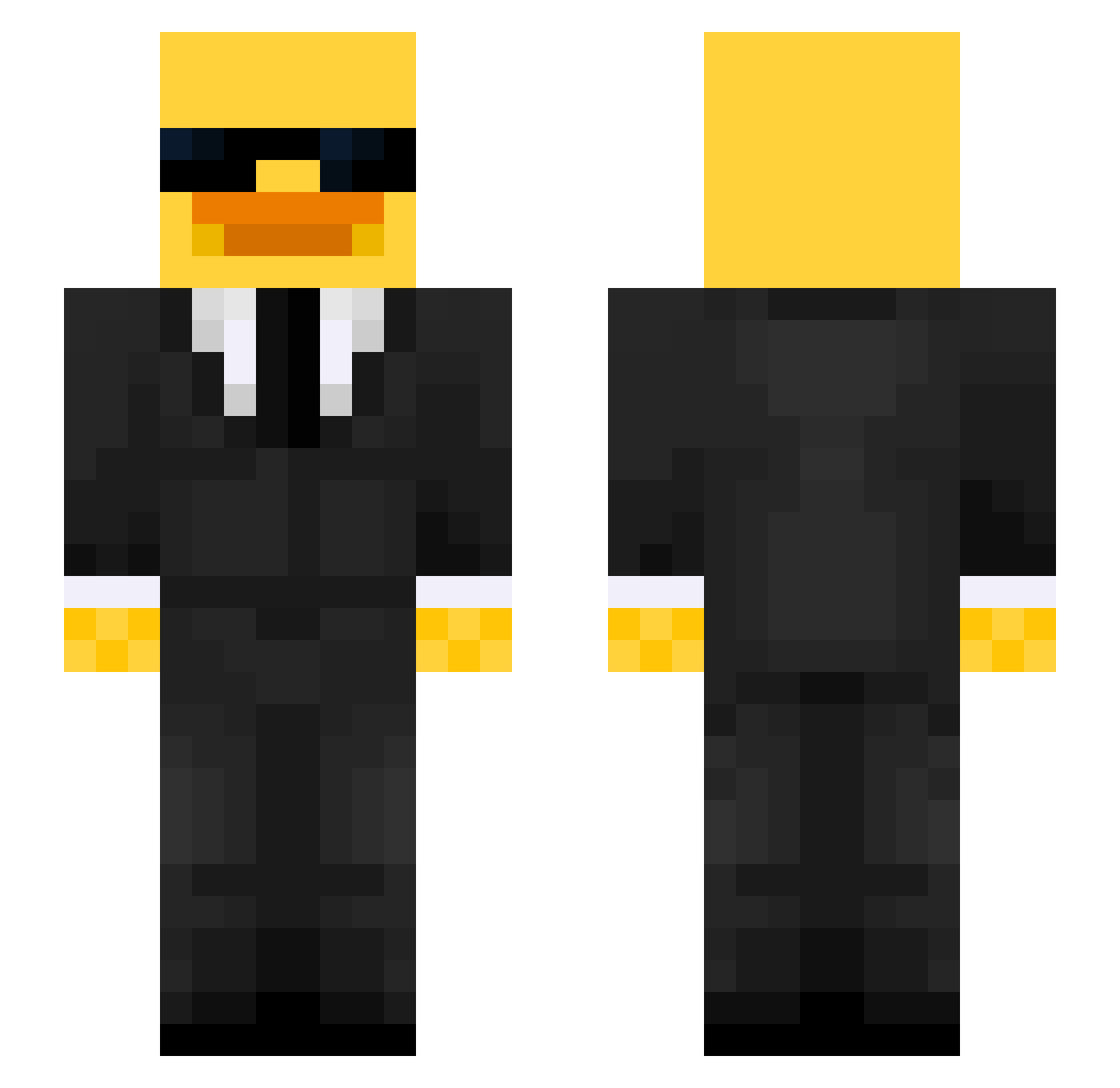
Current Minecraft skin of the player KamixEQ, loaded from the official Mojang API. Rotate the 3D model with your mouse or finger, then download the skin as a PNG file and use it in Minecraft: Bedrock Edition or Java Edition for free. When KamixEQ changes their skin, this page updates automatically and the old skin stays in the history below.
Other players with this skin (656)
KamixEQ was the 648th player we have seen with this skin, first spotted on 08.11.2026. The same skin was seen on these players. Open a nickname to see their current skin and skin history.
 Nacchiu Ashdert soten214 SLEEPYJ00 Kuzan321 Eksi681 Firmalayio jaxxmatthi Quackemi Galle1111 AlanDias251 Neuer111 Qeyer Rxphi1 Tyler_Penner Evans98 Valfosama Woofie_28 Kingbanin EPICsoul34 carlinaura IZestyI KINGFROGIII Jamo_BTW OpelCorsa542 slukypuky31 krisicola RainingTacos04 Seailo t451 Zunray 09benjii Jasinator69 Niizou xXMaxoooXx Karma5IQ Sikoersubremo KozyKing SantiSete_ KyoWess orbito121 rndmLP Star87 Sweener88 mayalu95 l1moo Xhype3950 Error9_ RedBeetle9834 _EROL_ Roger97443 Sebyz MantasDabs maciejosw burungu Paxint Namedperson Hype_on180HZ TR4Pjs1970 BaggySloth
More Duck Minecraft skins
How to install the KamixEQ skin
- Press the Download button above to save the skin as a PNG file.
- Minecraft: Bedrock Edition (PE): open the Dressing Room from the main menu (or tap your character → Edit Character), go to Classic Skins → Owned, press the + (new skin) button, choose the downloaded PNG and pick the Slim (Alex) model. Works on PC and mobile; consoles cannot import custom skins.
- Minecraft: Java Edition: open the Minecraft Launcher, go to the Skins tab, click New Skin, load the PNG, pick the Slim (Alex) model and press Save & Use. You can also upload it at minecraft.net → Profile → Change Skin.
The skin does not show up after import - what should I do?
Restart Minecraft and open the Dressing Room again - imported skins sometimes appear only after a restart. Also make sure you selected the imported skin and picked the Slim (Alex) model.
Which model should I choose, Classic or Slim?
This skin is designed for the Slim (Alex) model. If you pick the wrong model, the arms of the skin will look stretched or squeezed.
Is the skin of KamixEQ free to download?
Yes. Press Download, save the PNG file and use it in Minecraft: Bedrock Edition or Java Edition - no payment or registration needed. The skin also works on multiplayer servers and Realms.
More skins
Looking for more? Go back to all Minecraft skins and check the top skins of the week, month and all time, or find any player's skin by nickname.