
Kalintek - Minecraft Skins & Skin History
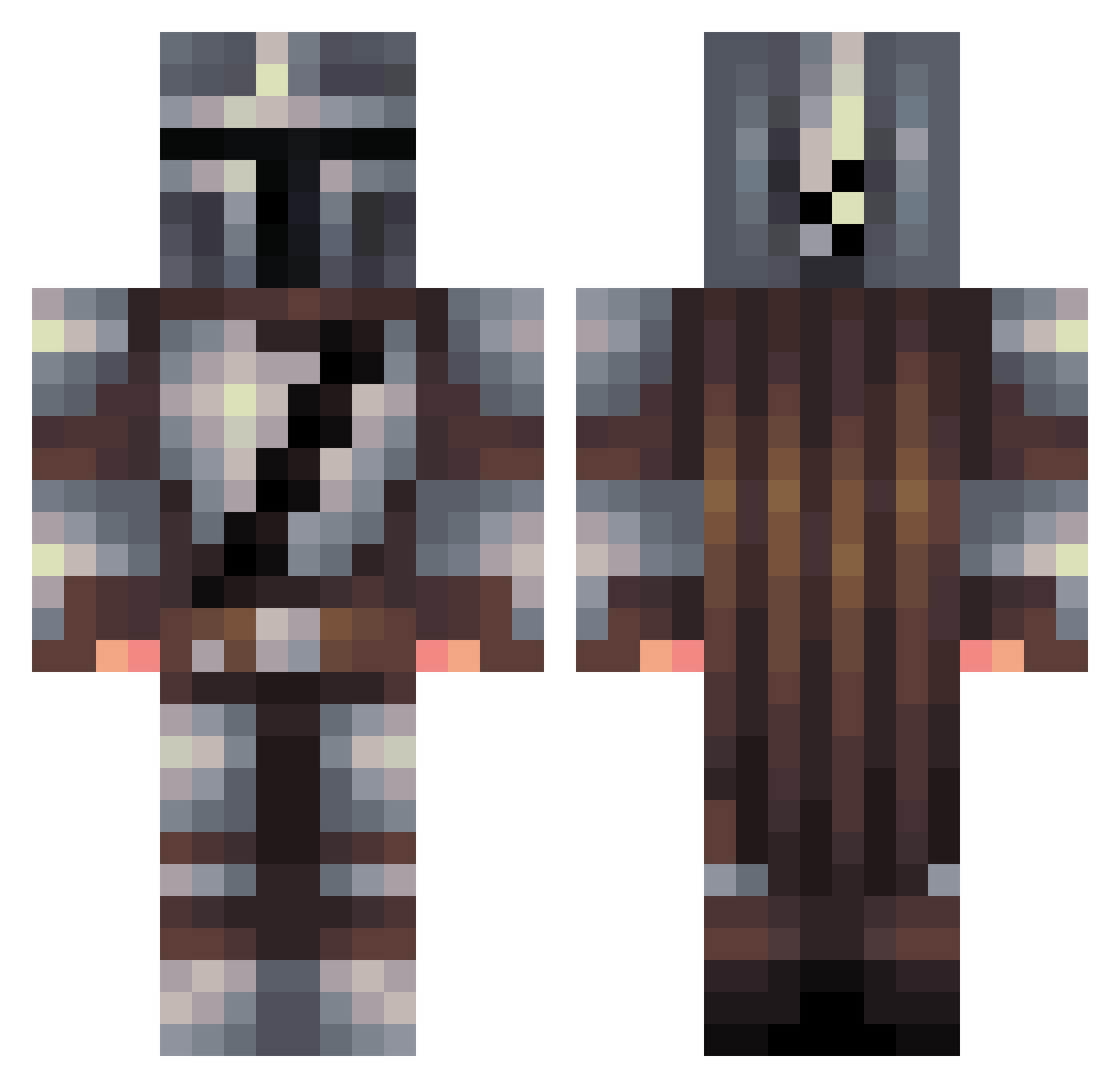
Current Minecraft skin of the player Kalintek, loaded from the official Mojang API. Rotate the 3D model with your mouse or finger, then download the skin as a PNG file and use it in Minecraft: Bedrock Edition or Java Edition for free. When Kalintek changes their skin, this page updates automatically and the old skin stays in the history below.
Other players with this skin (556)
Kalintek was the 487th player we have seen with this skin, first spotted on 06.11.2026. The same skin was seen on these players. Open a nickname to see their current skin and skin history.
 ProtoAMP justinhero1 mtg1252 ChillinSilin P1nky7 azoriss That_Guy111 Asanius aVAYLP Abbe1e1e Titola22 jules3681 B312NobleSix FreddiBi Sissi97 sshew007 TallJulian Attilles REDSTONEWIZZ TwinTennis Red117x Bemplo ZenithIRL alexisbanegas Willow8 WarHawk85 TheEfraGamer ssymm KaiYudokuna elkepler02 DrClockworkPHD Elicon Berle21 rexiusm Ventolain dataflu kylierogers27 Benloughtonyt Syrex06 Stupor7 albot65 C4toyou KingdomXA iweoqjhwoemf ZordLedd LastVic Toggle53 GREATGORLONDO DalaiFarmer SteadiJake Bigpecs99 Elysian96 Biggs64 fiorix_ Cole2212 BobGato bbmop Sebsation Sillass BlackGuy555
More The Mandalorian Minecraft skins
See all 675 The Mandalorian skins
How to install the Kalintek skin
- Press the Download button above to save the skin as a PNG file.
- Minecraft: Bedrock Edition (PE): open the Dressing Room from the main menu (or tap your character → Edit Character), go to Classic Skins → Owned, press the + (new skin) button, choose the downloaded PNG and pick the Classic (Steve) model. Works on PC and mobile; consoles cannot import custom skins.
- Minecraft: Java Edition: open the Minecraft Launcher, go to the Skins tab, click New Skin, load the PNG, pick the Classic (Steve) model and press Save & Use. You can also upload it at minecraft.net → Profile → Change Skin.
The skin does not show up after import - what should I do?
Restart Minecraft and open the Dressing Room again - imported skins sometimes appear only after a restart. Also make sure you selected the imported skin and picked the Classic (Steve) model.
Which model should I choose, Classic or Slim?
This skin is designed for the Classic (Steve) model. If you pick the wrong model, the arms of the skin will look stretched or squeezed.
Is the skin of Kalintek free to download?
Yes. Press Download, save the PNG file and use it in Minecraft: Bedrock Edition or Java Edition - no payment or registration needed. The skin also works on multiplayer servers and Realms.
More skins
Looking for more? Go back to all Minecraft skins and check the top skins of the week, month and all time, or find any player's skin by nickname.