
Kaisel20 - Minecraft Skins & Skin History
Current Minecraft skin of the player Kaisel20, loaded from the official Mojang API. Rotate the 3D model with your mouse or finger, then download the skin as a PNG file and use it in Minecraft: Bedrock Edition or Java Edition for free. When Kaisel20 changes their skin, this page updates automatically and the old skin stays in the history below.
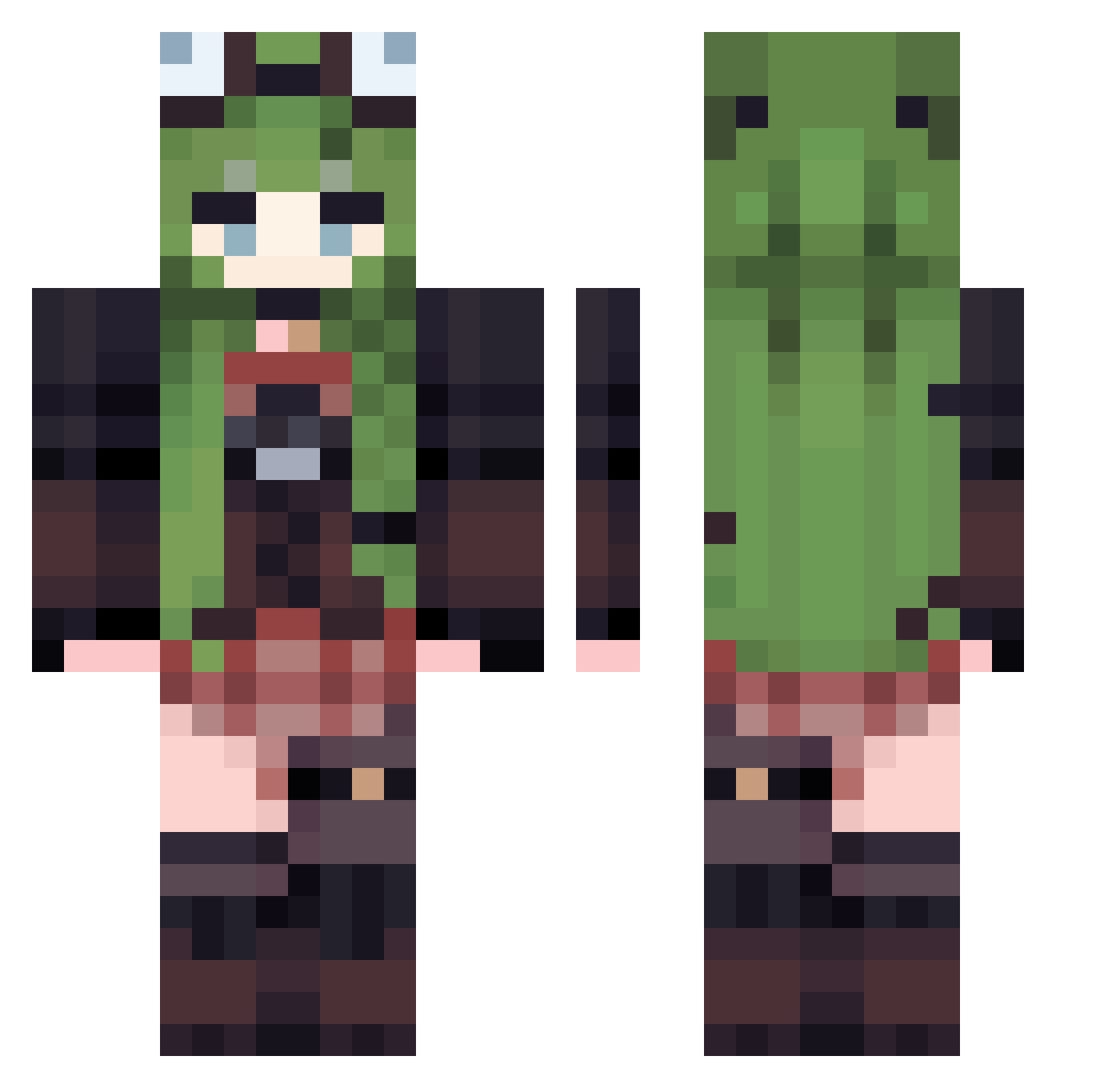
Other players with this skin (529)
Kaisel20 was the 168th player we have seen with this skin, first spotted on 28.08.2026. The same skin was seen on these players. Open a nickname to see their current skin and skin history.
 kyriha ASAOV UntamedRain MRyangll WuYan_ ersatz__ kellykk15 sulliwan hoh11 oooJuJuooo Breaker97 Naegixc XiaoHal tmmnnd ExtraQueen cffc5 yuucu13 LOKOP1 ShadowMoon4510 PostalSun Kanaplia Water_Witch70 Malbetter j95ne FrozenLima ShiWai_GaoRen David_CYM Jessica2443 nektarinedream rain022323 Yyyvyyy NanXunZH YoungGiraffe264 Something316 Gato_keke Kiyooomi Keilly_ Uvevveveveve fakarsu Miaouwa just_HanLi torahugu11 sssuye JulciaWr Jua_eco Gallagherzz PocapocaMocha bocelli123 DrunkOVO
 Wuwuwu999 zuz20091 Felixlolo LDxts
 mercedes21 ccttii zuntyan3717 ryfles Athlanta sawunia jkl12138
More Frog Hat Minecraft skins
How to install the Kaisel20 skin
- Press the Download button above to save the skin as a PNG file.
- Minecraft: Bedrock Edition (PE): open the Dressing Room from the main menu (or tap your character → Edit Character), go to Classic Skins → Owned, press the + (new skin) button, choose the downloaded PNG and pick the Classic (Steve) model. Works on PC and mobile; consoles cannot import custom skins.
- Minecraft: Java Edition: open the Minecraft Launcher, go to the Skins tab, click New Skin, load the PNG, pick the Classic (Steve) model and press Save & Use. You can also upload it at minecraft.net → Profile → Change Skin.
The skin does not show up after import - what should I do?
Restart Minecraft and open the Dressing Room again - imported skins sometimes appear only after a restart. Also make sure you selected the imported skin and picked the Classic (Steve) model.
Which model should I choose, Classic or Slim?
This skin is designed for the Classic (Steve) model. If you pick the wrong model, the arms of the skin will look stretched or squeezed.
Is the skin of Kaisel20 free to download?
Yes. Press Download, save the PNG file and use it in Minecraft: Bedrock Edition or Java Edition - no payment or registration needed. The skin also works on multiplayer servers and Realms.
More skins
Looking for more? Go back to all Minecraft skins and check the top skins of the week, month and all time, or find any player's skin by nickname.