
KV13Apple - Minecraft Skins & Skin History
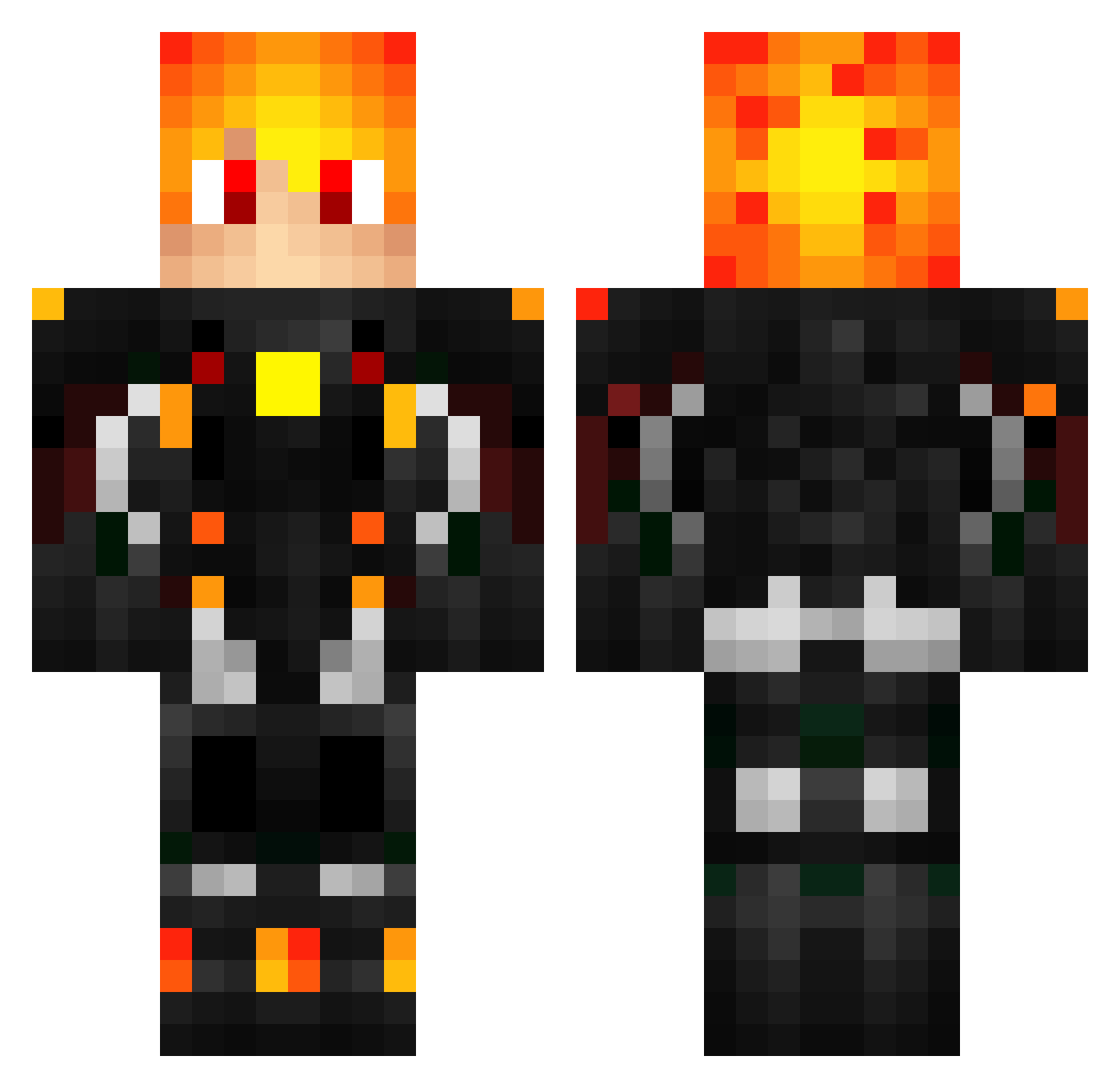
Current Minecraft skin of the player KV13Apple, loaded from the official Mojang API. Rotate the 3D model with your mouse or finger, then download the skin as a PNG file and use it in Minecraft: Bedrock Edition or Java Edition for free. When KV13Apple changes their skin, this page updates automatically and the old skin stays in the history below.
Other players with this skin (439)
KV13Apple was the 351st player we have seen with this skin, first spotted on 07.10.2026. The same skin was seen on these players. Open a nickname to see their current skin and skin history.
 NowBros Cristian_Muro igno849 Evalrin SammyFlameLord yuzuki0510 Xiakosi AMID205 Feuerschutzmann samson0049 RoyalKitKat 1971michael1971 Pacmon QuinRu Zebius24 hiro4717 itsweaze dragonboy159 Speakyo KrazyAntsRule Dvir2010123 ionutioan SDJayAn Attila1445 Takzo_ LeCpt_Nex hihatss vetralexx MrPinoo Ash3333 Replays22 Foxycraft5 sebita1t12 Opnel ssass88 OliverWenngren Kirill113321 Kiwano__ Longhito TheExploder midzy_0726 Tiwich MirkoKaos RoadHyeon LeoSuper88 vulcan0529 jhowsc BlockyMister Maxsushix 2__d__h Meiki187 Eiermalers Youssefbh Zamenhov DracoFlameheart ironflashdt Shadow_Hunterr_ Sungel Trimfy darjmz
More Futuristic Armor Minecraft skins
See all 511 Futuristic Armor skins
How to install the KV13Apple skin
- Press the Download button above to save the skin as a PNG file.
- Minecraft: Bedrock Edition (PE): open the Dressing Room from the main menu (or tap your character → Edit Character), go to Classic Skins → Owned, press the + (new skin) button, choose the downloaded PNG and pick the Classic (Steve) model. Works on PC and mobile; consoles cannot import custom skins.
- Minecraft: Java Edition: open the Minecraft Launcher, go to the Skins tab, click New Skin, load the PNG, pick the Classic (Steve) model and press Save & Use. You can also upload it at minecraft.net → Profile → Change Skin.
The skin does not show up after import - what should I do?
Restart Minecraft and open the Dressing Room again - imported skins sometimes appear only after a restart. Also make sure you selected the imported skin and picked the Classic (Steve) model.
Which model should I choose, Classic or Slim?
This skin is designed for the Classic (Steve) model. If you pick the wrong model, the arms of the skin will look stretched or squeezed.
Is the skin of KV13Apple free to download?
Yes. Press Download, save the PNG file and use it in Minecraft: Bedrock Edition or Java Edition - no payment or registration needed. The skin also works on multiplayer servers and Realms.
More skins
Looking for more? Go back to all Minecraft skins and check the top skins of the week, month and all time, or find any player's skin by nickname.