
KK_1874 - Minecraft Skins & Skin History
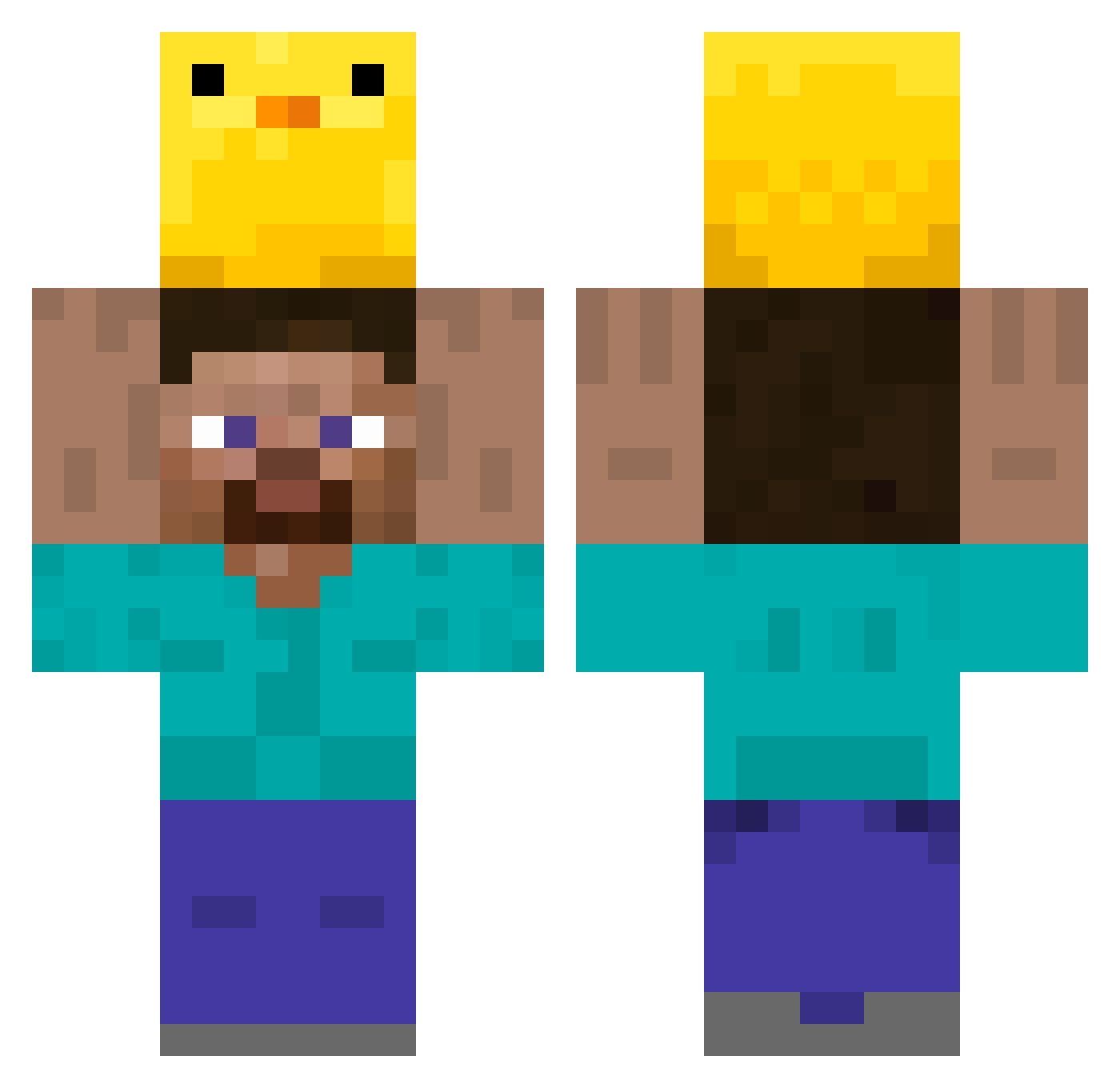
Current Minecraft skin of the player KK_1874, loaded from the official Mojang API. Rotate the 3D model with your mouse or finger, then download the skin as a PNG file and use it in Minecraft: Bedrock Edition or Java Edition for free. When KK_1874 changes their skin, this page updates automatically and the old skin stays in the history below.
Other players with this skin (349)
KK_1874 was the 162nd player we have seen with this skin, first spotted on 20.09.2026. The same skin was seen on these players. Open a nickname to see their current skin and skin history.
 Santa1612 Mio EL619 blue_l1ght Smoothlyslip wetpipe Ake_e ShorBus pizza_Asya sobiesobiegrajek Roxy3150 FatalError5 HasonetT_ Yarn89 pastoralsink rareshi Softbottle uptowncd Fullyhop925 Eykyo DanBee2009 12smuch Ob5oletepig norgaardd JUMAXOu universoultra sljoles wugui_Dtcaj_1018 Wh0isaka Stermipo lukon500 Nevercreate Erick_NStyle Onobozo BingBong263 matthheo mayqueen512 ImFox98 Ugabugaar JoNinx0 Fragilera__inbow Billy_Bobbie OwlHat35 astormekg Desquezze Havzert kiritan2525 TianQA usango allefgameplay QuickBee666 simdongwook1201 warmrose11 fedefrutilla Eyeitt Bag112 blazepelt07 evande82 m4tt10 ImKay818
More Holding Duck Minecraft skins
How to install the KK_1874 skin
- Press the Download button above to save the skin as a PNG file.
- Minecraft: Bedrock Edition (PE): open the Dressing Room from the main menu (or tap your character → Edit Character), go to Classic Skins → Owned, press the + (new skin) button, choose the downloaded PNG and pick the Classic (Steve) model. Works on PC and mobile; consoles cannot import custom skins.
- Minecraft: Java Edition: open the Minecraft Launcher, go to the Skins tab, click New Skin, load the PNG, pick the Classic (Steve) model and press Save & Use. You can also upload it at minecraft.net → Profile → Change Skin.
The skin does not show up after import - what should I do?
Restart Minecraft and open the Dressing Room again - imported skins sometimes appear only after a restart. Also make sure you selected the imported skin and picked the Classic (Steve) model.
Which model should I choose, Classic or Slim?
This skin is designed for the Classic (Steve) model. If you pick the wrong model, the arms of the skin will look stretched or squeezed.
Is the skin of KK_1874 free to download?
Yes. Press Download, save the PNG file and use it in Minecraft: Bedrock Edition or Java Edition - no payment or registration needed. The skin also works on multiplayer servers and Realms.
More skins
Looking for more? Go back to all Minecraft skins and check the top skins of the week, month and all time, or find any player's skin by nickname.