
KIT1305 - Minecraft Skins & Skin History
Current Minecraft skin of the player KIT1305, loaded from the official Mojang API. Rotate the 3D model with your mouse or finger, then download the skin as a PNG file and use it in Minecraft: Bedrock Edition or Java Edition for free. When KIT1305 changes their skin, this page updates automatically and the old skin stays in the history below.
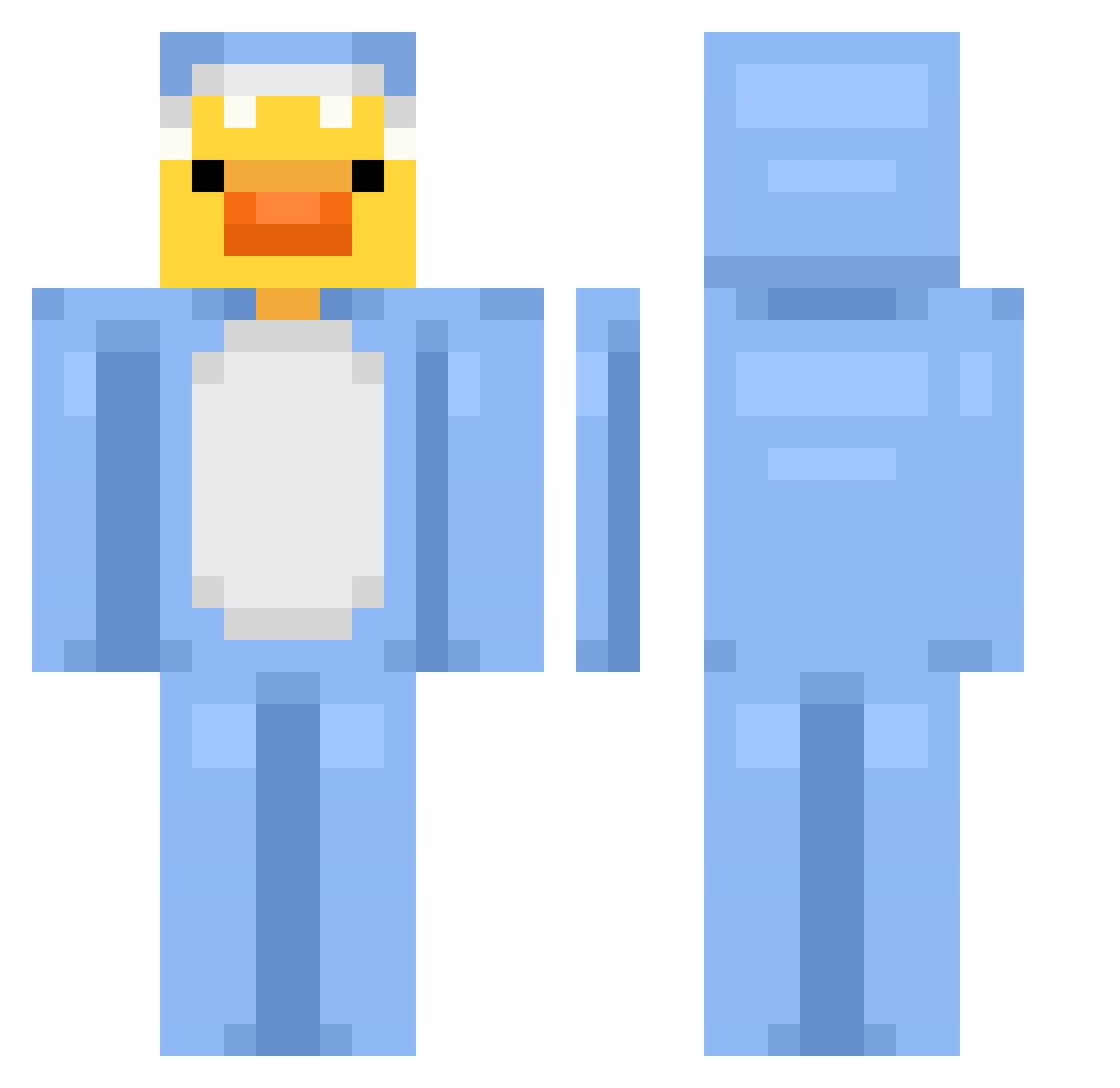
Other players with this skin (700)
KIT1305 was the 151st player we have seen with this skin, first spotted on 14.08.2026. The same skin was seen on these players. Open a nickname to see their current skin and skin history.
 expert_lucas78 Marza11 SM_TINO __exoticat pykoooooo D4rk009 Babychick2665 Nagler_low85 admiraldushere Sebastianlolo
 PON3RO juninhobigode_ potatCraft Magnusmn2013 Peaksmith Jowook scarycherries jutster Delphie_3010 Guigu2709 coldwolf325811 suxarik1 Bartixon11 Gintvile14 minecraft_ttv_yt XLVibrant REALRAVENBOY chisoww blananas seraaaaaaaaaa SkyLordjj2011
 Stura SamuraiMonke4 JustRealfake Lenzss_ LooseGoose18 hugoo1989 giogio499 Armando214 kass3melhajj zefjio0 duckyt2 WildFX SlenderNih chicachicc AhmadMosin Fedialor_X Weedle69 hollywalle Martinovics0 gonzamolina Prosperet aryswell Ducky7878 madoguchi dietcola22 Bomiii DRN122 kuringe The_DuckBoi
More Onesie Minecraft skins
How to install the KIT1305 skin
- Press the Download button above to save the skin as a PNG file.
- Minecraft: Bedrock Edition (PE): open the Dressing Room from the main menu (or tap your character → Edit Character), go to Classic Skins → Owned, press the + (new skin) button, choose the downloaded PNG and pick the Classic (Steve) model. Works on PC and mobile; consoles cannot import custom skins.
- Minecraft: Java Edition: open the Minecraft Launcher, go to the Skins tab, click New Skin, load the PNG, pick the Classic (Steve) model and press Save & Use. You can also upload it at minecraft.net → Profile → Change Skin.
The skin does not show up after import - what should I do?
Restart Minecraft and open the Dressing Room again - imported skins sometimes appear only after a restart. Also make sure you selected the imported skin and picked the Classic (Steve) model.
Which model should I choose, Classic or Slim?
This skin is designed for the Classic (Steve) model. If you pick the wrong model, the arms of the skin will look stretched or squeezed.
Is the skin of KIT1305 free to download?
Yes. Press Download, save the PNG file and use it in Minecraft: Bedrock Edition or Java Edition - no payment or registration needed. The skin also works on multiplayer servers and Realms.
More skins
Looking for more? Go back to all Minecraft skins and check the top skins of the week, month and all time, or find any player's skin by nickname.