
JvJy - Minecraft Skins & Skin History
Current Minecraft skin of the player JvJy, loaded from the official Mojang API. Rotate the 3D model with your mouse or finger, then download the skin as a PNG file and use it in Minecraft: Bedrock Edition or Java Edition for free. When JvJy changes their skin, this page updates automatically and the old skin stays in the history below.
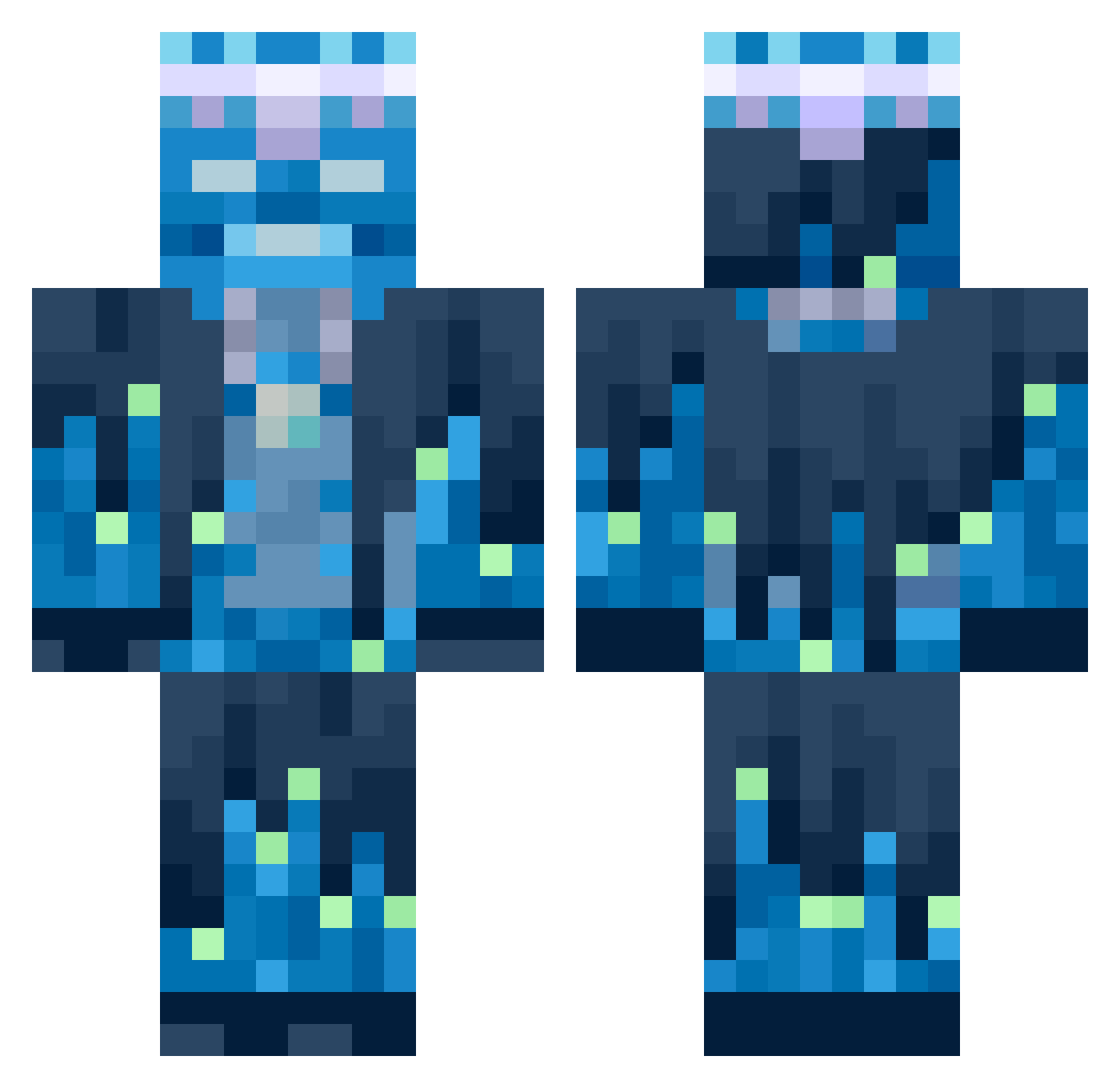
Other players with this skin (559)
JvJy was the 90th player we have seen with this skin, first spotted on 09.08.2026. The same skin was seen on these players. Open a nickname to see their current skin and skin history.
 YagoGR kazem206 JackSS2014
 SyrexxxLGL iNcorruptibly deadscope666 JGormP14 AkoskaTopika _IlBonsalI_ LunarCobra Skaarj09 Jymmy101
 Jacksyn50 Flamefraga xNonoGHGx rehaangamez FuriousLily4167
 elarsrr
 BlueX__ MrSecra MaxBAM beattttttie lmaoshiney funflappywind cazyman4425 Projekter Arturo0808
 itoniic TARDIAZ Adrise213 Eternalis ToastedDelight ArjunaAN Zuraw2014
 pskar50 Remortgage D960 MennoW2004 Weyhide facuminecraft Raji_Paaji45 Teslaprince19
 Catsifying13
 Fred_the_fox
 LEVLOWE
 Tsertsva voidmaster140 Haluca123 Alaba_4 SagiSp s1mple_17 SennTakatsuki
 TerworRX
 Y3T4 abomination2211 alharawi
 Realthorn TotallyGaming2
 armaan_ost 2222222222222227
More Glowing Minecraft skins
How to install the JvJy skin
- Press the Download button above to save the skin as a PNG file.
- Minecraft: Bedrock Edition (PE): open the Dressing Room from the main menu (or tap your character → Edit Character), go to Classic Skins → Owned, press the + (new skin) button, choose the downloaded PNG and pick the Classic (Steve) model. Works on PC and mobile; consoles cannot import custom skins.
- Minecraft: Java Edition: open the Minecraft Launcher, go to the Skins tab, click New Skin, load the PNG, pick the Classic (Steve) model and press Save & Use. You can also upload it at minecraft.net → Profile → Change Skin.
The skin does not show up after import - what should I do?
Restart Minecraft and open the Dressing Room again - imported skins sometimes appear only after a restart. Also make sure you selected the imported skin and picked the Classic (Steve) model.
Which model should I choose, Classic or Slim?
This skin is designed for the Classic (Steve) model. If you pick the wrong model, the arms of the skin will look stretched or squeezed.
Is the skin of JvJy free to download?
Yes. Press Download, save the PNG file and use it in Minecraft: Bedrock Edition or Java Edition - no payment or registration needed. The skin also works on multiplayer servers and Realms.
More skins
Looking for more? Go back to all Minecraft skins and check the top skins of the week, month and all time, or find any player's skin by nickname.