
Justa_dream - Minecraft Skins & Skin History
Current Minecraft skin of the player Justa_dream, loaded from the official Mojang API. Rotate the 3D model with your mouse or finger, then download the skin as a PNG file and use it in Minecraft: Bedrock Edition or Java Edition for free. When Justa_dream changes their skin, this page updates automatically and the old skin stays in the history below.
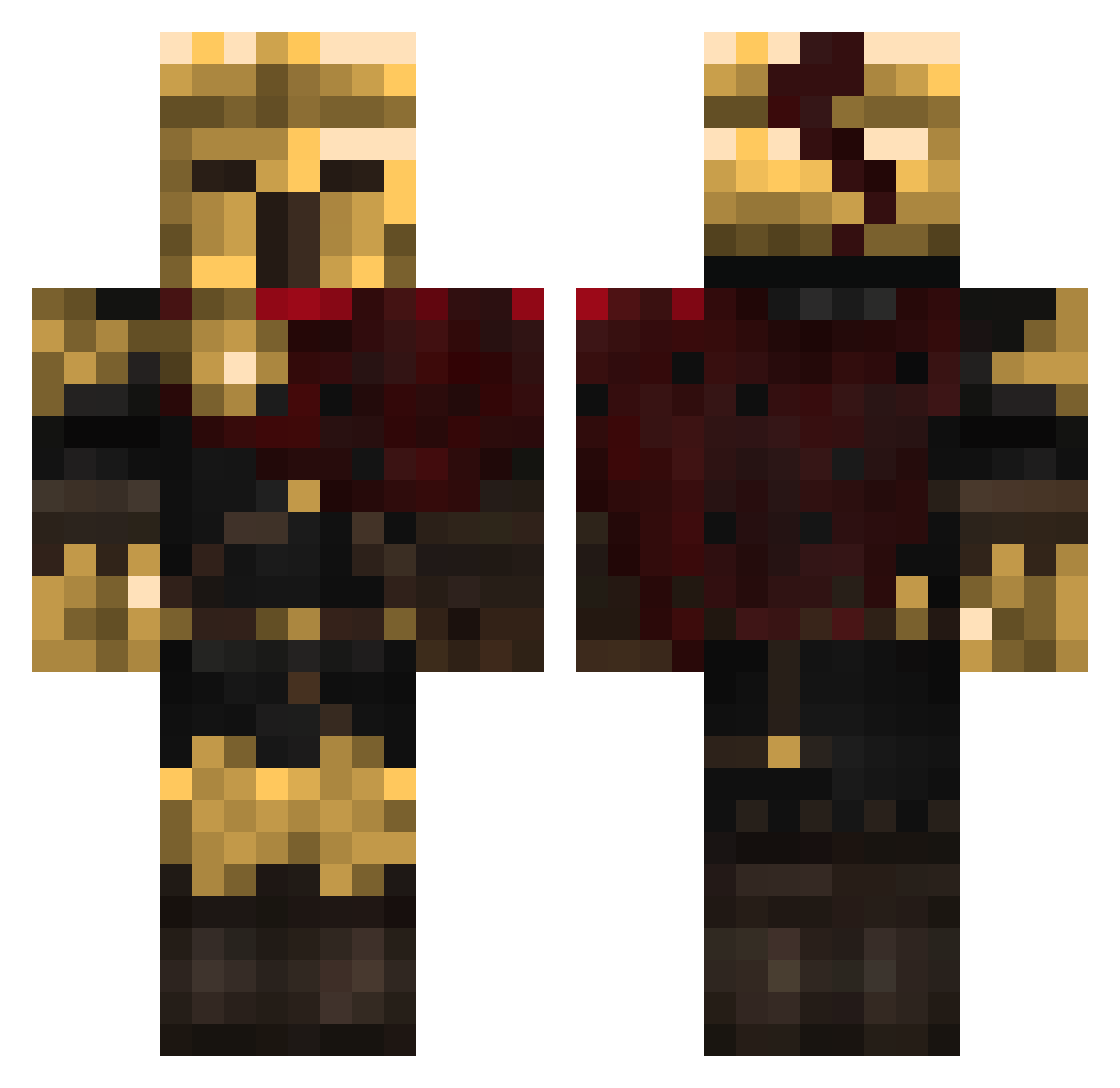
Other players with this skin (457)
Justa_dream was the 153rd player we have seen with this skin, first spotted on 01.09.2026. The same skin was seen on these players. Open a nickname to see their current skin and skin history.
 _Ory_ SirKnightLore Naara44 Polombbro miauism KaiserDju976 IBSMercenary AkeMiTsuu lotusxp
 Spidersteve200 okarok Jazzybruh PatrickDaOblong Camarada_Joao_ Alikred_ L3sbianLover xdead34 xVortex3D DeadAlex9089 TempestaGolder mugsy61 ForUltraPlayers COOLKIDBUTTERDOG doomiy
 Bohnelol MrBuzzBall aford22 Zuberto111 I_Alastair_I radov1
 yeetlord_1011 ShadowMax2 clemlpp fcktrent smartalex1 asianpyro
 Klaiks Loke53 TaxEvader23 scaramiaus SirRodriguez IMOHOKAY
 Fredd_XD Lucifer6683 d3rlod3 Aky0zz Remmeyy_ monkey_taint Ventex3032 TidalWaive DaCatThief Ackirb SrGeladinho Pitagora03 Garkov14
 Drew_Breezy
 Hellstorm1003 NomNomBanana cookingpowder CapybaraMoai
More Warrior Minecraft skins
How to install the Justa_dream skin
- Press the Download button above to save the skin as a PNG file.
- Minecraft: Bedrock Edition (PE): open the Dressing Room from the main menu (or tap your character → Edit Character), go to Classic Skins → Owned, press the + (new skin) button, choose the downloaded PNG and pick the Classic (Steve) model. Works on PC and mobile; consoles cannot import custom skins.
- Minecraft: Java Edition: open the Minecraft Launcher, go to the Skins tab, click New Skin, load the PNG, pick the Classic (Steve) model and press Save & Use. You can also upload it at minecraft.net → Profile → Change Skin.
The skin does not show up after import - what should I do?
Restart Minecraft and open the Dressing Room again - imported skins sometimes appear only after a restart. Also make sure you selected the imported skin and picked the Classic (Steve) model.
Which model should I choose, Classic or Slim?
This skin is designed for the Classic (Steve) model. If you pick the wrong model, the arms of the skin will look stretched or squeezed.
Is the skin of Justa_dream free to download?
Yes. Press Download, save the PNG file and use it in Minecraft: Bedrock Edition or Java Edition - no payment or registration needed. The skin also works on multiplayer servers and Realms.
More skins
Looking for more? Go back to all Minecraft skins and check the top skins of the week, month and all time, or find any player's skin by nickname.