
Julle1227 - Minecraft Skins & Skin History
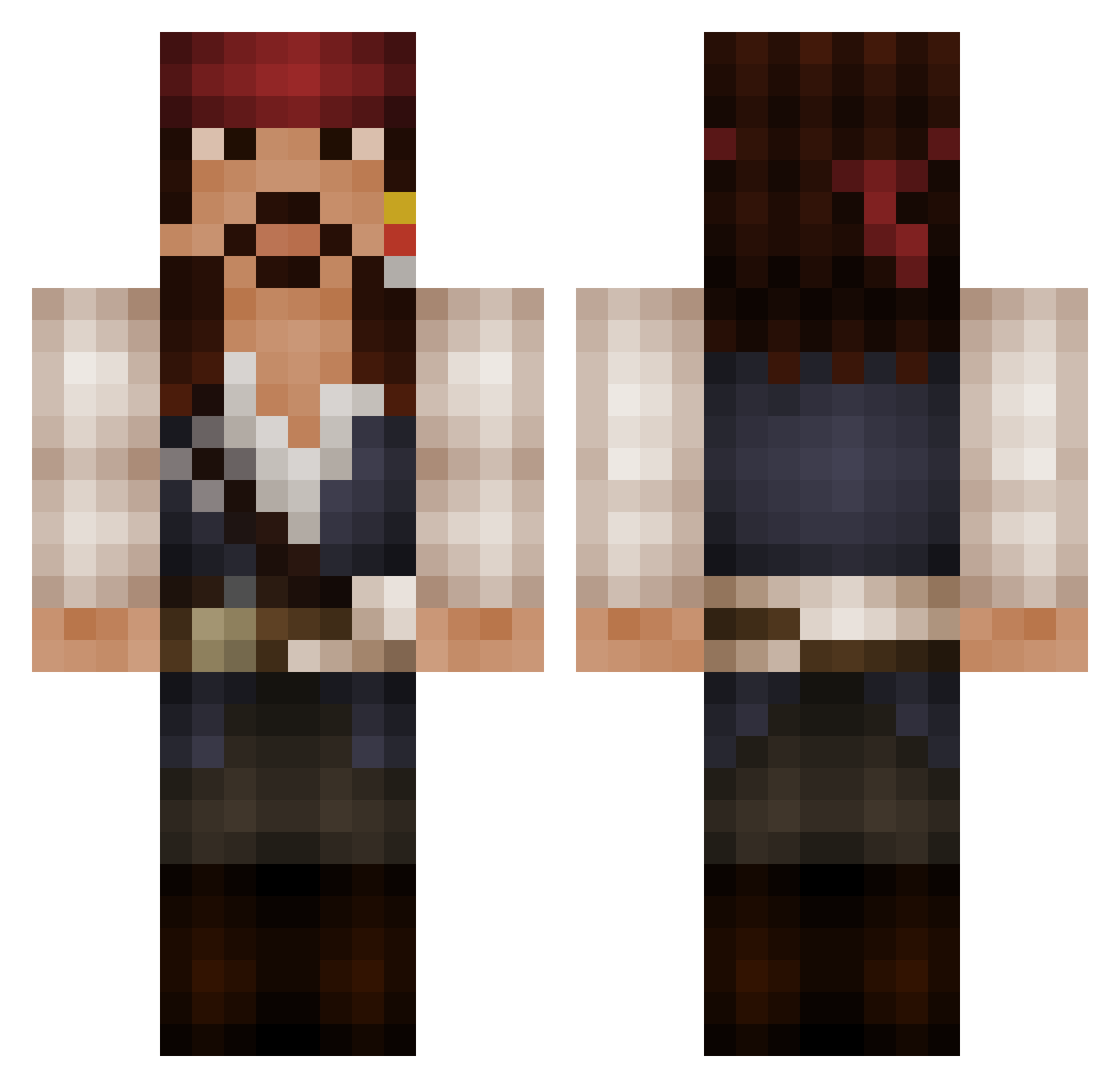
Current Minecraft skin of the player Julle1227, loaded from the official Mojang API. Rotate the 3D model with your mouse or finger, then download the skin as a PNG file and use it in Minecraft: Bedrock Edition or Java Edition for free. When Julle1227 changes their skin, this page updates automatically and the old skin stays in the history below.
Other players with this skin (525)
Julle1227 was the 75th player we have seen with this skin, first spotted on 09.08.2026. The same skin was seen on these players. Open a nickname to see their current skin and skin history.
 zomgdinosawr antellaz ChinesePowerrr 8Christ hell_lord_69 Schinjo pommydevil Droxxas asosyaladam Paradyddle Captin_Raziel AOfuckingL GhostCraft23 Der_Leumas 12343123 Kashiriya iSpyNukes MC_Hannuzz Zapa_Tiu cupquake12345 Wiboutek rilian8989 Late710 woutnova QuiQuaeQuod Kingsmith SirDicky Sander_West ratberger Just__P Oues69 FurryBadgers Rhioden KonaKonaKona Oliver_x_1 TxCrossXFirexT MaFistaCuffs NinjaAssassinDW StuffedParrot O_moss_O zachc54 SteelBit24 mike_wynn 8Ball2611 4rchqaz epatotte Ramosdiaz Dibebe Electro1313 GetRektIG tinashe1011 deckydoodle Teenager_58 Suppish funman007 stevmc77 Flo_Reks AmbroseHeck InnocentNanners PatChaKa
More Jack Sparrow Minecraft skins
See all 108 Jack Sparrow skins
How to install the Julle1227 skin
- Press the Download button above to save the skin as a PNG file.
- Minecraft: Bedrock Edition (PE): open the Dressing Room from the main menu (or tap your character → Edit Character), go to Classic Skins → Owned, press the + (new skin) button, choose the downloaded PNG and pick the Classic (Steve) model. Works on PC and mobile; consoles cannot import custom skins.
- Minecraft: Java Edition: open the Minecraft Launcher, go to the Skins tab, click New Skin, load the PNG, pick the Classic (Steve) model and press Save & Use. You can also upload it at minecraft.net → Profile → Change Skin.
The skin does not show up after import - what should I do?
Restart Minecraft and open the Dressing Room again - imported skins sometimes appear only after a restart. Also make sure you selected the imported skin and picked the Classic (Steve) model.
Which model should I choose, Classic or Slim?
This skin is designed for the Classic (Steve) model. If you pick the wrong model, the arms of the skin will look stretched or squeezed.
Is the skin of Julle1227 free to download?
Yes. Press Download, save the PNG file and use it in Minecraft: Bedrock Edition or Java Edition - no payment or registration needed. The skin also works on multiplayer servers and Realms.
More skins
Looking for more? Go back to all Minecraft skins and check the top skins of the week, month and all time, or find any player's skin by nickname.