
InnocentNanners - Minecraft Skins & Skin History
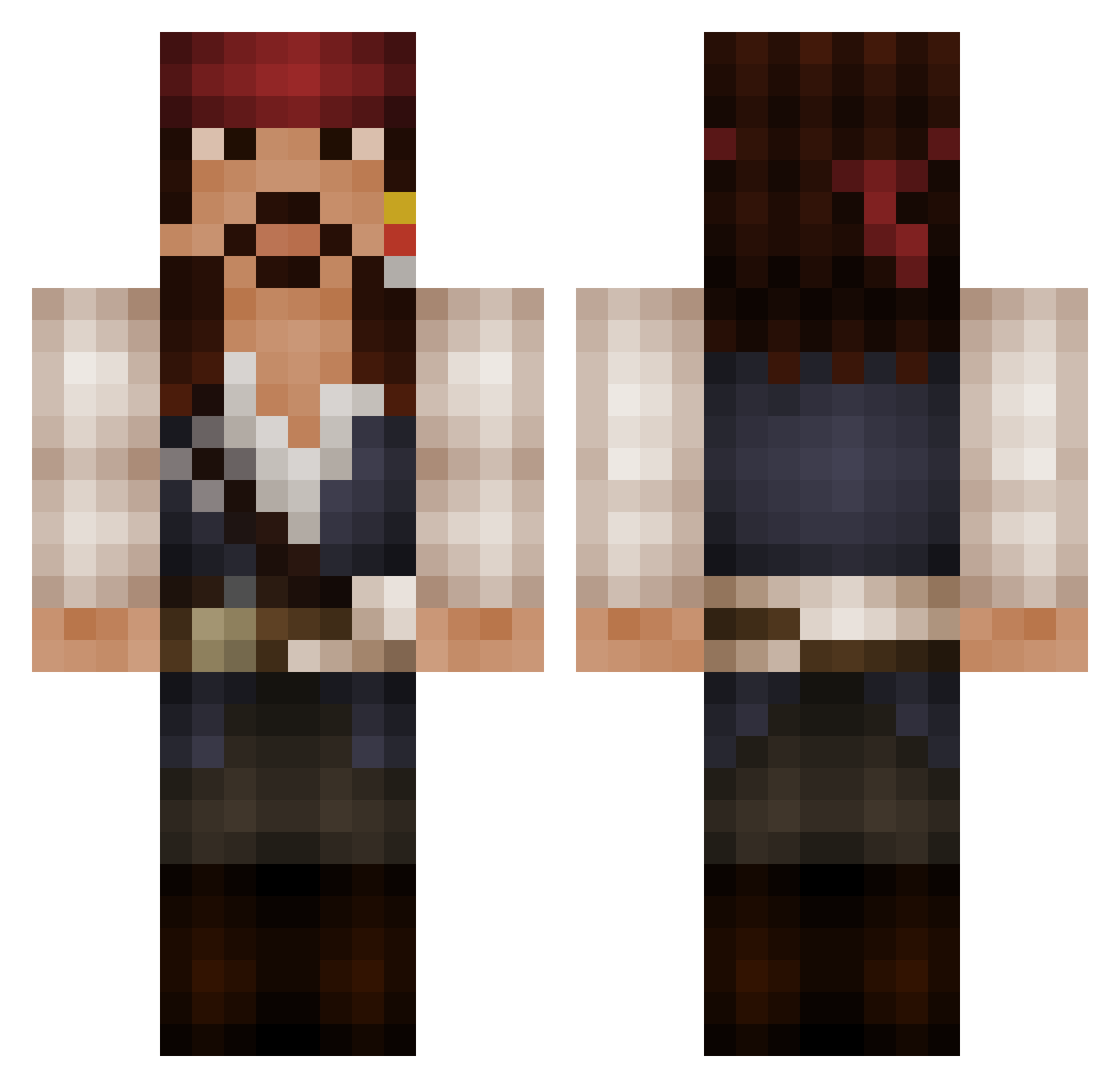
Current Minecraft skin of the player InnocentNanners, loaded from the official Mojang API. Rotate the 3D model with your mouse or finger, then download the skin as a PNG file and use it in Minecraft: Bedrock Edition or Java Edition for free. When InnocentNanners changes their skin, this page updates automatically and the old skin stays in the history below.
Other players with this skin (525)
InnocentNanners was the 102nd player we have seen with this skin, first spotted on 16.08.2026. The same skin was seen on these players. Open a nickname to see their current skin and skin history.
 AmbroseHeck PatChaKa Suppish Pandersander jacksparrow519 hdspartan97 Pyrogenify Dibebe Serch92 MondeoMK3boy Corpblue Ramosdiaz WhiteLupo Mapleland OJunks CarlCooke zachc54 NinjaAssassinDW TehTrollingRogue MaFistaCuffs TxCrossXFirexT Oliver_x_1 Rhioden FurryBadgers UrsuS_ShocK ChloeAJG Giellightning Just__P ratberger JesseX SirDicky Kemius Nate309 Argara TH3PR0T0TYP3 woutnova Late710 rilian8989 panamajack940 Gianloko Pirames squ4z PirateJesse Sunemori aspeboda OleBrinch 12343123 Der_Leumas Captin_Raziel scotcreative asosyaladam sprovencio Ryan_05 Atoeking SashlesHDx kfm Schinjo 8Christ ChinesePowerrr antellaz
More Jack Sparrow Minecraft skins
See all 108 Jack Sparrow skins
How to install the InnocentNanners skin
- Press the Download button above to save the skin as a PNG file.
- Minecraft: Bedrock Edition (PE): open the Dressing Room from the main menu (or tap your character → Edit Character), go to Classic Skins → Owned, press the + (new skin) button, choose the downloaded PNG and pick the Classic (Steve) model. Works on PC and mobile; consoles cannot import custom skins.
- Minecraft: Java Edition: open the Minecraft Launcher, go to the Skins tab, click New Skin, load the PNG, pick the Classic (Steve) model and press Save & Use. You can also upload it at minecraft.net → Profile → Change Skin.
The skin does not show up after import - what should I do?
Restart Minecraft and open the Dressing Room again - imported skins sometimes appear only after a restart. Also make sure you selected the imported skin and picked the Classic (Steve) model.
Which model should I choose, Classic or Slim?
This skin is designed for the Classic (Steve) model. If you pick the wrong model, the arms of the skin will look stretched or squeezed.
Is the skin of InnocentNanners free to download?
Yes. Press Download, save the PNG file and use it in Minecraft: Bedrock Edition or Java Edition - no payment or registration needed. The skin also works on multiplayer servers and Realms.
More skins
Looking for more? Go back to all Minecraft skins and check the top skins of the week, month and all time, or find any player's skin by nickname.