
Jovii___ - Minecraft Skins & Skin History
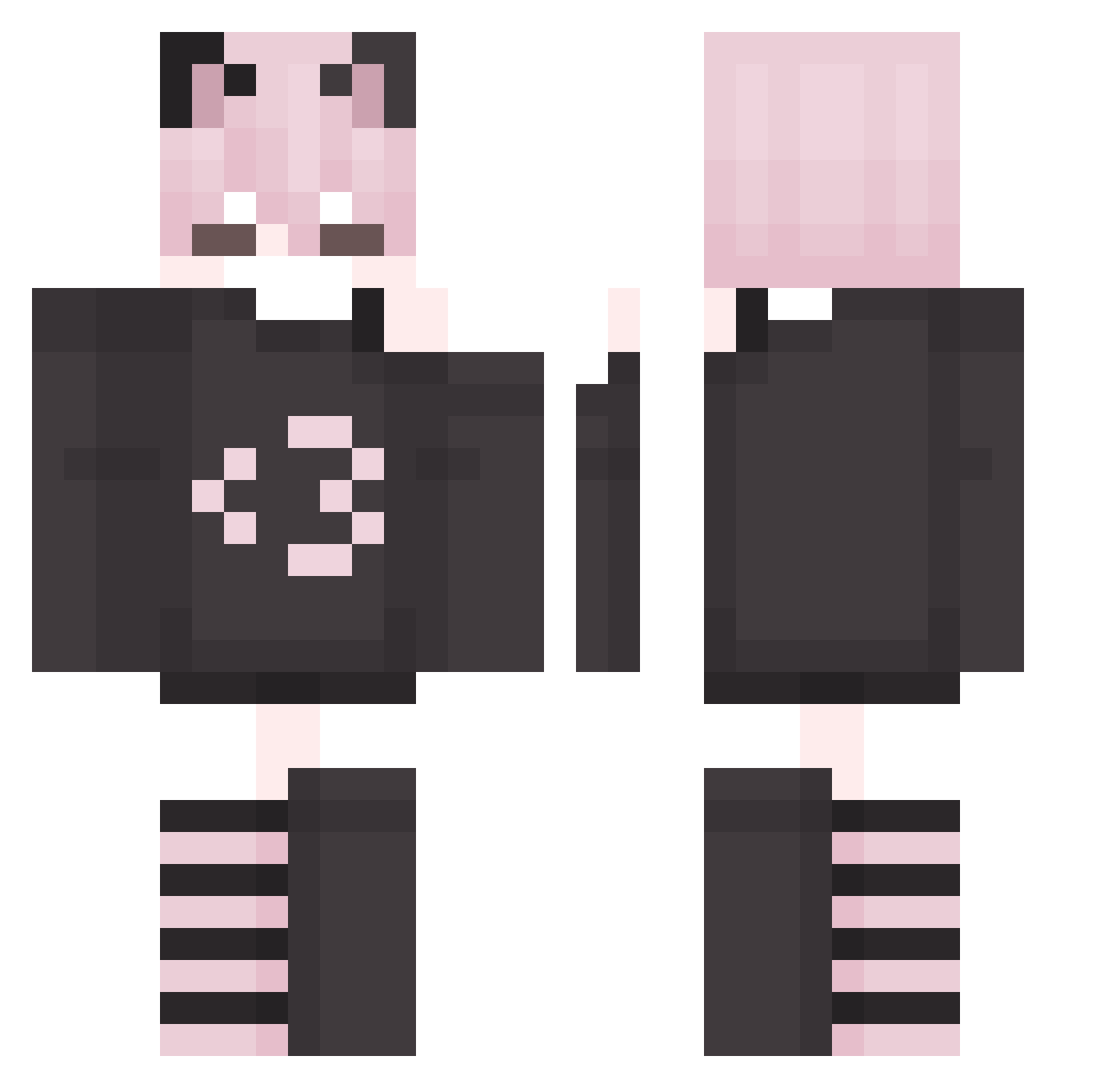
Current Minecraft skin of the player Jovii___, loaded from the official Mojang API. Rotate the 3D model with your mouse or finger, then download the skin as a PNG file and use it in Minecraft: Bedrock Edition or Java Edition for free. When Jovii___ changes their skin, this page updates automatically and the old skin stays in the history below.
Other players with this skin (215)
Jovii___ was the 43rd player we have seen with this skin, first spotted on 12.08.2026. The same skin was seen on these players. Open a nickname to see their current skin and skin history.
 imasillyfemboy
 isilo124 rtkl2312 Vegetta777NOW misharey12345678 emubum MaxCrispp
 bialywan Emma_the_femboy
 DisapointngAsian _Nobb ObsessedHeart
 sosusoul ZCold__ MorganHakkanson TechBilal W1kcsed MrKacu Lyndrengen10 A3gainstBu1Rn ShIyuhin_sin
 Dany2013 Gwenoiledfeet13 Pafcio099 sh4iz3n wolfwarrior97 overallZen yuffiundetected Dev__7
 clark574
 _Revuxor_ __Koodi
 LepordWasTaken
 SalatGurke420
 Lywp
Lywp floor1105
 N0vqxir iEyeDunno Luv_fin
 4n1s kashthehimmothy Jubones xJ0m1x
 EzraLMAO
 Marlooooowwwww hokindo9000 AddiProarmy BlutchTachi favoritefemboy John_19p08
 Levigman Kwaazi2001
 Hazmet
 Laniak3a_ComKHO K1ra_Yoshikage DragonMastr613 Demus23
 Diegofacherlo Lio1200
 xEvqn_
Previous skins of Jovii___
Skins that Jovii___ wore before, newest first. Click a skin to open its page and download it.
More Cat Ears Minecraft skins
How to install the Jovii___ skin
- Press the Download button above to save the skin as a PNG file.
- Minecraft: Bedrock Edition (PE): open the Dressing Room from the main menu (or tap your character → Edit Character), go to Classic Skins → Owned, press the + (new skin) button, choose the downloaded PNG and pick the Classic (Steve) model. Works on PC and mobile; consoles cannot import custom skins.
- Minecraft: Java Edition: open the Minecraft Launcher, go to the Skins tab, click New Skin, load the PNG, pick the Classic (Steve) model and press Save & Use. You can also upload it at minecraft.net → Profile → Change Skin.
The skin does not show up after import - what should I do?
Restart Minecraft and open the Dressing Room again - imported skins sometimes appear only after a restart. Also make sure you selected the imported skin and picked the Classic (Steve) model.
Which model should I choose, Classic or Slim?
This skin is designed for the Classic (Steve) model. If you pick the wrong model, the arms of the skin will look stretched or squeezed.
Is the skin of Jovii___ free to download?
Yes. Press Download, save the PNG file and use it in Minecraft: Bedrock Edition or Java Edition - no payment or registration needed. The skin also works on multiplayer servers and Realms.
More skins
Looking for more? Go back to all Minecraft skins and check the top skins of the week, month and all time, or find any player's skin by nickname.