
JohnnyMCraft - Minecraft Skins & Skin History
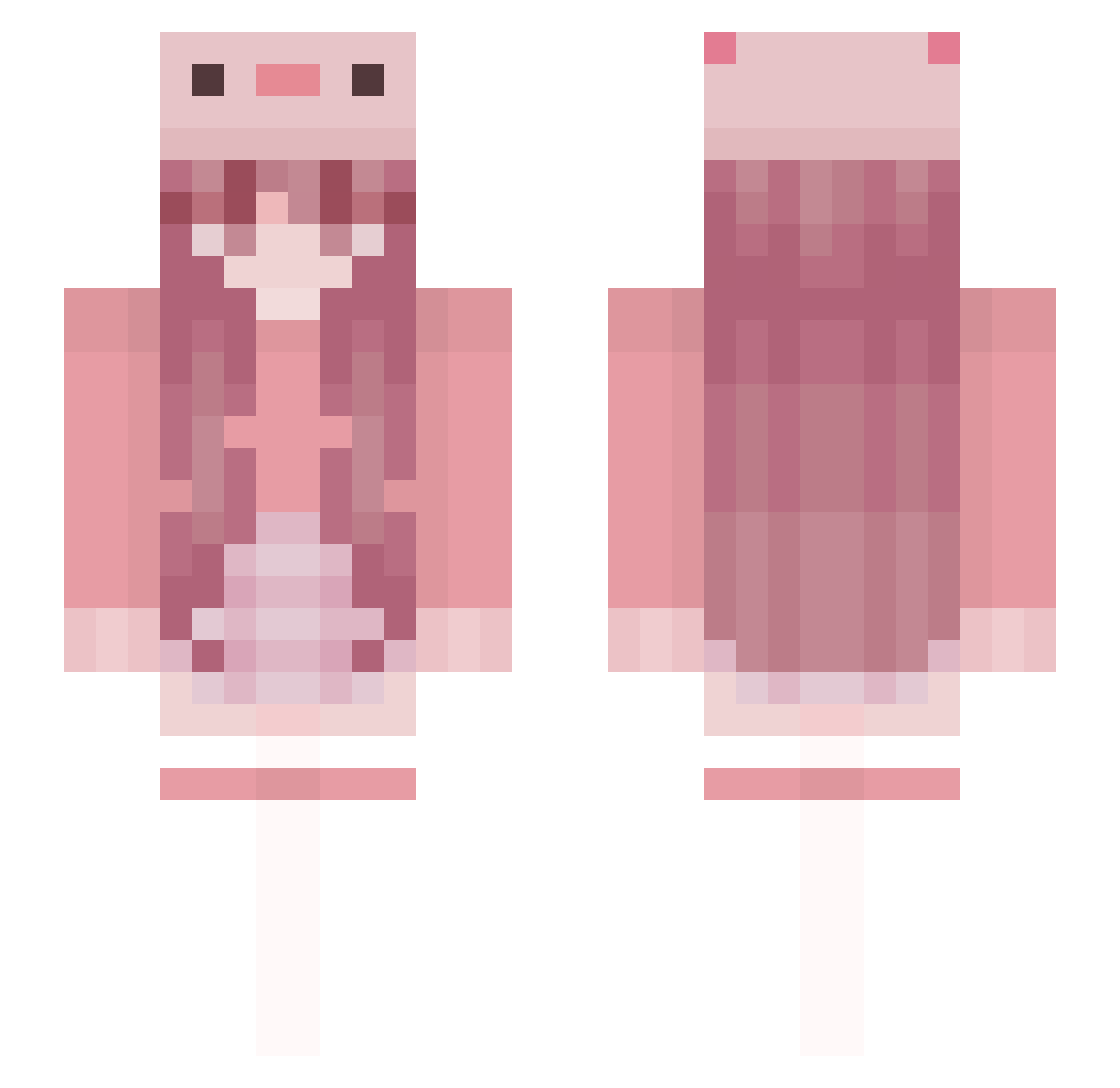
Current Minecraft skin of the player JohnnyMCraft, loaded from the official Mojang API. Rotate the 3D model with your mouse or finger, then download the skin as a PNG file and use it in Minecraft: Bedrock Edition or Java Edition for free. When JohnnyMCraft changes their skin, this page updates automatically and the old skin stays in the history below.
Other players with this skin (79)
JohnnyMCraft was the 41st player we have seen with this skin, first spotted on 08.09.2026. The same skin was seen on these players. Open a nickname to see their current skin and skin history.
 itz_stxlla YUK6727 Alysiaxxxx qwe_qwer iBuged_ FRHU0623 VxctoriaZ vitita Crecid DeGuii yaya_io ElegantSoma Nastka_ CasualChoco Hipsukka roverae ToysRusBankrupt AxoltolOMG YuanYiQing503 Cxlder_ kattysita DuhKelsey
 Gankolus Vapxng CiropDePasteque minecraftgive Red121298 akilann ShadowyEYE XoLa99 SHANE0907 Kyle_OvO JeykaBy
 _Rad1oactive_ G_CHI xiaobailiba666 Wegetarianka_23 MayKoLPB misslouarry mcwa _tuna27_ Fearlesskaan01 tako1220 Asuna0402 xCaiCai_ Abgezockt03 KaiiaiiKat Jalfu _janaaa_ YMJ002 LankyRamenNoodle Wikaczka neos_is_cool GoodNightZ Lei2racer Sweetzicke15 zcsyyy_653 NormieSlayer24 Particle_ chbv
More Axolotl Hat Minecraft skins
How to install the JohnnyMCraft skin
- Press the Download button above to save the skin as a PNG file.
- Minecraft: Bedrock Edition (PE): open the Dressing Room from the main menu (or tap your character → Edit Character), go to Classic Skins → Owned, press the + (new skin) button, choose the downloaded PNG and pick the Slim (Alex) model. Works on PC and mobile; consoles cannot import custom skins.
- Minecraft: Java Edition: open the Minecraft Launcher, go to the Skins tab, click New Skin, load the PNG, pick the Slim (Alex) model and press Save & Use. You can also upload it at minecraft.net → Profile → Change Skin.
The skin does not show up after import - what should I do?
Restart Minecraft and open the Dressing Room again - imported skins sometimes appear only after a restart. Also make sure you selected the imported skin and picked the Slim (Alex) model.
Which model should I choose, Classic or Slim?
This skin is designed for the Slim (Alex) model. If you pick the wrong model, the arms of the skin will look stretched or squeezed.
Is the skin of JohnnyMCraft free to download?
Yes. Press Download, save the PNG file and use it in Minecraft: Bedrock Edition or Java Edition - no payment or registration needed. The skin also works on multiplayer servers and Realms.
More skins
Looking for more? Go back to all Minecraft skins and check the top skins of the week, month and all time, or find any player's skin by nickname.