
JoeIsBoss - Minecraft Skins & Skin History
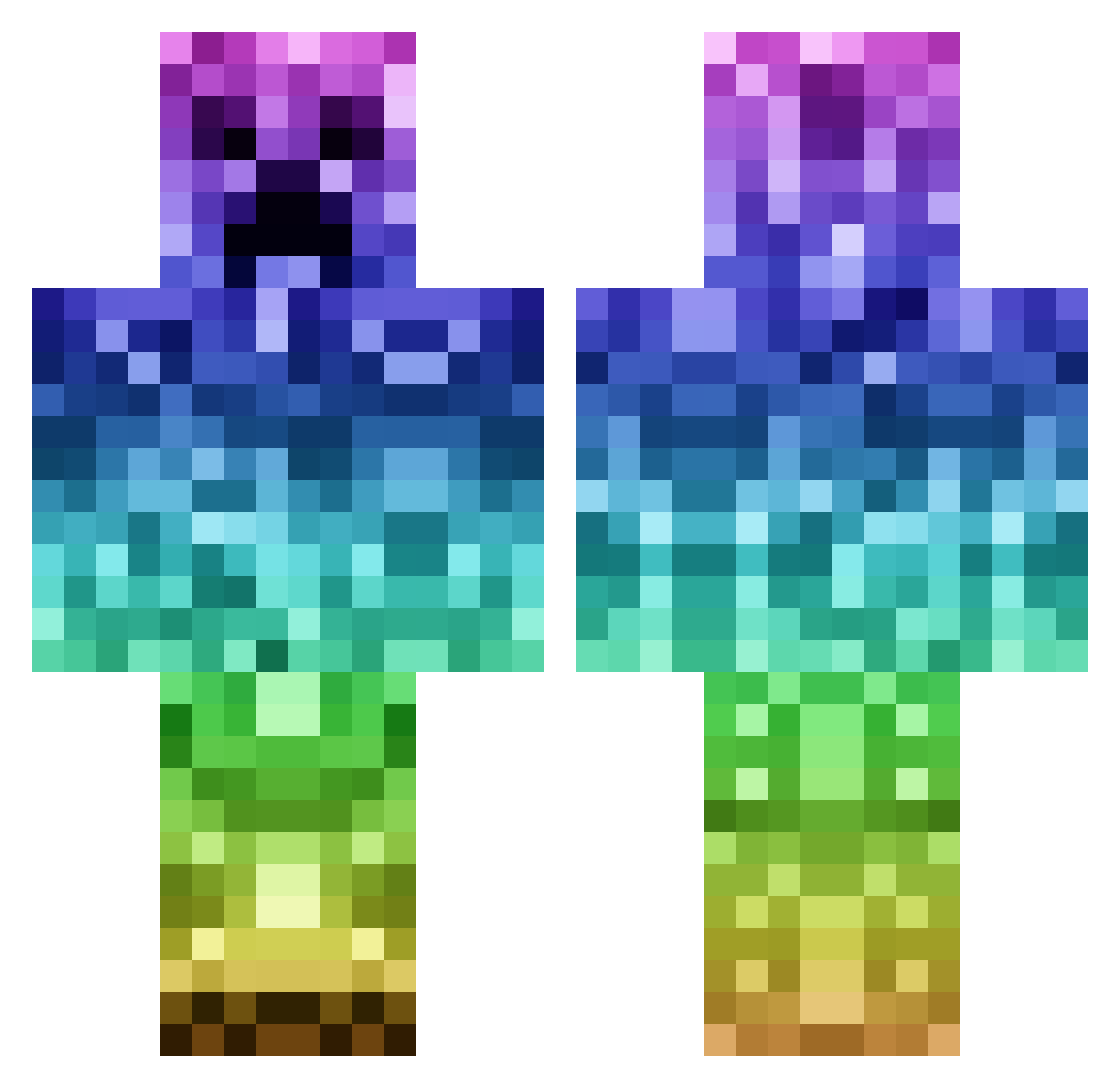
Current Minecraft skin of the player JoeIsBoss, loaded from the official Mojang API. Rotate the 3D model with your mouse or finger, then download the skin as a PNG file and use it in Minecraft: Bedrock Edition or Java Edition for free. When JoeIsBoss changes their skin, this page updates automatically and the old skin stays in the history below.
Other players with this skin (1142)
JoeIsBoss was the 849th player we have seen with this skin, first spotted on 15.10.2026. The same skin was seen on these players. Open a nickname to see their current skin and skin history.
 ShAi_Boii toxicshock33 JailBreakNerd BukkakeeMaster Saft1112 BD_Gaming LawlietX red_ice55 ctm04 sttanley123 OzOfWeed The_ULTI_Blocker Reece108 NegardHoven chaselee101 Fury1946 Soletti82 davh565 wankovic matthijsje7 dutchness1 pligdrex MHandshaker Slalom14 alptug2007 MiramarSwag Big_Boi_Power Marduk2742 black_sacrament oven14 purpleslime99 LivieRulz01 creeperjohn164 miami416 Night_Hunter66 MayGiTo_ thoryorg 1ewan1 crazycreeper0508 xxxxxxclarinetxx Laurenjack54 Eamon5252 Godtalli __AbSoLuTiOn__ seaweed04 emil225544 Miniboard Lachacomme suiras jaronjames annajade27 Flamearrow321 colintesch AikuHai morgcraft1 Pookie_05 Sebastianxy1 TheMaxSkys mooscadoo GetOwnedLikeJFK
More Rainbow Minecraft skins
How to install the JoeIsBoss skin
- Press the Download button above to save the skin as a PNG file.
- Minecraft: Bedrock Edition (PE): open the Dressing Room from the main menu (or tap your character → Edit Character), go to Classic Skins → Owned, press the + (new skin) button, choose the downloaded PNG and pick the Classic (Steve) model. Works on PC and mobile; consoles cannot import custom skins.
- Minecraft: Java Edition: open the Minecraft Launcher, go to the Skins tab, click New Skin, load the PNG, pick the Classic (Steve) model and press Save & Use. You can also upload it at minecraft.net → Profile → Change Skin.
The skin does not show up after import - what should I do?
Restart Minecraft and open the Dressing Room again - imported skins sometimes appear only after a restart. Also make sure you selected the imported skin and picked the Classic (Steve) model.
Which model should I choose, Classic or Slim?
This skin is designed for the Classic (Steve) model. If you pick the wrong model, the arms of the skin will look stretched or squeezed.
Is the skin of JoeIsBoss free to download?
Yes. Press Download, save the PNG file and use it in Minecraft: Bedrock Edition or Java Edition - no payment or registration needed. The skin also works on multiplayer servers and Realms.
More skins
Looking for more? Go back to all Minecraft skins and check the top skins of the week, month and all time, or find any player's skin by nickname.