
JoPapworth - Minecraft Skins & Skin History
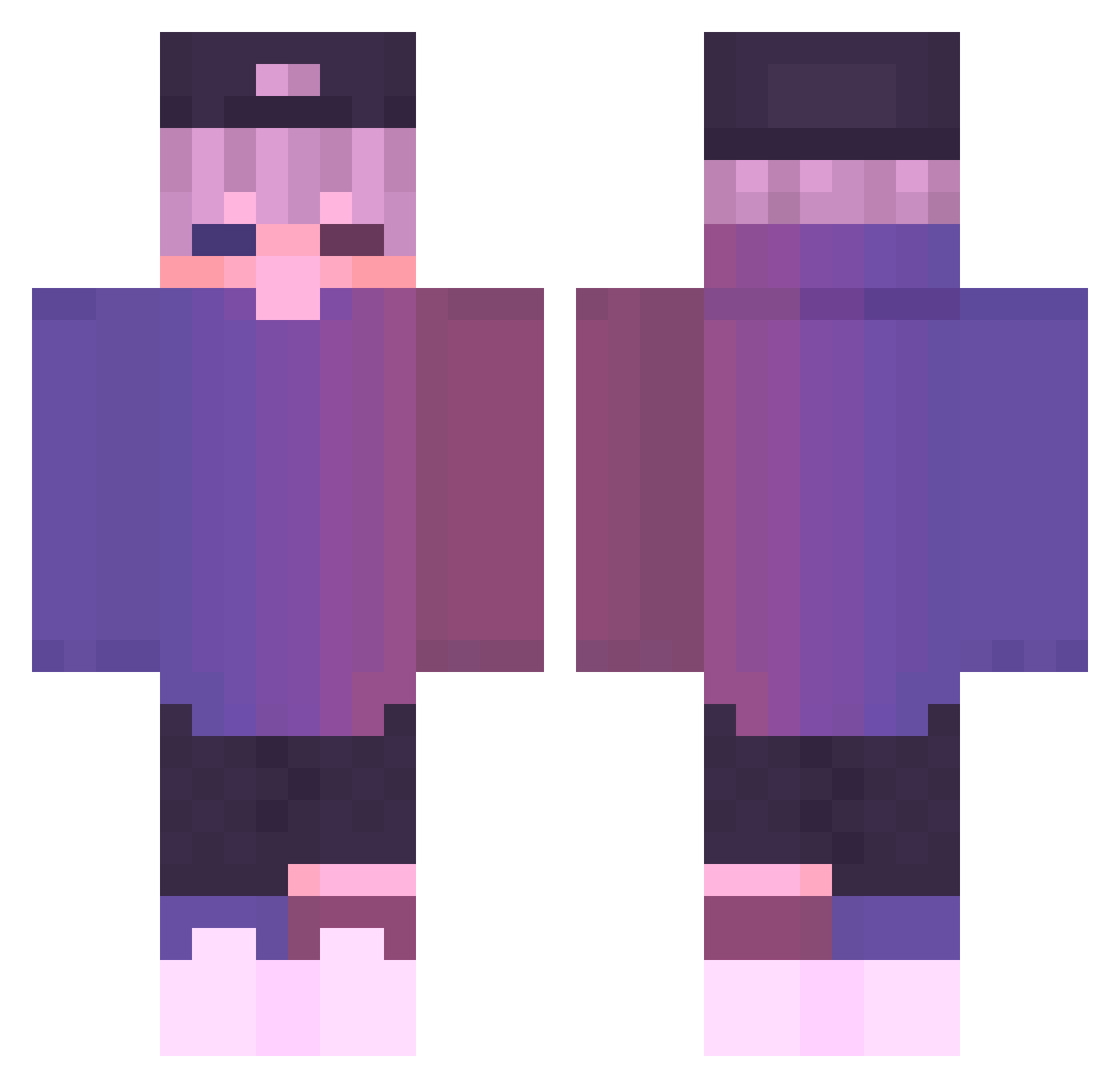
Current Minecraft skin of the player JoPapworth, loaded from the official Mojang API. Rotate the 3D model with your mouse or finger, then download the skin as a PNG file and use it in Minecraft: Bedrock Edition or Java Edition for free. When JoPapworth changes their skin, this page updates automatically and the old skin stays in the history below.
Other players with this skin (848)
JoPapworth was the 813th player we have seen with this skin, first spotted on 14.11.2026. The same skin was seen on these players. Open a nickname to see their current skin and skin history.
 _Tapo_ Fazerr Itzvasek DB00KER Xia_ka TMSG13 leo937 DaFeiZhuZhu TgzinwOw omrproyemon DinniawGHG MirasioMir Cukwette Ready2EatApricot shARPII Onsuki GetisekPL CADIMA19 OmletBoi cwoo1023 KyoGod _Duram Gabrieltozza PaiJee Manoo3 XDTera ucariouk Alesta459 xalii58 freeeeeeeeeed135 Sissy40 zxcc_0208 Saige2005 Fuanka Elpodeck Wangeddie LoveLovely gpAdes naixnom MONK1E InatriX Mayil beifeng88921 MoonDG Wolha_0w0 ShouXun FuvsMC Domalo bl4q0ut SQUIDNUGGETZ KingRufo Symix coke696 hijxcker TLBZERO C5monkey ChichaMagique evrimr AFRODISIACO FkLeo
More Cap Minecraft skins
How to install the JoPapworth skin
- Press the Download button above to save the skin as a PNG file.
- Minecraft: Bedrock Edition (PE): open the Dressing Room from the main menu (or tap your character → Edit Character), go to Classic Skins → Owned, press the + (new skin) button, choose the downloaded PNG and pick the Classic (Steve) model. Works on PC and mobile; consoles cannot import custom skins.
- Minecraft: Java Edition: open the Minecraft Launcher, go to the Skins tab, click New Skin, load the PNG, pick the Classic (Steve) model and press Save & Use. You can also upload it at minecraft.net → Profile → Change Skin.
The skin does not show up after import - what should I do?
Restart Minecraft and open the Dressing Room again - imported skins sometimes appear only after a restart. Also make sure you selected the imported skin and picked the Classic (Steve) model.
Which model should I choose, Classic or Slim?
This skin is designed for the Classic (Steve) model. If you pick the wrong model, the arms of the skin will look stretched or squeezed.
Is the skin of JoPapworth free to download?
Yes. Press Download, save the PNG file and use it in Minecraft: Bedrock Edition or Java Edition - no payment or registration needed. The skin also works on multiplayer servers and Realms.
More skins
Looking for more? Go back to all Minecraft skins and check the top skins of the week, month and all time, or find any player's skin by nickname.