
Jimin0409 - Minecraft Skins & Skin History
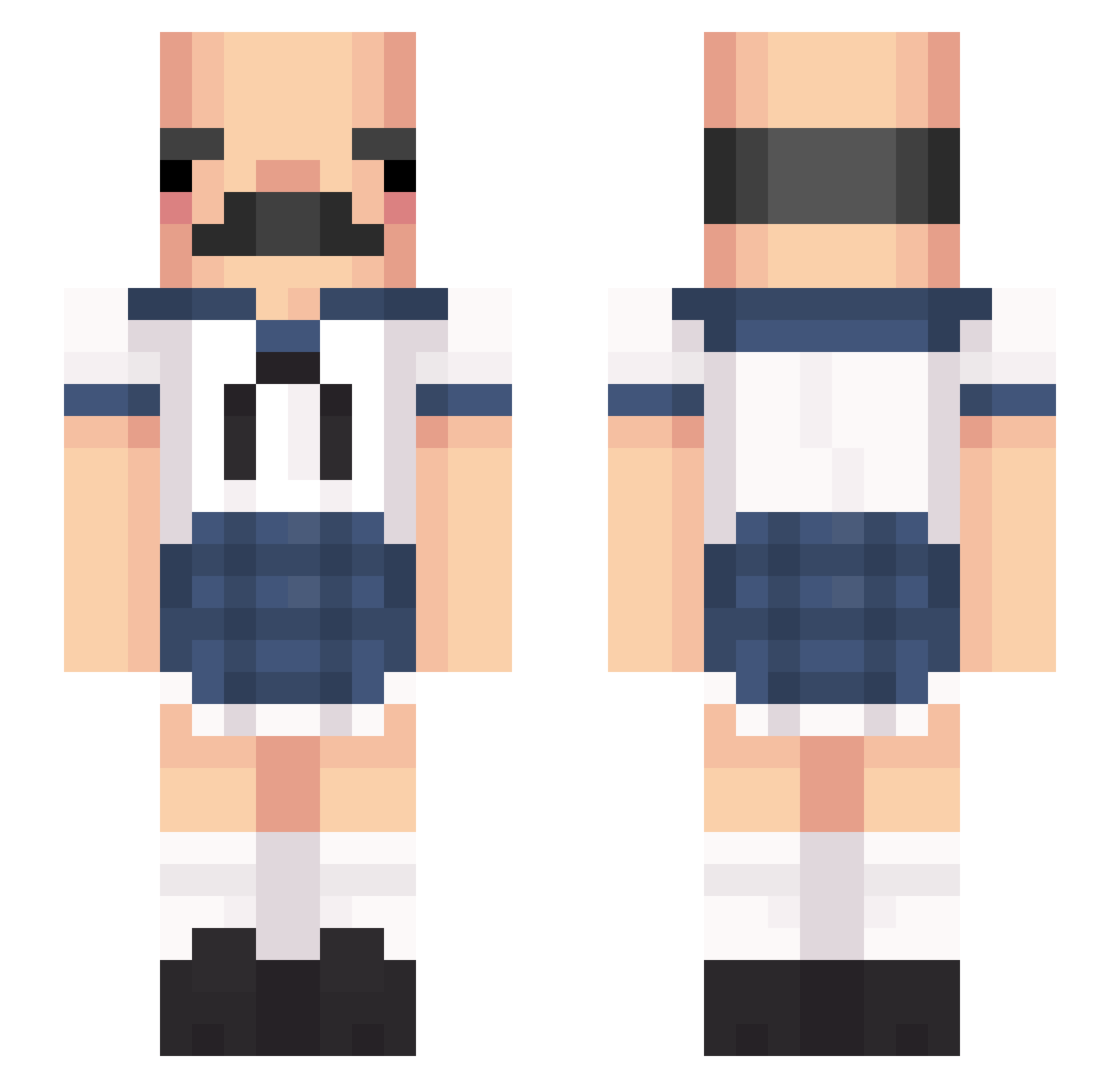
Current Minecraft skin of the player Jimin0409, loaded from the official Mojang API. Rotate the 3D model with your mouse or finger, then download the skin as a PNG file and use it in Minecraft: Bedrock Edition or Java Edition for free. When Jimin0409 changes their skin, this page updates automatically and the old skin stays in the history below.
Other players with this skin (429)
Jimin0409 was the 14th player we have seen with this skin, first spotted on 28.07.2026. The same skin was seen on these players. Open a nickname to see their current skin and skin history.
 Gignko Raiyox Galisboytje somangs2 Churchchel 110100100m GR_One AishoCum_ wkdansrl CucomberPlz Zola777 rizecareca SetariaViridis MaNdari4 MrMcDingle Shana808 Amraa Minaaeyoy basscieray Subterrane Soffocato Opablin UNqueen floof1_ marimint PaperaEsaltata young6185 peeepeefile SneakySumishV2 kurnjau calypso2303 kaydio_ Kporra sohcmehoff EdibleEddie moist_macaroni Azdarian L1xx_ABC123 IsaacAguilar Starfrite AsiachacaGod MorleyyLp punzzir iipaolaii amandi itumir Reymuerte _fqk_ Arcan_Totos oBIG146o Glim1106 kyungbin884 AkreddD Robert_Pater
 xShiwl Sawyer89 Pekenyon AIKENSBRO Ordinary2007 Mazvtier
More Sailor Uniform Minecraft skins
See all 260 Sailor Uniform skins
How to install the Jimin0409 skin
- Press the Download button above to save the skin as a PNG file.
- Minecraft: Bedrock Edition (PE): open the Dressing Room from the main menu (or tap your character → Edit Character), go to Classic Skins → Owned, press the + (new skin) button, choose the downloaded PNG and pick the Slim (Alex) model. Works on PC and mobile; consoles cannot import custom skins.
- Minecraft: Java Edition: open the Minecraft Launcher, go to the Skins tab, click New Skin, load the PNG, pick the Slim (Alex) model and press Save & Use. You can also upload it at minecraft.net → Profile → Change Skin.
The skin does not show up after import - what should I do?
Restart Minecraft and open the Dressing Room again - imported skins sometimes appear only after a restart. Also make sure you selected the imported skin and picked the Slim (Alex) model.
Which model should I choose, Classic or Slim?
This skin is designed for the Slim (Alex) model. If you pick the wrong model, the arms of the skin will look stretched or squeezed.
Is the skin of Jimin0409 free to download?
Yes. Press Download, save the PNG file and use it in Minecraft: Bedrock Edition or Java Edition - no payment or registration needed. The skin also works on multiplayer servers and Realms.
More skins
Looking for more? Go back to all Minecraft skins and check the top skins of the week, month and all time, or find any player's skin by nickname.