
Jay_2000 - Minecraft Skins & Skin History
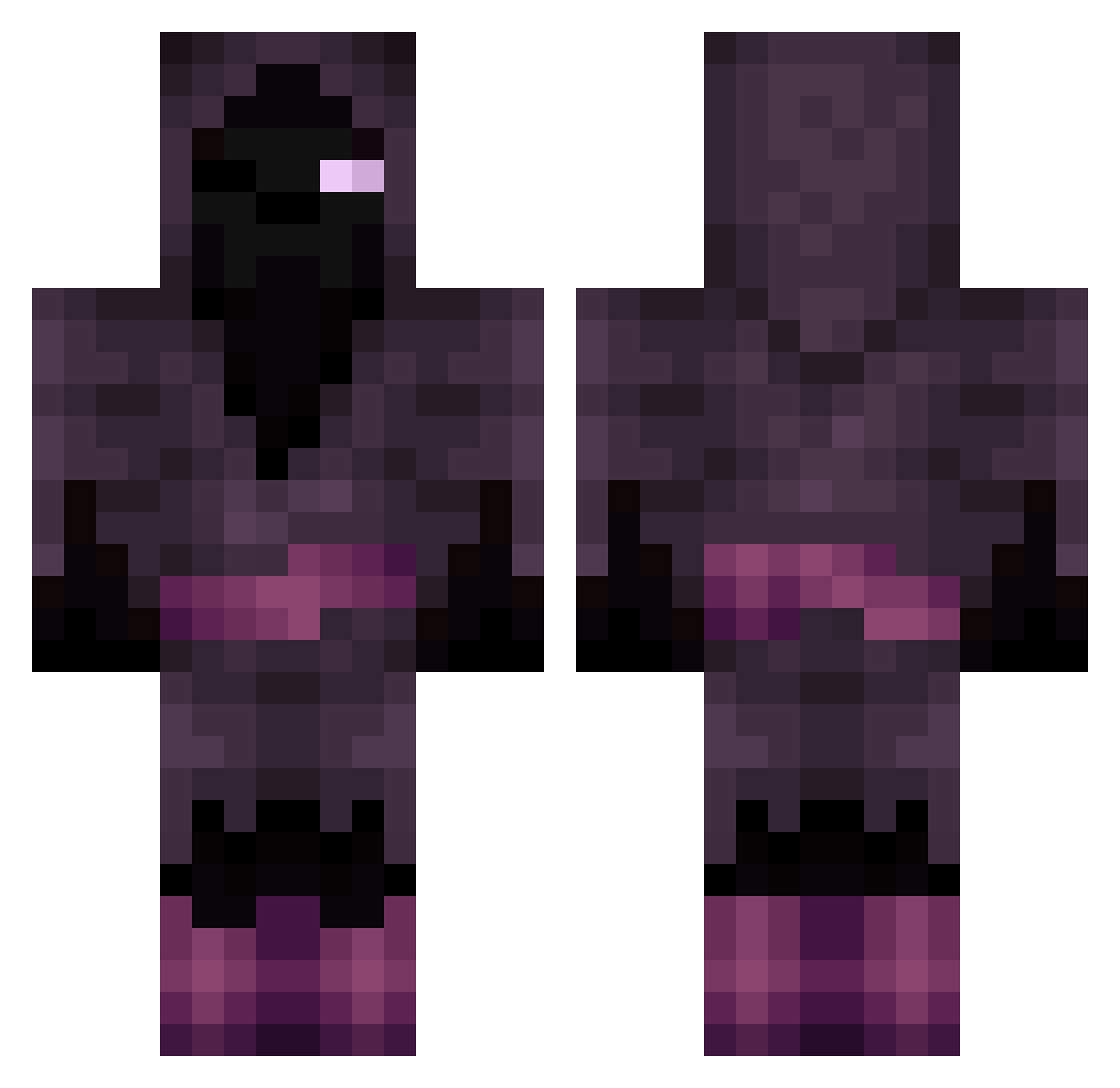
Current Minecraft skin of the player Jay_2000, loaded from the official Mojang API. Rotate the 3D model with your mouse or finger, then download the skin as a PNG file and use it in Minecraft: Bedrock Edition or Java Edition for free. When Jay_2000 changes their skin, this page updates automatically and the old skin stays in the history below.
Other players with this skin (198)
Jay_2000 was the 128th player we have seen with this skin, first spotted on 08.10.2026. The same skin was seen on these players. Open a nickname to see their current skin and skin history.
 ChugHuggerTTV kwasymotto O_Morphic Oisin007 INKED0ne VilSoul ProGamerCJ DerekRodriguez xAmKxJeKx MoronicToast mongldroid unknown_hippy KalebG72 Pezer Indianwolf kenzie45 dudeslam Heakor Yunitox fcgunners1 DeadTaku99 Dalaney10 Brunogurka thedarkone44 Dark_Remz Tom2504 Borch_14 blackplague9k Ahaanaconda887 Klelmue TreeRex1960 MartianPhD JLL Recility Freya_Shadow Batterfly RolandoooR1 nijlanderr MrShadowHawk Vince02 InsaneKnivez Neoness9 AlbanianMonarch oleisak999 Kirito069 Olematon KrutJonte techeadarc5030 Minkified Waschmaschine_MC LokiiHime tar0963 fernandovortex Lennenth UnReal_Froggy Mr_Mistereo Geographics3 LackOfDignity VenomeTrail BlueAlakazam7YT
More Hooded Figure Minecraft skins
See all 1285 Hooded Figure skins
How to install the Jay_2000 skin
- Press the Download button above to save the skin as a PNG file.
- Minecraft: Bedrock Edition (PE): open the Dressing Room from the main menu (or tap your character → Edit Character), go to Classic Skins → Owned, press the + (new skin) button, choose the downloaded PNG and pick the Classic (Steve) model. Works on PC and mobile; consoles cannot import custom skins.
- Minecraft: Java Edition: open the Minecraft Launcher, go to the Skins tab, click New Skin, load the PNG, pick the Classic (Steve) model and press Save & Use. You can also upload it at minecraft.net → Profile → Change Skin.
The skin does not show up after import - what should I do?
Restart Minecraft and open the Dressing Room again - imported skins sometimes appear only after a restart. Also make sure you selected the imported skin and picked the Classic (Steve) model.
Which model should I choose, Classic or Slim?
This skin is designed for the Classic (Steve) model. If you pick the wrong model, the arms of the skin will look stretched or squeezed.
Is the skin of Jay_2000 free to download?
Yes. Press Download, save the PNG file and use it in Minecraft: Bedrock Edition or Java Edition - no payment or registration needed. The skin also works on multiplayer servers and Realms.
More skins
Looking for more? Go back to all Minecraft skins and check the top skins of the week, month and all time, or find any player's skin by nickname.