
JamkeSi - Minecraft Skins & Skin History
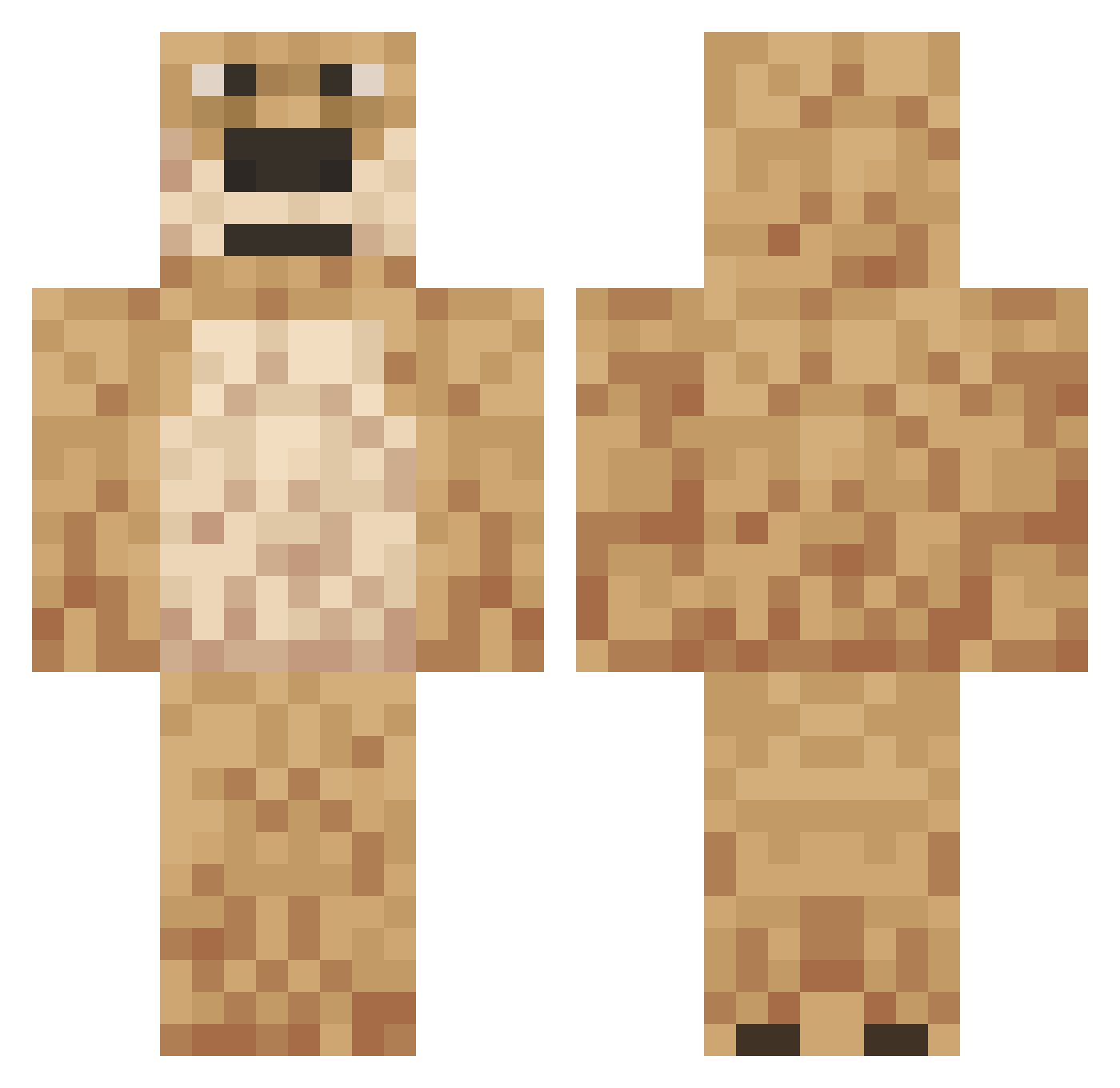
Current Minecraft skin of the player JamkeSi, loaded from the official Mojang API. Rotate the 3D model with your mouse or finger, then download the skin as a PNG file and use it in Minecraft: Bedrock Edition or Java Edition for free. When JamkeSi changes their skin, this page updates automatically and the old skin stays in the history below.
Other players with this skin (558)
JamkeSi was the 81st player we have seen with this skin, first spotted on 11.08.2026. The same skin was seen on these players. Open a nickname to see their current skin and skin history.
 __rubin__ FeverCoffe Erte420 LeeZeYY Dingaze talkingben88 txlkingben eriiiikx bastardito23 rozjebunda123 GopnicVlad Cow_Ttiper mackie3 _Ju1ce_WRLD Atherni lolbadlolV47 mangussy lolbadlolV84 BENANG356 R3DSN0 JorgeGameplays25 Chrxafty BritayaGnida justabowlofrice Marcelino64 DagestanBoy TobiTobTob RichFarmer1 MamuT303 BlackWollie MarcusRon07 xzqey HunkOfPie RCPLAYER1417 oguz1595 Serdify FunkyMonkey5471 chunkyben Ahdaptingg Derr_nogenod TonyTonyChoppah lunnyssd starmichael LordTeX Zukarimo BoyZander426 Kryonosis ESC_Baddream NOLA16COLA _Harryyyy 1sped WlL0wY elllik Ciboulette_69 Basil1ksa3 TortaHunter271 Guleb Elzad dzibambi YPandaManY
More Talking Ben Minecraft skins
How to install the JamkeSi skin
- Press the Download button above to save the skin as a PNG file.
- Minecraft: Bedrock Edition (PE): open the Dressing Room from the main menu (or tap your character → Edit Character), go to Classic Skins → Owned, press the + (new skin) button, choose the downloaded PNG and pick the Classic (Steve) model. Works on PC and mobile; consoles cannot import custom skins.
- Minecraft: Java Edition: open the Minecraft Launcher, go to the Skins tab, click New Skin, load the PNG, pick the Classic (Steve) model and press Save & Use. You can also upload it at minecraft.net → Profile → Change Skin.
The skin does not show up after import - what should I do?
Restart Minecraft and open the Dressing Room again - imported skins sometimes appear only after a restart. Also make sure you selected the imported skin and picked the Classic (Steve) model.
Which model should I choose, Classic or Slim?
This skin is designed for the Classic (Steve) model. If you pick the wrong model, the arms of the skin will look stretched or squeezed.
Is the skin of JamkeSi free to download?
Yes. Press Download, save the PNG file and use it in Minecraft: Bedrock Edition or Java Edition - no payment or registration needed. The skin also works on multiplayer servers and Realms.
More skins
Looking for more? Go back to all Minecraft skins and check the top skins of the week, month and all time, or find any player's skin by nickname.