
Jameswolfy - Minecraft Skins & Skin History
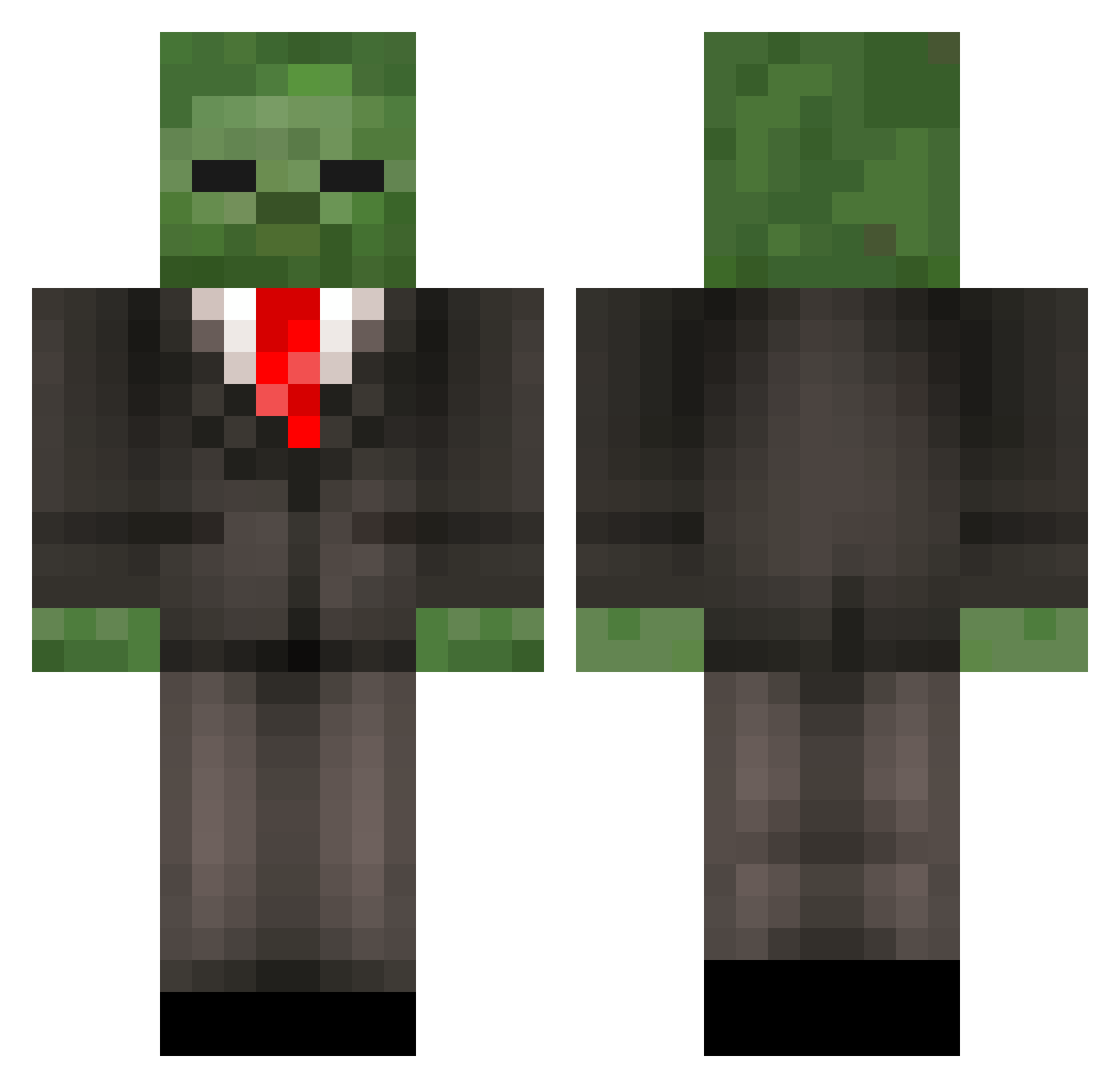
Current Minecraft skin of the player Jameswolfy, loaded from the official Mojang API. Rotate the 3D model with your mouse or finger, then download the skin as a PNG file and use it in Minecraft: Bedrock Edition or Java Edition for free. When Jameswolfy changes their skin, this page updates automatically and the old skin stays in the history below.
Other players with this skin (452)
Jameswolfy was the 366th player we have seen with this skin, first spotted on 23.10.2026. The same skin was seen on these players. Open a nickname to see their current skin and skin history.
 Hudella taaffeyHD MichaelHill MattnJames2631 blast1113 Runced Xyrokie917 BurstCookie123 yoyo0609 T_R_Evil wetsock99 RagVax Greenbean3610 albail mattchuu MazaBaza Fire_Krakken Dooltie BlueStreakHD mlnm_effing_flcn spacely444 TheCowMatters GrimReaper3097 jacob6666 BansongAngel Mrlggl noahisdaddy ZombieGuy132 Silent_Monkey12 Zombieman_CC Meth_Lab xXSuperXxLoL oskarhug123 ICantForgetYou barneyhardwood Sailenze tayman710 TheCraftos SwaglordJayden jojoistrash SOCK_monkey669 NickPuffel MaxAndroid xmankimes GavinRocks22 Tho2Luc SpoogeNugget DforDerek Payton9151 profilewrestling LilDado ponmalka ORNDeadEye olav__n gummyybear12 Jomoisgreat GCheatZenonV2 grantyboii M2klug Raquisar159
More Zombie Minecraft skins
How to install the Jameswolfy skin
- Press the Download button above to save the skin as a PNG file.
- Minecraft: Bedrock Edition (PE): open the Dressing Room from the main menu (or tap your character → Edit Character), go to Classic Skins → Owned, press the + (new skin) button, choose the downloaded PNG and pick the Classic (Steve) model. Works on PC and mobile; consoles cannot import custom skins.
- Minecraft: Java Edition: open the Minecraft Launcher, go to the Skins tab, click New Skin, load the PNG, pick the Classic (Steve) model and press Save & Use. You can also upload it at minecraft.net → Profile → Change Skin.
The skin does not show up after import - what should I do?
Restart Minecraft and open the Dressing Room again - imported skins sometimes appear only after a restart. Also make sure you selected the imported skin and picked the Classic (Steve) model.
Which model should I choose, Classic or Slim?
This skin is designed for the Classic (Steve) model. If you pick the wrong model, the arms of the skin will look stretched or squeezed.
Is the skin of Jameswolfy free to download?
Yes. Press Download, save the PNG file and use it in Minecraft: Bedrock Edition or Java Edition - no payment or registration needed. The skin also works on multiplayer servers and Realms.
More skins
Looking for more? Go back to all Minecraft skins and check the top skins of the week, month and all time, or find any player's skin by nickname.