
JamalStoic - Minecraft Skins & Skin History
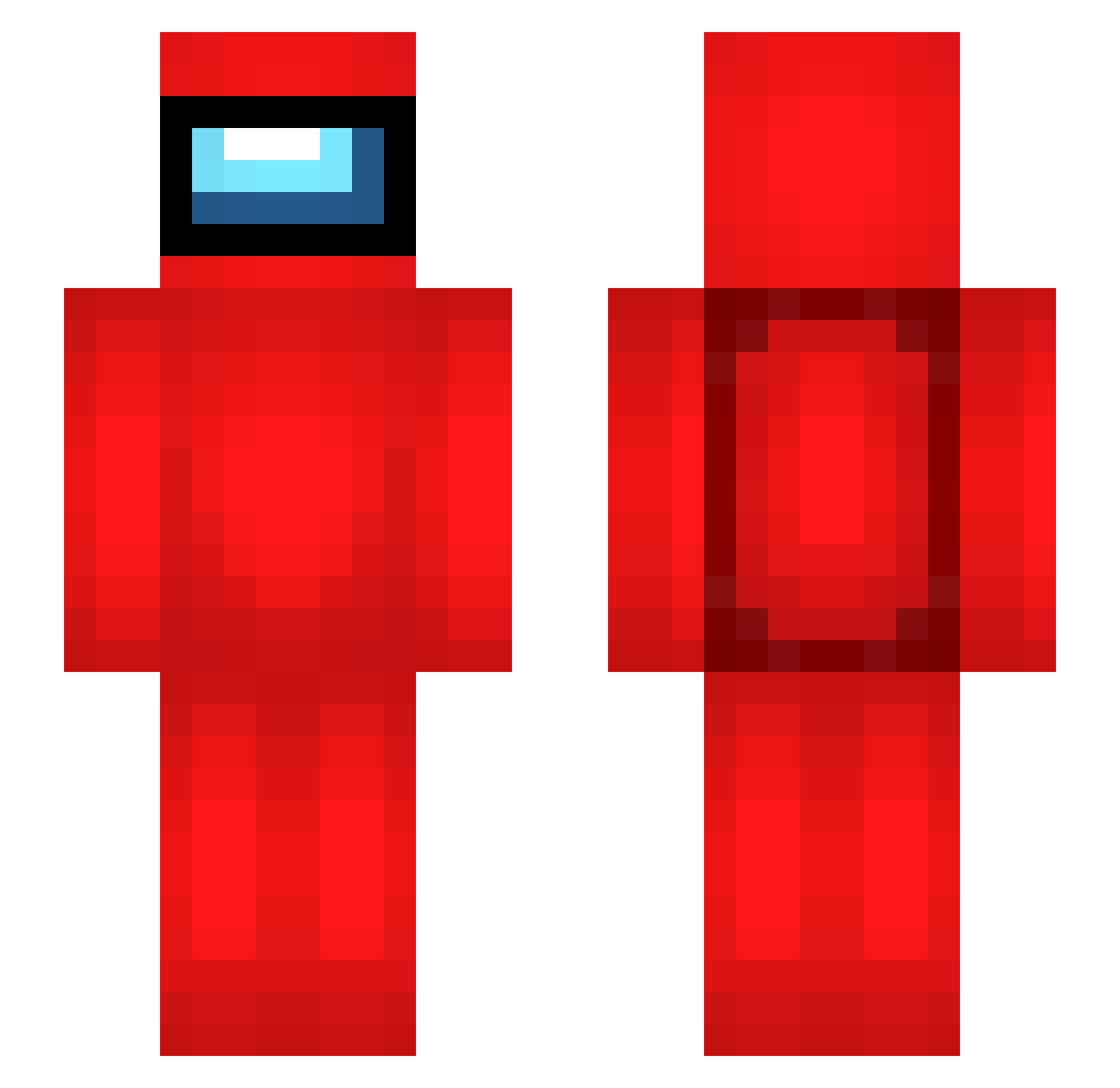
Current Minecraft skin of the player JamalStoic, loaded from the official Mojang API. Rotate the 3D model with your mouse or finger, then download the skin as a PNG file and use it in Minecraft: Bedrock Edition or Java Edition for free. When JamalStoic changes their skin, this page updates automatically and the old skin stays in the history below.
Other players with this skin (294)
JamalStoic was the 36th player we have seen with this skin, first spotted on 01.08.2026. The same skin was seen on these players. Open a nickname to see their current skin and skin history.
 jacky606 Chief_Bok Dumpacito Nelfurionn 56Mic356 Aeshlar Danek1352 xCaydem Nangas_ kylepaul12 Ardiloso Cosmo4869 Daring_Duck mangojelly_ koto0326 defonotfeta Minecraftciarz me_mako MiouSlash nagomin09 imgullable Losby Juankraz ZBROWN6 PIYOTAN7777 k4nssh Pepesaur1 jianjjang slycerzz omr_4531 gaea0920 KWH6974 M_Richard sometimes1256 HardcoreToast LeahBerry2121 Netex51423 Fathered Scugnizzu _NJRAT_ jumping_priest SooN_HammeR ApparentArtist mopp1234 muu234 Pharedeau thiccbugles chaewoo1234 Column_ mrfiftyfourth TheLimi0088 FilloLittle adamdropp seojin79 PRECATIVE Lassi0 gabri1106 znp Marin404 drzerozero
More Crewmate Minecraft skins
How to install the JamalStoic skin
- Press the Download button above to save the skin as a PNG file.
- Minecraft: Bedrock Edition (PE): open the Dressing Room from the main menu (or tap your character → Edit Character), go to Classic Skins → Owned, press the + (new skin) button, choose the downloaded PNG and pick the Slim (Alex) model. Works on PC and mobile; consoles cannot import custom skins.
- Minecraft: Java Edition: open the Minecraft Launcher, go to the Skins tab, click New Skin, load the PNG, pick the Slim (Alex) model and press Save & Use. You can also upload it at minecraft.net → Profile → Change Skin.
The skin does not show up after import - what should I do?
Restart Minecraft and open the Dressing Room again - imported skins sometimes appear only after a restart. Also make sure you selected the imported skin and picked the Slim (Alex) model.
Which model should I choose, Classic or Slim?
This skin is designed for the Slim (Alex) model. If you pick the wrong model, the arms of the skin will look stretched or squeezed.
Is the skin of JamalStoic free to download?
Yes. Press Download, save the PNG file and use it in Minecraft: Bedrock Edition or Java Edition - no payment or registration needed. The skin also works on multiplayer servers and Realms.
More skins
Looking for more? Go back to all Minecraft skins and check the top skins of the week, month and all time, or find any player's skin by nickname.