
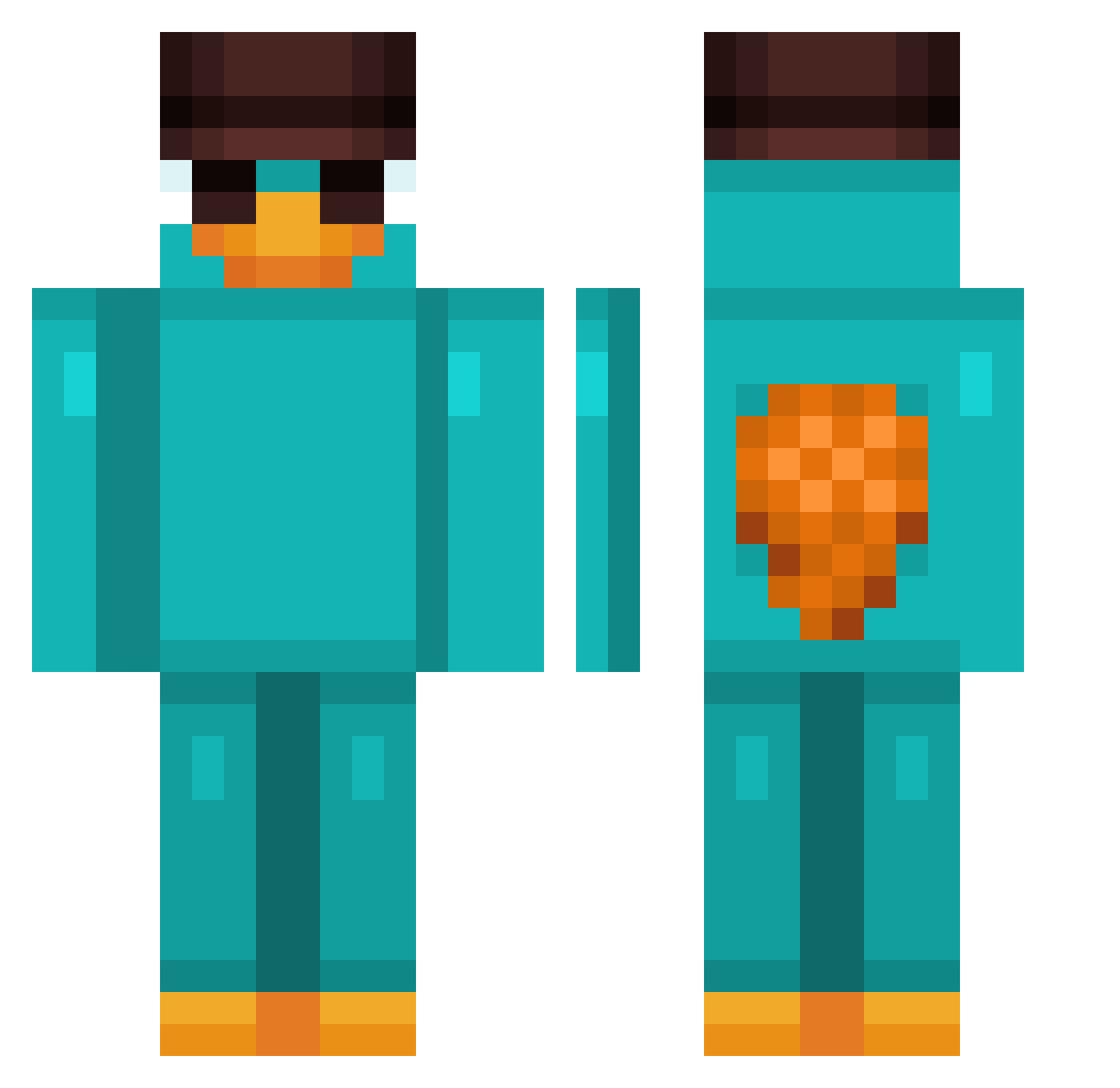
Current Minecraft skin of the player Jakongo, loaded from the official Mojang API. Rotate the 3D model with your mouse or finger, then download the skin as a PNG file and use it in Minecraft: Bedrock Edition or Java Edition for free. When Jakongo changes their skin, this page updates automatically and the old skin stays in the history below.
Other players with this skin (736)
Jakongo was the 439th player we have seen with this skin, first spotted on 17.09.2026. The same skin was seen on these players. Open a nickname to see their current skin and skin history.
 Jrdoyle13 SunstondFr ItzDely_Fan El_Guaje weii66 Unhappyhawk sergi6501 xGonzy derProfit Magicslayer10 maguelperri hirsch45 2D4R l8db HANSEN2088 nemyuuu oc79 Q7vex Cookiieh06 furriel1 Spacings sh4d0w3_ BlubZ7 Isaacosta Horizon231 hubschrauber16 Blackhoden lalkara L777777777777 tobajzz Florpsius Bolinha013 MatiXx223 trents673 Beppo1904 Juanetes14 Idamir stick13 OLDPIVOTGAMER perryyyyyyy darku210 aaronelmascapito xfimix Fuggyra Noob_154 Bako241 Joe80163 simxan22 tripletea02 versunken_Presse Nalin0 cocoro420 kitTheKat_MEOW hfgyyds helicoptera AlexiaRogers Cafe_amargo_ _BlueDragon18_ Mitchull CANIITO
More Platypus Minecraft skins
How to install the Jakongo skin
- Press the Download button above to save the skin as a PNG file.
- Minecraft: Bedrock Edition (PE): open the Dressing Room from the main menu (or tap your character → Edit Character), go to Classic Skins → Owned, press the + (new skin) button, choose the downloaded PNG and pick the Classic (Steve) model. Works on PC and mobile; consoles cannot import custom skins.
- Minecraft: Java Edition: open the Minecraft Launcher, go to the Skins tab, click New Skin, load the PNG, pick the Classic (Steve) model and press Save & Use. You can also upload it at minecraft.net → Profile → Change Skin.
The skin does not show up after import - what should I do?
Restart Minecraft and open the Dressing Room again - imported skins sometimes appear only after a restart. Also make sure you selected the imported skin and picked the Classic (Steve) model.
Which model should I choose, Classic or Slim?
This skin is designed for the Classic (Steve) model. If you pick the wrong model, the arms of the skin will look stretched or squeezed.
Is the skin of Jakongo free to download?
Yes. Press Download, save the PNG file and use it in Minecraft: Bedrock Edition or Java Edition - no payment or registration needed. The skin also works on multiplayer servers and Realms.
More skins
Looking for more? Go back to all Minecraft skins and check the top skins of the week, month and all time, or find any player's skin by nickname.