
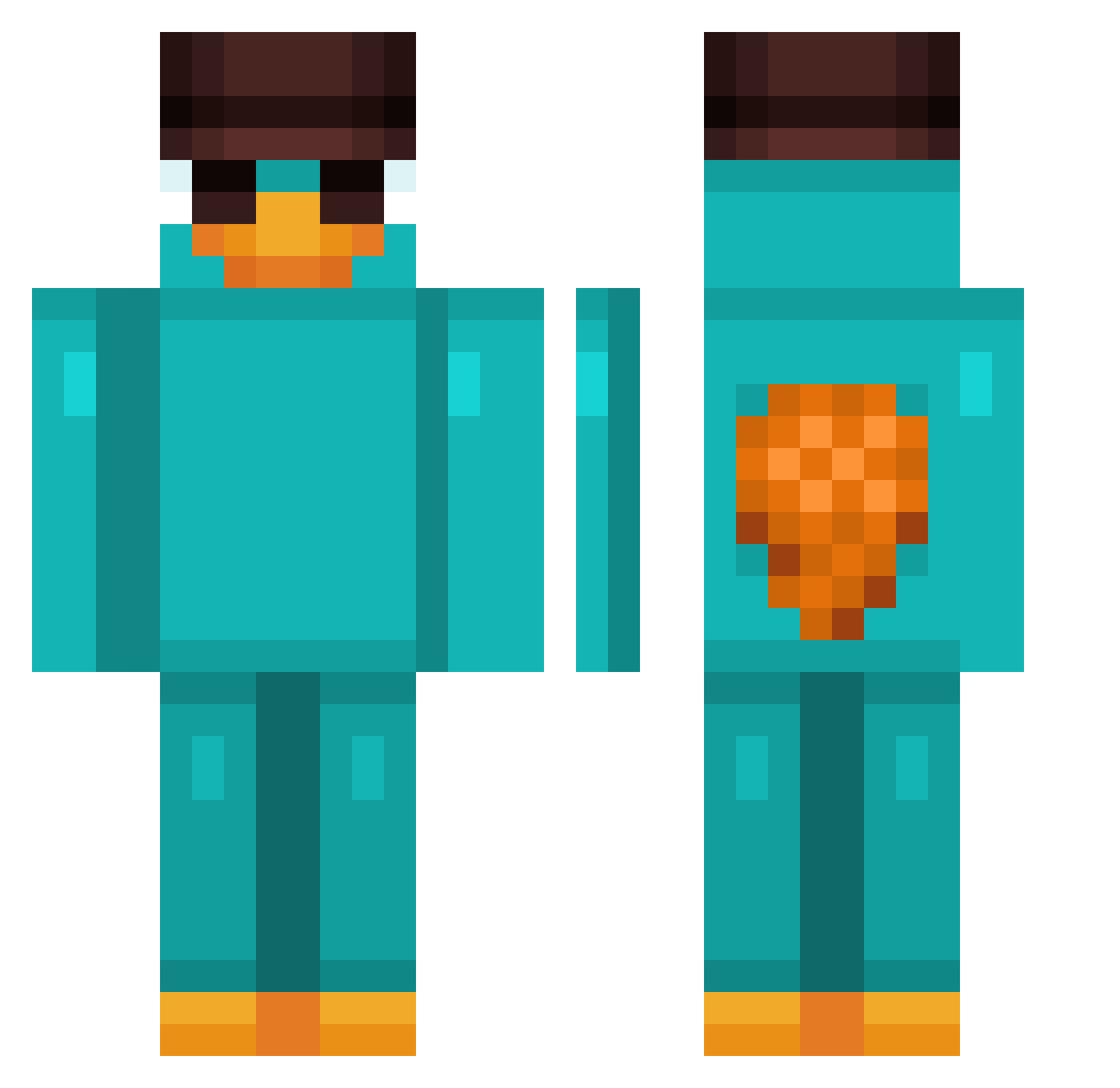
Current Minecraft skin of the player Bako241, loaded from the official Mojang API. Rotate the 3D model with your mouse or finger, then download the skin as a PNG file and use it in Minecraft: Bedrock Edition or Java Edition for free. When Bako241 changes their skin, this page updates automatically and the old skin stays in the history below.
Other players with this skin (737)
Bako241 was the 461st player we have seen with this skin, first spotted on 20.09.2026. The same skin was seen on these players. Open a nickname to see their current skin and skin history.
 xfimix tripletea02 perryyyyyyy stick13 Idamir Juanetes14 cocoro420 hfgyyds Beppo1904 helicoptera Cafe_amargo_ trents673 MatiXx223 _BlueDragon18_ Bolinha013 Florpsius CANIITO gunnichuchu WinterMarker415 Lu009 TheBakedCookie04 vladpaw Isaacosta BlubZ7 Filipekuu herobrotato Spacings furriel1 Cookiieh06 szumak Q7vex YUNI8742 ShadoweyeTM HANSEN2088 HakanTns vKaido GuspEx TimeLord55 Humpensteiner 1e_3f Clover_827 Cerberus__ derProfit TVLeo sergi6501 El_Guaje SunstondFr Jakongo SovereignNick Jrdoyle13 BlackPuma123 ItzDely_Fan weii66 manno006 Unhappyhawk xGonzy Bray_07 LazWin huangyi300 Carpeado
More Platypus Minecraft skins
How to install the Bako241 skin
- Press the Download button above to save the skin as a PNG file.
- Minecraft: Bedrock Edition (PE): open the Dressing Room from the main menu (or tap your character → Edit Character), go to Classic Skins → Owned, press the + (new skin) button, choose the downloaded PNG and pick the Classic (Steve) model. Works on PC and mobile; consoles cannot import custom skins.
- Minecraft: Java Edition: open the Minecraft Launcher, go to the Skins tab, click New Skin, load the PNG, pick the Classic (Steve) model and press Save & Use. You can also upload it at minecraft.net → Profile → Change Skin.
The skin does not show up after import - what should I do?
Restart Minecraft and open the Dressing Room again - imported skins sometimes appear only after a restart. Also make sure you selected the imported skin and picked the Classic (Steve) model.
Which model should I choose, Classic or Slim?
This skin is designed for the Classic (Steve) model. If you pick the wrong model, the arms of the skin will look stretched or squeezed.
Is the skin of Bako241 free to download?
Yes. Press Download, save the PNG file and use it in Minecraft: Bedrock Edition or Java Edition - no payment or registration needed. The skin also works on multiplayer servers and Realms.
More skins
Looking for more? Go back to all Minecraft skins and check the top skins of the week, month and all time, or find any player's skin by nickname.