
JacksonJ - Minecraft Skins & Skin History
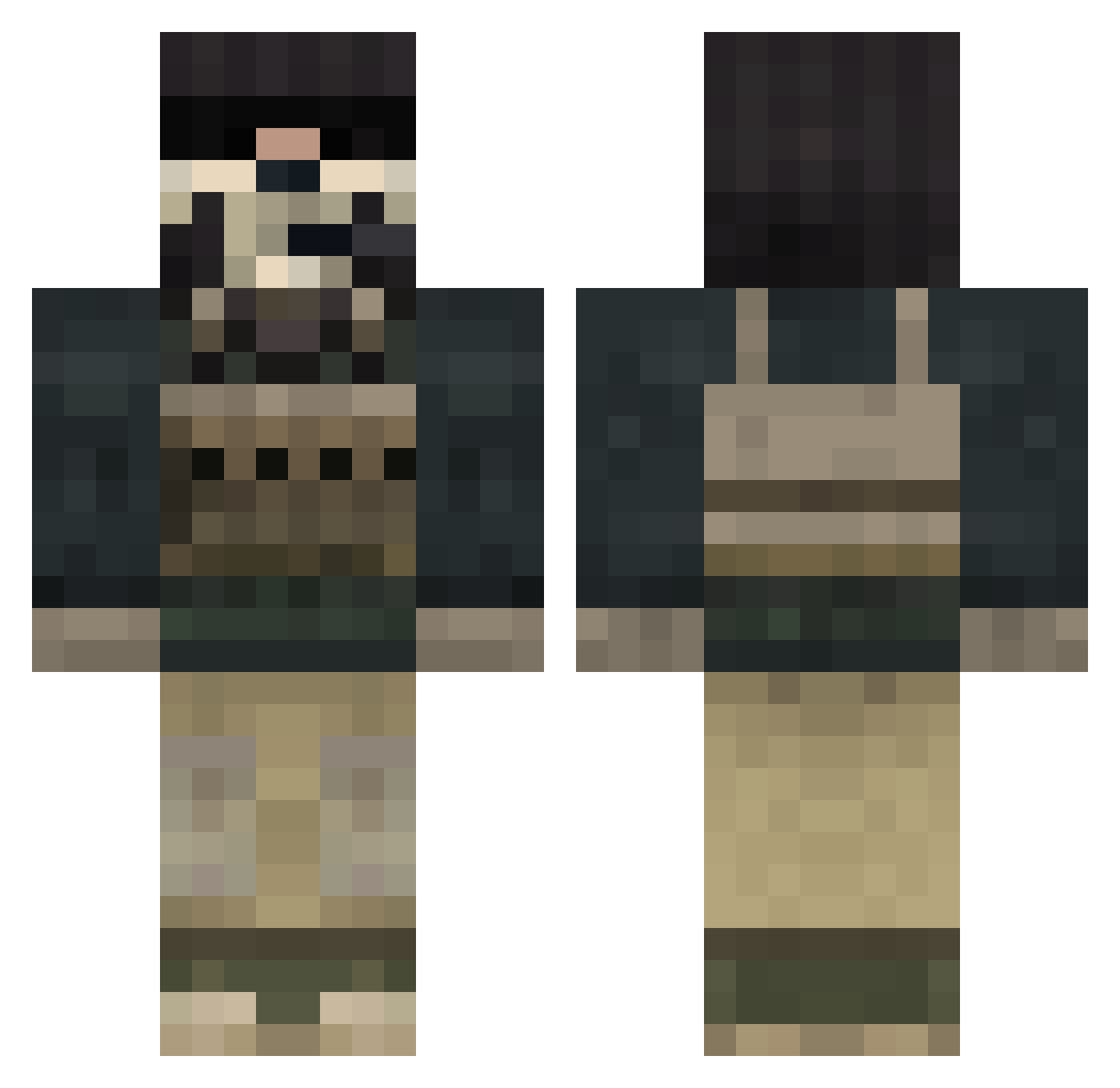
Current Minecraft skin of the player JacksonJ, loaded from the official Mojang API. Rotate the 3D model with your mouse or finger, then download the skin as a PNG file and use it in Minecraft: Bedrock Edition or Java Edition for free. When JacksonJ changes their skin, this page updates automatically and the old skin stays in the history below.
Other players with this skin (848)
JacksonJ was the 601st player we have seen with this skin, first spotted on 12.10.2026. The same skin was seen on these players. Open a nickname to see their current skin and skin history.
 joemaha Ukieman SkaDam biggun41 albion14 BERRET Drevic koryyoung13 vincentbd Paindorn trbulldog DoDgE92 Ghostman89 dylan_1911 PandaMay8 oliver6160 Hailstorm91 QCmastaDom AJManon24 rocket4141 vTUMv brendor56 Sarenka123 AlexandreeBR mmunchie Frank_Tha_Tank Uvertam shadowfalcon555 Scheusal187 Lancastersilk mr_dan98 zbbeastmode TrumpsGrabHand sneakiestninja Dustinfishermen Unstoppable_Hobo Japanese_Jesus88 tmanrocks Beanwizard Eclipserr GHOSTman434 EmirD1 lemonhead1432 Chris123123 funnyman_2000 TheHelloShark BlumBoss skiboat24 NolChif sawyer77 RazerTrackpad Thomashenry endlessrush26 respe ghostkid301 DaBeej Carnifex666 ECHo772 reacthawk HYPNO_TOAD3
More Call Of Duty Minecraft skins
See all 174 Call Of Duty skins
How to install the JacksonJ skin
- Press the Download button above to save the skin as a PNG file.
- Minecraft: Bedrock Edition (PE): open the Dressing Room from the main menu (or tap your character → Edit Character), go to Classic Skins → Owned, press the + (new skin) button, choose the downloaded PNG and pick the Classic (Steve) model. Works on PC and mobile; consoles cannot import custom skins.
- Minecraft: Java Edition: open the Minecraft Launcher, go to the Skins tab, click New Skin, load the PNG, pick the Classic (Steve) model and press Save & Use. You can also upload it at minecraft.net → Profile → Change Skin.
The skin does not show up after import - what should I do?
Restart Minecraft and open the Dressing Room again - imported skins sometimes appear only after a restart. Also make sure you selected the imported skin and picked the Classic (Steve) model.
Which model should I choose, Classic or Slim?
This skin is designed for the Classic (Steve) model. If you pick the wrong model, the arms of the skin will look stretched or squeezed.
Is the skin of JacksonJ free to download?
Yes. Press Download, save the PNG file and use it in Minecraft: Bedrock Edition or Java Edition - no payment or registration needed. The skin also works on multiplayer servers and Realms.
More skins
Looking for more? Go back to all Minecraft skins and check the top skins of the week, month and all time, or find any player's skin by nickname.