
JOYSTK - Minecraft Skins & Skin History
Current Minecraft skin of the player JOYSTK, loaded from the official Mojang API. Rotate the 3D model with your mouse or finger, then download the skin as a PNG file and use it in Minecraft: Bedrock Edition or Java Edition for free. When JOYSTK changes their skin, this page updates automatically and the old skin stays in the history below.
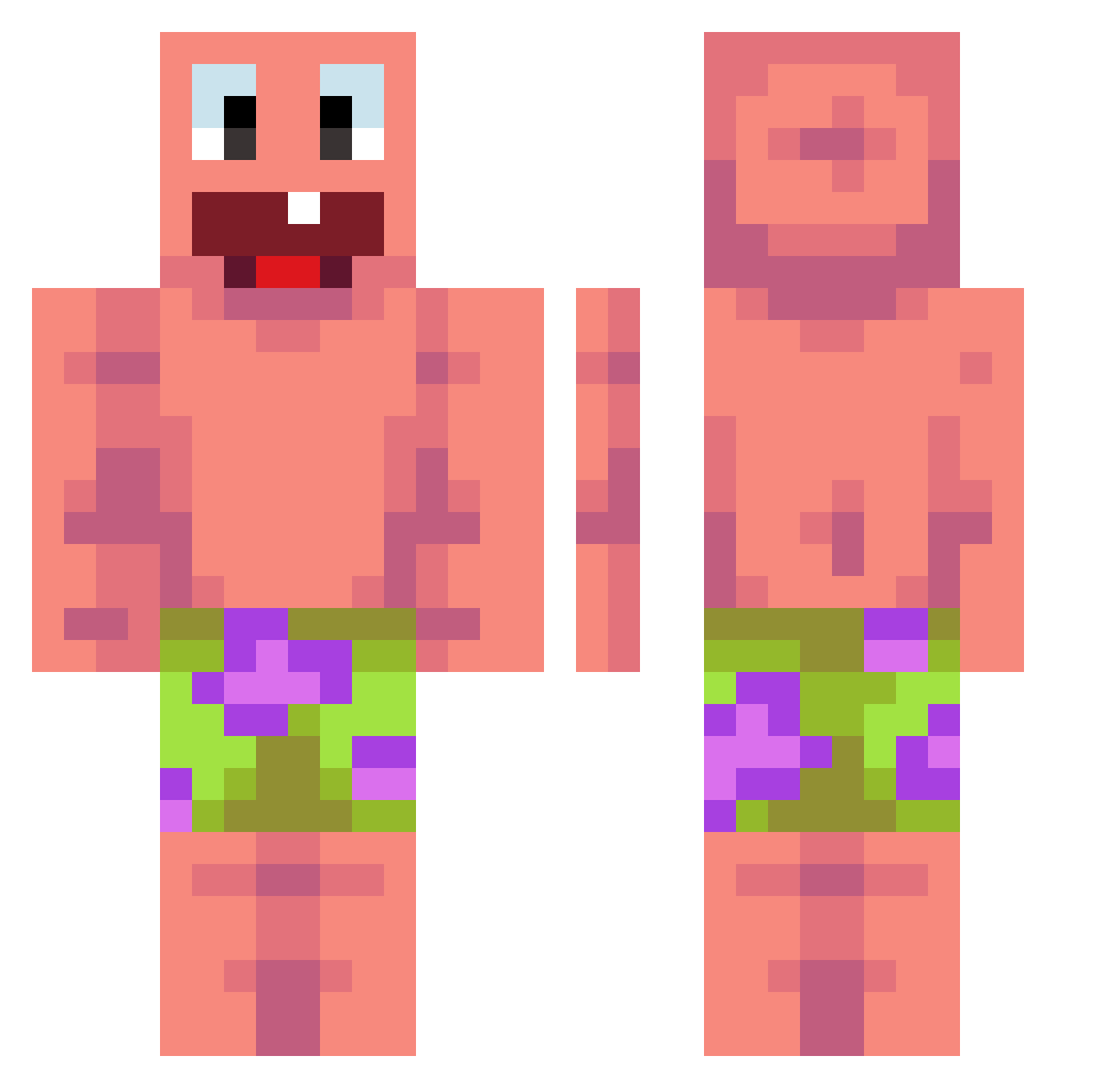
Other players with this skin (476)
JOYSTK was the 26th player we have seen with this skin, first spotted on 29.07.2026. The same skin was seen on these players. Open a nickname to see their current skin and skin history.
 punchyaneck0121 Pinghigh Cpas2LIA
 meret326 zaranoid Liamlol9012 BrissyStick ultimader MariusUG Jae_yeon
 farkle341 030101 z0mqiebun1 zimny5pro ANDYPUP RALLIRUSINA Banditdelamine98 abbadabba48 SH819ark CipherAspect sulene_ mandioca_frita san0ku_ Alpha6879 ImmortalCE ASDFGHJKL2476 EMILOPZLNYT Zillas3000 VANESAGOAT
 WOOJI0813 GHOSTPLAYA47 phoenix_darkhead HardFARDwick KornK Kax0z DemonMiron999 Hug_zip beboi5163 maxxmxlxan KANOON321 Datsatoilet739 LukaVuskovic ToyoToya SimoKrc Pave_jeppe 123Matysiak123 danielshi2525 CpYY PoopBoyFarti1556 Leirbag2209 MBXRicky Ducchino RyukShin60
 Domon2010 zDorian Dani12121 Phasesaber_ asalasas NutritionFacts3 yolofamalik1
More Patrick Star Minecraft skins
See all 646 Patrick Star skins
How to install the JOYSTK skin
- Press the Download button above to save the skin as a PNG file.
- Minecraft: Bedrock Edition (PE): open the Dressing Room from the main menu (or tap your character → Edit Character), go to Classic Skins → Owned, press the + (new skin) button, choose the downloaded PNG and pick the Classic (Steve) model. Works on PC and mobile; consoles cannot import custom skins.
- Minecraft: Java Edition: open the Minecraft Launcher, go to the Skins tab, click New Skin, load the PNG, pick the Classic (Steve) model and press Save & Use. You can also upload it at minecraft.net → Profile → Change Skin.
The skin does not show up after import - what should I do?
Restart Minecraft and open the Dressing Room again - imported skins sometimes appear only after a restart. Also make sure you selected the imported skin and picked the Classic (Steve) model.
Which model should I choose, Classic or Slim?
This skin is designed for the Classic (Steve) model. If you pick the wrong model, the arms of the skin will look stretched or squeezed.
Is the skin of JOYSTK free to download?
Yes. Press Download, save the PNG file and use it in Minecraft: Bedrock Edition or Java Edition - no payment or registration needed. The skin also works on multiplayer servers and Realms.
More skins
Looking for more? Go back to all Minecraft skins and check the top skins of the week, month and all time, or find any player's skin by nickname.