
JKohuth - Minecraft Skins & Skin History
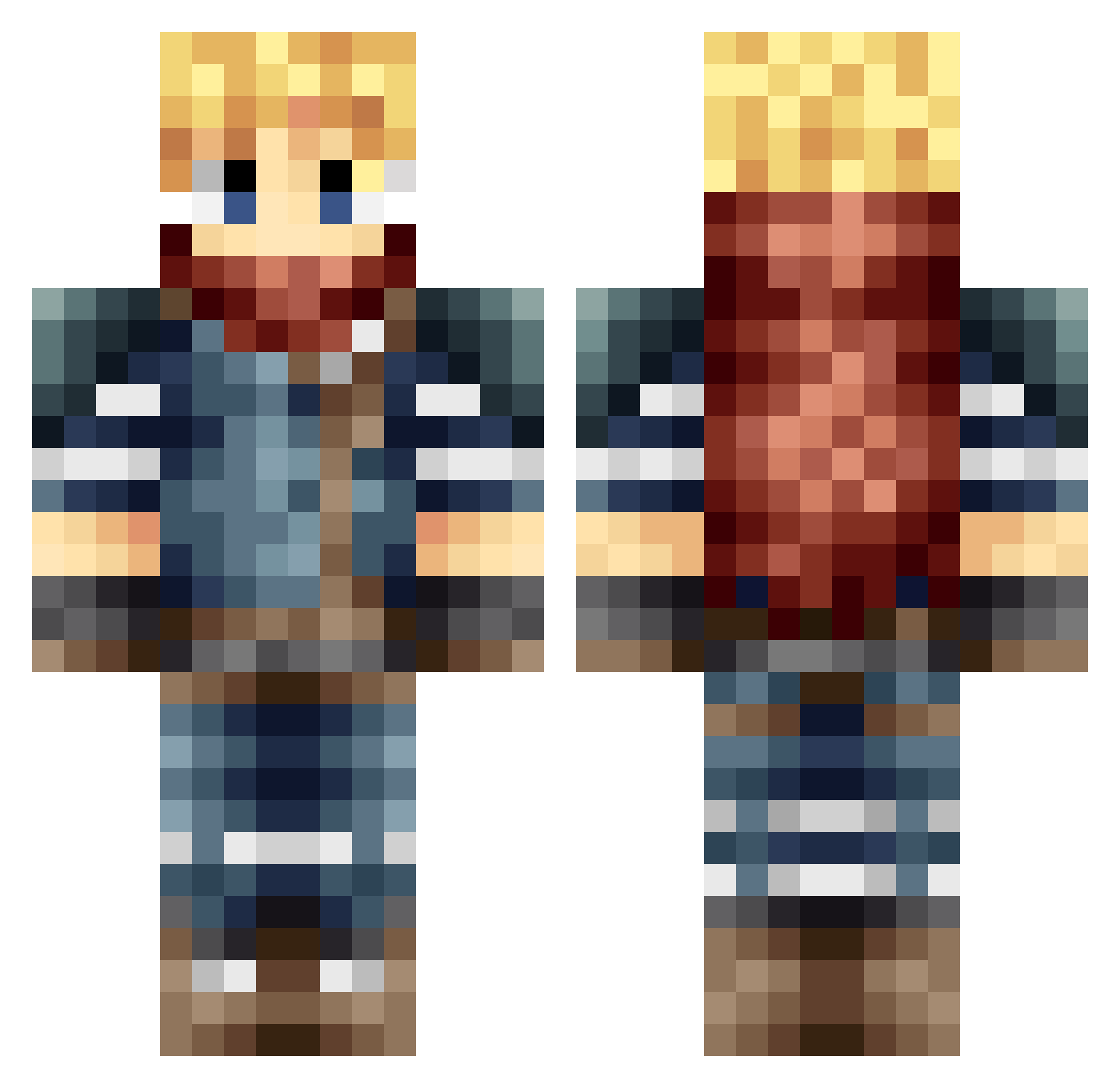
Current Minecraft skin of the player JKohuth, loaded from the official Mojang API. Rotate the 3D model with your mouse or finger, then download the skin as a PNG file and use it in Minecraft: Bedrock Edition or Java Edition for free. When JKohuth changes their skin, this page updates automatically and the old skin stays in the history below.
Other players with this skin (665)
JKohuth was the 47th player we have seen with this skin, first spotted on 02.08.2026. The same skin was seen on these players. Open a nickname to see their current skin and skin history.
 Froztken mistik11 ectal fRostPESTIS Eth3ria zef2003 Critineer SirRiceLord Dark_erth morganstoked bastian2690 gaby74 Malsoda sonicgon N30NShio Loulou769 cloudestiny killer_dinde Quit098 DAYZY88 Porkypick ImZura Myokymia GermanJames Melo42 jackmcbearsfan ChaosKeto drfhx xAyZn sfwatts06 Malax666 kubusisback robbielc61 Sloopysrock ATronx77 ReubDawg44 Droxzio Merkelmoore thelazyazian MiTBone LucassHamm InTenseGaming Aerinai Drakin192 zhunter_102 Alphanos TheMiinuko Necromancie Jrod311 Tanjiro34 Kano_26 System_Cache danmiau Chosokabe Dr_Wolf99 KillerAxe96 joejoe_bean pristinepanda69 Bolboa Taaddde
More Adventurer Minecraft skins
How to install the JKohuth skin
- Press the Download button above to save the skin as a PNG file.
- Minecraft: Bedrock Edition (PE): open the Dressing Room from the main menu (or tap your character → Edit Character), go to Classic Skins → Owned, press the + (new skin) button, choose the downloaded PNG and pick the Classic (Steve) model. Works on PC and mobile; consoles cannot import custom skins.
- Minecraft: Java Edition: open the Minecraft Launcher, go to the Skins tab, click New Skin, load the PNG, pick the Classic (Steve) model and press Save & Use. You can also upload it at minecraft.net → Profile → Change Skin.
The skin does not show up after import - what should I do?
Restart Minecraft and open the Dressing Room again - imported skins sometimes appear only after a restart. Also make sure you selected the imported skin and picked the Classic (Steve) model.
Which model should I choose, Classic or Slim?
This skin is designed for the Classic (Steve) model. If you pick the wrong model, the arms of the skin will look stretched or squeezed.
Is the skin of JKohuth free to download?
Yes. Press Download, save the PNG file and use it in Minecraft: Bedrock Edition or Java Edition - no payment or registration needed. The skin also works on multiplayer servers and Realms.
More skins
Looking for more? Go back to all Minecraft skins and check the top skins of the week, month and all time, or find any player's skin by nickname.