
JJRIERA - Minecraft Skins & Skin History
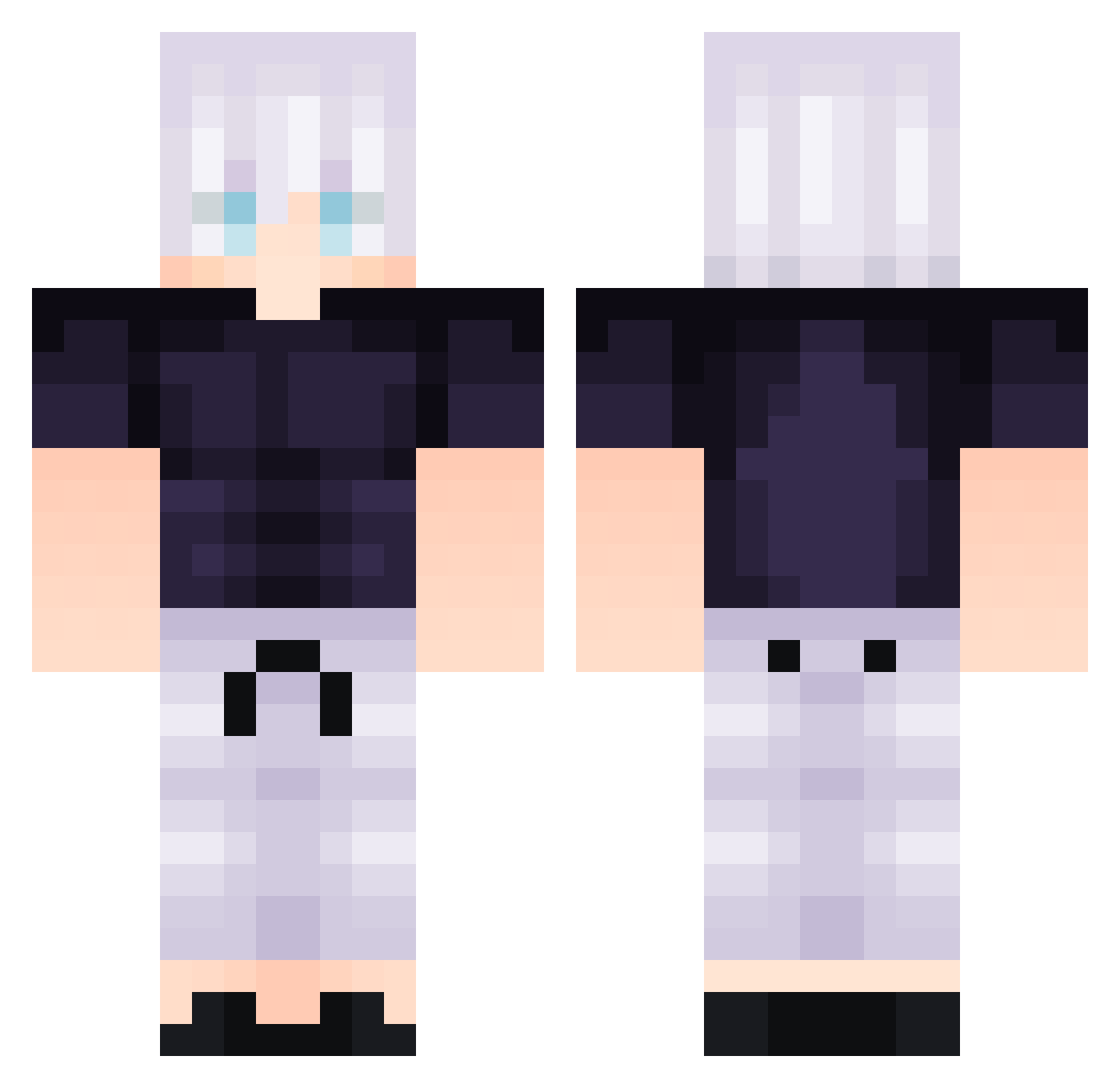
Current Minecraft skin of the player JJRIERA, loaded from the official Mojang API. Rotate the 3D model with your mouse or finger, then download the skin as a PNG file and use it in Minecraft: Bedrock Edition or Java Edition for free. When JJRIERA changes their skin, this page updates automatically and the old skin stays in the history below.
Other players with this skin (292)
JJRIERA was the 221st player we have seen with this skin, first spotted on 11.10.2026. The same skin was seen on these players. Open a nickname to see their current skin and skin history.
 SAMIGU_329 STGlowzz Naruto_9tail sicky_idk AnooneK firstguyar iLuvpekpek LuGuanGaoShou KOBAYASHI_SAMA amir_ssajang Polol60 Fr1sky__ BAUPIN AkifProMan xo6 Kesata Jugert3011 Pidgeotto123 Shadow060207 Tufaky Rowka coolbroz0 puttimate _Sancz_ Taiikou Soyunradiador Maxthedod XiangGuo AceJustFire Trigo222 ONMythos Im_Lety ArnieBro102 Eldragoestado xTzeRkA Starblade5 SpacePenguin99 HoppelHase07 Petchh llnadir Muryokushoo tr0627 Photpho triox1de Adri1110 jaketh3gre4t NewLing Monkie_0815 MugetsuS Malda_ pickleishere BangIm_ Praxxito Max_IsBestNoob kowhee Goka88 Hank_Zhuang clayfrostt MarlonPicante Cristherino
More Satoru Gojo Minecraft skins
See all 1317 Satoru Gojo skins
How to install the JJRIERA skin
- Press the Download button above to save the skin as a PNG file.
- Minecraft: Bedrock Edition (PE): open the Dressing Room from the main menu (or tap your character → Edit Character), go to Classic Skins → Owned, press the + (new skin) button, choose the downloaded PNG and pick the Classic (Steve) model. Works on PC and mobile; consoles cannot import custom skins.
- Minecraft: Java Edition: open the Minecraft Launcher, go to the Skins tab, click New Skin, load the PNG, pick the Classic (Steve) model and press Save & Use. You can also upload it at minecraft.net → Profile → Change Skin.
The skin does not show up after import - what should I do?
Restart Minecraft and open the Dressing Room again - imported skins sometimes appear only after a restart. Also make sure you selected the imported skin and picked the Classic (Steve) model.
Which model should I choose, Classic or Slim?
This skin is designed for the Classic (Steve) model. If you pick the wrong model, the arms of the skin will look stretched or squeezed.
Is the skin of JJRIERA free to download?
Yes. Press Download, save the PNG file and use it in Minecraft: Bedrock Edition or Java Edition - no payment or registration needed. The skin also works on multiplayer servers and Realms.
More skins
Looking for more? Go back to all Minecraft skins and check the top skins of the week, month and all time, or find any player's skin by nickname.