
JJMaybank1 - Minecraft Skins & Skin History
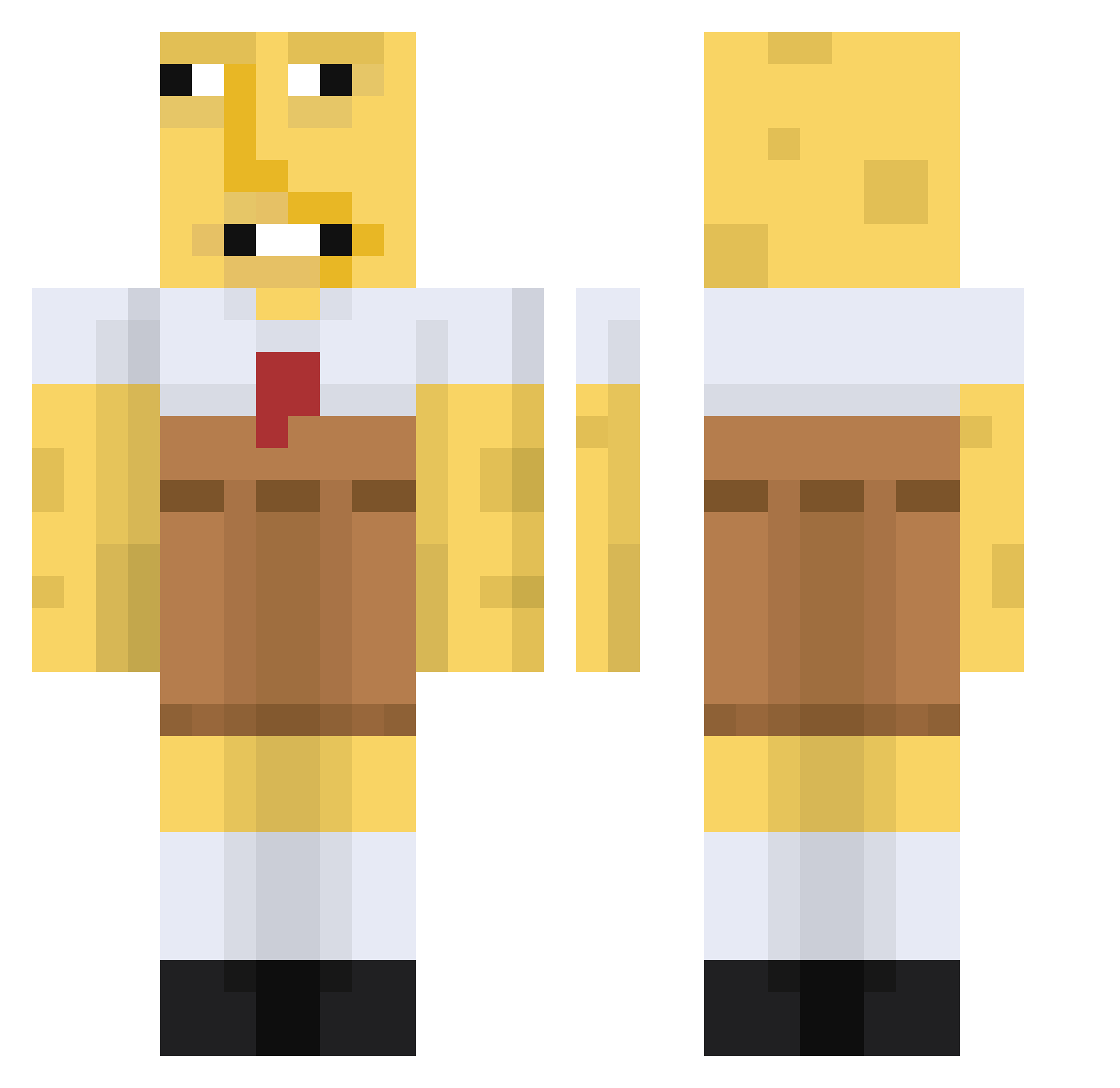
Current Minecraft skin of the player JJMaybank1, loaded from the official Mojang API. Rotate the 3D model with your mouse or finger, then download the skin as a PNG file and use it in Minecraft: Bedrock Edition or Java Edition for free. When JJMaybank1 changes their skin, this page updates automatically and the old skin stays in the history below.
Other players with this skin (648)
JJMaybank1 was the 399th player we have seen with this skin, first spotted on 28.09.2026. The same skin was seen on these players. Open a nickname to see their current skin and skin history.
 Kos_Royal MICHELINRENKAAT BlackoutBandito Tinglesss69 Nierxunn spettywap Killah395 erhl12 w1sc0 JuanPenudo brianlin0511 KeineAhnung__ Axiiton WeirdPudgyFace CxnTyler CalcetinConCaca tommards Brobs15 Andrizzlle dingus_goof CadenFarted Binlaggen22 ohmyguad Sportrakete10 Saggy4Skin Q_8O1Zx Hashtag_MeToo Azerkoz Dinners_POTA_ ZeeJay23 Lunavoxz carloslisardo BigSmallGnome harold_harold_ DannyDorit027 OkMadiOk DaddyCoops69 davidbgra Vasoline2020 AGNll AmazonBirch ch3rryzen Radeon989 oilybuttersock thresher_reef03 omegalazor SwipedFool SillySausage6969 Bongo99 SpikeLlamaInChat niaseng DoogMoth grilled_egg NyBarni08 coolboy32112 Saeweed redbarchetta53 b0ner_jones _IHZ_ GraceyG
More Spongebob Minecraft skins
How to install the JJMaybank1 skin
- Press the Download button above to save the skin as a PNG file.
- Minecraft: Bedrock Edition (PE): open the Dressing Room from the main menu (or tap your character → Edit Character), go to Classic Skins → Owned, press the + (new skin) button, choose the downloaded PNG and pick the Classic (Steve) model. Works on PC and mobile; consoles cannot import custom skins.
- Minecraft: Java Edition: open the Minecraft Launcher, go to the Skins tab, click New Skin, load the PNG, pick the Classic (Steve) model and press Save & Use. You can also upload it at minecraft.net → Profile → Change Skin.
The skin does not show up after import - what should I do?
Restart Minecraft and open the Dressing Room again - imported skins sometimes appear only after a restart. Also make sure you selected the imported skin and picked the Classic (Steve) model.
Which model should I choose, Classic or Slim?
This skin is designed for the Classic (Steve) model. If you pick the wrong model, the arms of the skin will look stretched or squeezed.
Is the skin of JJMaybank1 free to download?
Yes. Press Download, save the PNG file and use it in Minecraft: Bedrock Edition or Java Edition - no payment or registration needed. The skin also works on multiplayer servers and Realms.
More skins
Looking for more? Go back to all Minecraft skins and check the top skins of the week, month and all time, or find any player's skin by nickname.