
ItzSharkbait - Minecraft Skins & Skin History
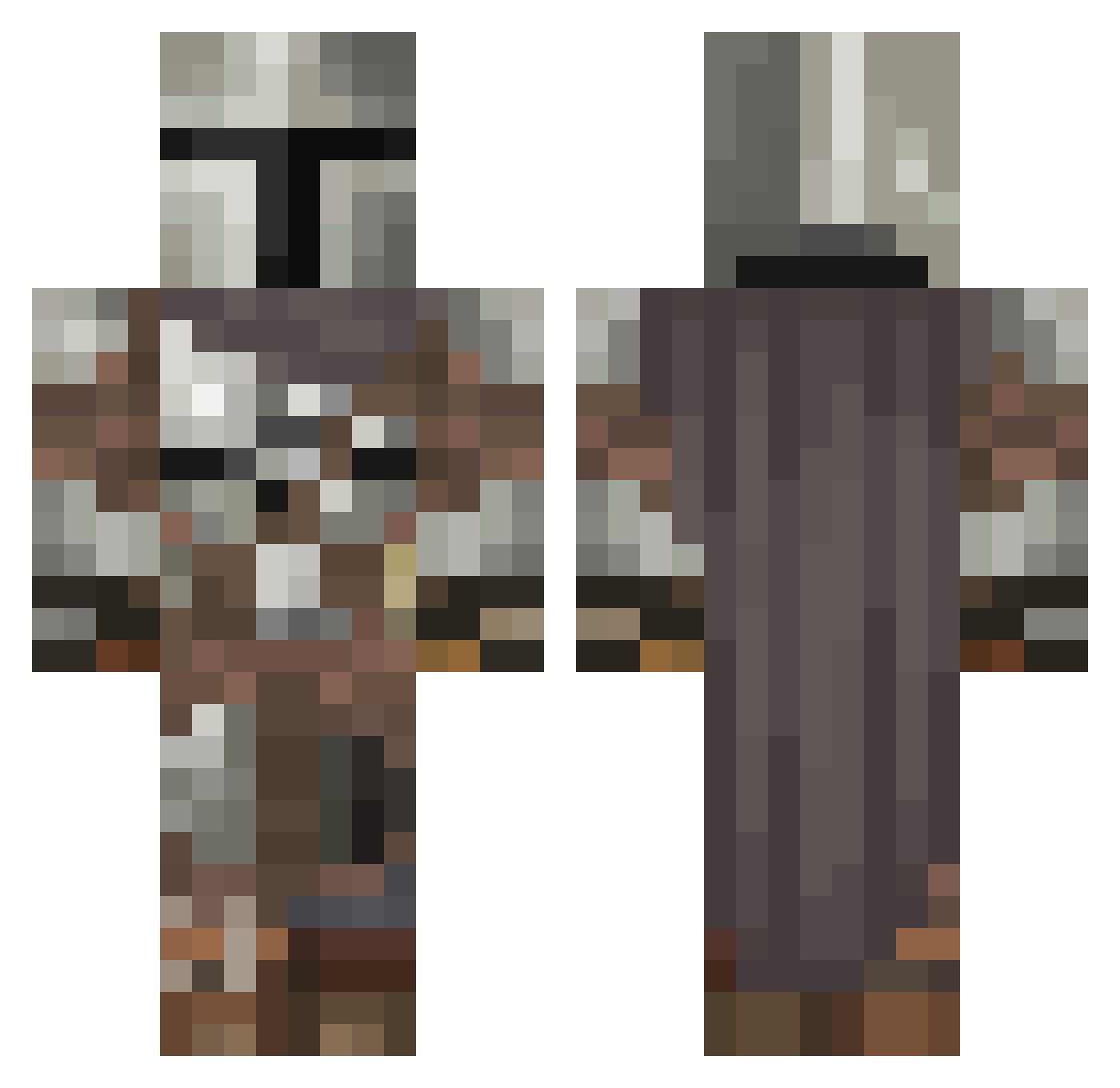
Current Minecraft skin of the player ItzSharkbait, loaded from the official Mojang API. Rotate the 3D model with your mouse or finger, then download the skin as a PNG file and use it in Minecraft: Bedrock Edition or Java Edition for free. When ItzSharkbait changes their skin, this page updates automatically and the old skin stays in the history below.
Other players with this skin (546)
ItzSharkbait was the 135th player we have seen with this skin, first spotted on 18.08.2026. The same skin was seen on these players. Open a nickname to see their current skin and skin history.
 NotCyn ThAtGUYvOnDy JFrost1986 Arkaren ELITE562 RockyPower lukiespookie747 cyotas XxAsesinaogtsxX ZeroGlasses Zedaron HeyJointed420 gtosh4 FaZeTimster StorFedSlange gormtheold198 jowens1016 Zleepymonkey Smorcington m_cus 420Nickelback666 Vyntige Zeinlar Rogol13 J3lue NotVirgo LeBeefaroni96 Avenal rachel_heron Scamotron Rombot_77 John1921 Smile_octopus angler24_7 ___Flames___ SKIRADOR prjoe Balanced_32 watts223 Grogu_69 chl0r0phyll TxR_InFiNiTy Dansander YouUghLee Epic_Miner1 Elsecaller_ FirmaFahrerFog WirePulledWolf ElPacho117 GoldenDragon31 Goischd Winnieigor finessepizza Nein_99 SuperSucculent miserychick22 Oberlord69 ElFave Seppel347 instructful
More The Mandalorian Minecraft skins
See all 591 The Mandalorian skins
How to install the ItzSharkbait skin
- Press the Download button above to save the skin as a PNG file.
- Minecraft: Bedrock Edition (PE): open the Dressing Room from the main menu (or tap your character → Edit Character), go to Classic Skins → Owned, press the + (new skin) button, choose the downloaded PNG and pick the Classic (Steve) model. Works on PC and mobile; consoles cannot import custom skins.
- Minecraft: Java Edition: open the Minecraft Launcher, go to the Skins tab, click New Skin, load the PNG, pick the Classic (Steve) model and press Save & Use. You can also upload it at minecraft.net → Profile → Change Skin.
The skin does not show up after import - what should I do?
Restart Minecraft and open the Dressing Room again - imported skins sometimes appear only after a restart. Also make sure you selected the imported skin and picked the Classic (Steve) model.
Which model should I choose, Classic or Slim?
This skin is designed for the Classic (Steve) model. If you pick the wrong model, the arms of the skin will look stretched or squeezed.
Is the skin of ItzSharkbait free to download?
Yes. Press Download, save the PNG file and use it in Minecraft: Bedrock Edition or Java Edition - no payment or registration needed. The skin also works on multiplayer servers and Realms.
More skins
Looking for more? Go back to all Minecraft skins and check the top skins of the week, month and all time, or find any player's skin by nickname.