
ItzKenzyMC - Minecraft Skins & Skin History
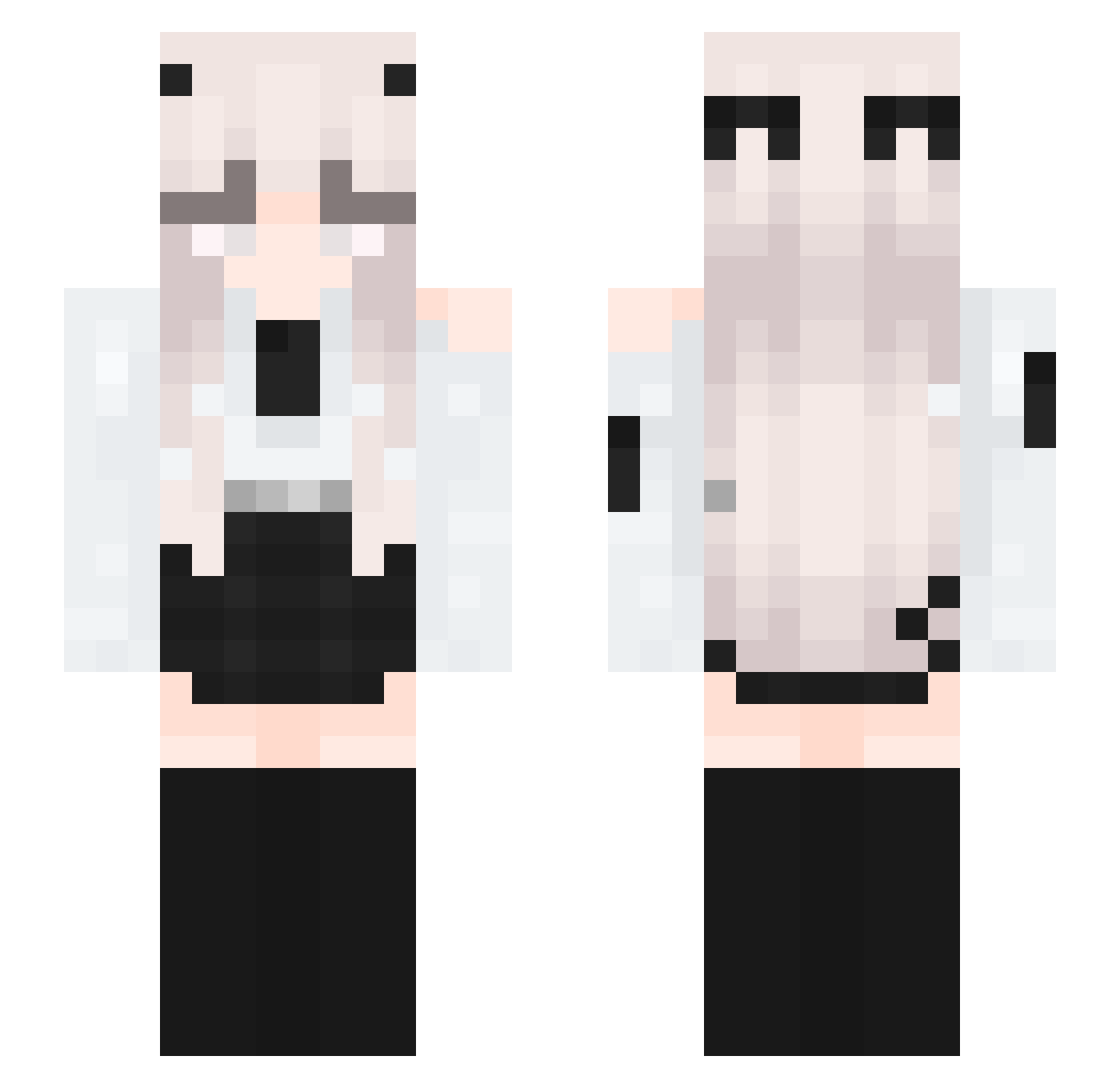
Current Minecraft skin of the player ItzKenzyMC, loaded from the official Mojang API. Rotate the 3D model with your mouse or finger, then download the skin as a PNG file and use it in Minecraft: Bedrock Edition or Java Edition for free. When ItzKenzyMC changes their skin, this page updates automatically and the old skin stays in the history below.
Other players with this skin (401)
ItzKenzyMC was the 379th player we have seen with this skin, first spotted on 13.11.2026. The same skin was seen on these players. Open a nickname to see their current skin and skin history.
 GoodLava92 emeraid1 ItzAshhMC_ daitouyull KristofferKudsk Yuna_Demi LitWis Mo_Shi_Huai_Li Shy420 joowon1406 RngIs4Myth Janaovo C0ralz WhiteThrone DuskyHarrr Eternal415 opraxity MagicCape thor41 aileenxsp lemon_101119 StepBroDoke Cilanide kweknc Tenshi12 The_JiuLi Yoshiko2 meowcey Xavonixx SpookiGlitch Legacy_Builder Jazboii_gamer Lilia_exe Lekai1020 Blackaria kingjinxy Gaming_Princess8 Elevona Yessiii_gamer fse790 juha616 chukyul yukiluvz frigo20 UyzaU eimyvelasco123 GhostlyKal JasonEagle AuraNyth ViktoriaSprin Hayeon1543 GxMorvx croiii BugerHunter Athena_15 WhiteMoonCat destroykid Dexterekk_ kitykity Alkin_Cher
More Horns Minecraft skins
How to install the ItzKenzyMC skin
- Press the Download button above to save the skin as a PNG file.
- Minecraft: Bedrock Edition (PE): open the Dressing Room from the main menu (or tap your character → Edit Character), go to Classic Skins → Owned, press the + (new skin) button, choose the downloaded PNG and pick the Slim (Alex) model. Works on PC and mobile; consoles cannot import custom skins.
- Minecraft: Java Edition: open the Minecraft Launcher, go to the Skins tab, click New Skin, load the PNG, pick the Slim (Alex) model and press Save & Use. You can also upload it at minecraft.net → Profile → Change Skin.
The skin does not show up after import - what should I do?
Restart Minecraft and open the Dressing Room again - imported skins sometimes appear only after a restart. Also make sure you selected the imported skin and picked the Slim (Alex) model.
Which model should I choose, Classic or Slim?
This skin is designed for the Slim (Alex) model. If you pick the wrong model, the arms of the skin will look stretched or squeezed.
Is the skin of ItzKenzyMC free to download?
Yes. Press Download, save the PNG file and use it in Minecraft: Bedrock Edition or Java Edition - no payment or registration needed. The skin also works on multiplayer servers and Realms.
More skins
Looking for more? Go back to all Minecraft skins and check the top skins of the week, month and all time, or find any player's skin by nickname.