
ItsSmokeyHD - Minecraft Skins & Skin History
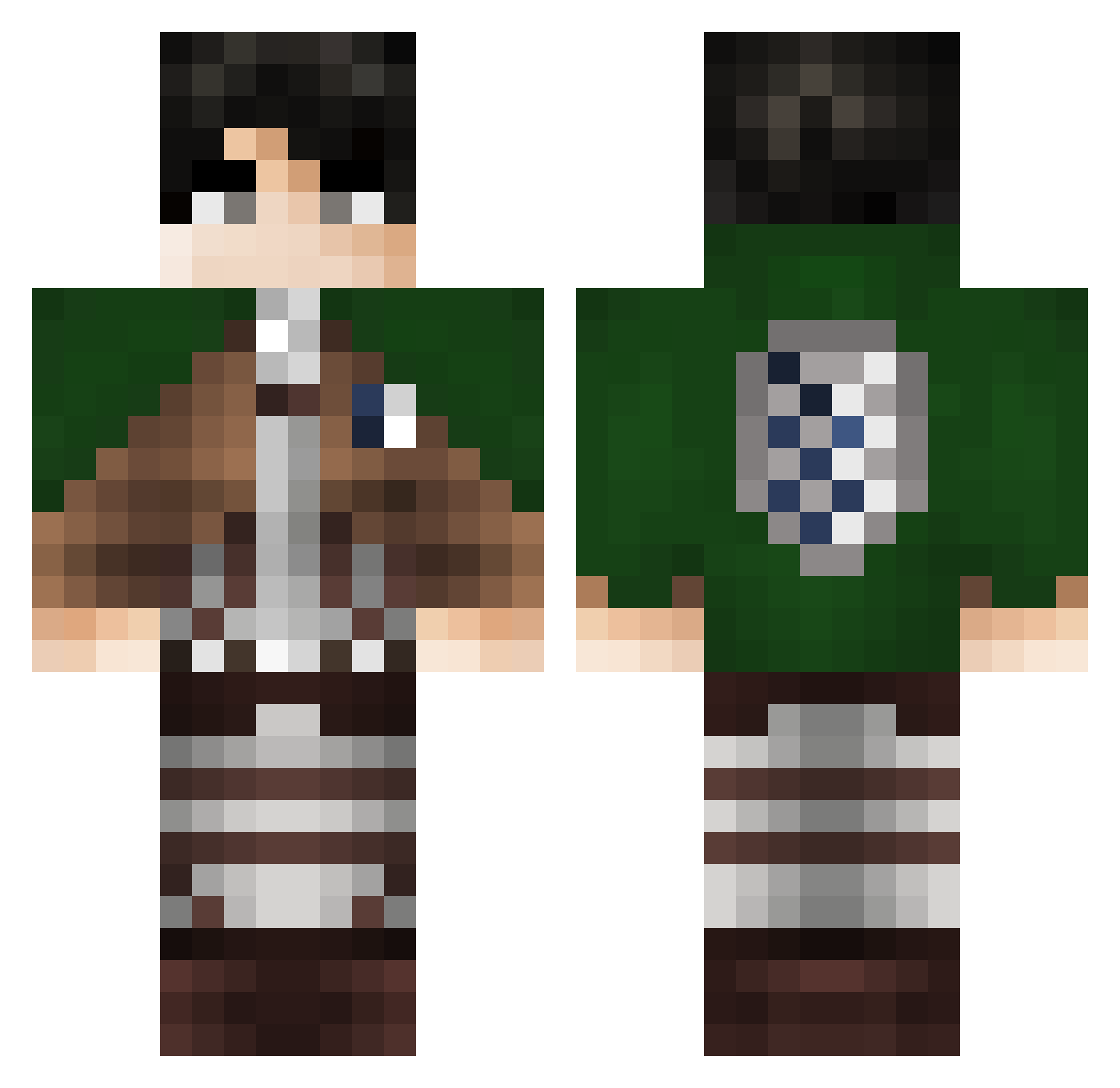
Current Minecraft skin of the player ItsSmokeyHD, loaded from the official Mojang API. Rotate the 3D model with your mouse or finger, then download the skin as a PNG file and use it in Minecraft: Bedrock Edition or Java Edition for free. When ItsSmokeyHD changes their skin, this page updates automatically and the old skin stays in the history below.
Other players with this skin (299)
ItsSmokeyHD was the 271st player we have seen with this skin, first spotted on 18.10.2026. The same skin was seen on these players. Open a nickname to see their current skin and skin history.
 The_Captain_LOF h2li TenshyMc Zyfkje Seb_PG Tzzer SunnyGV16 gierkort0 chompchomp699 rdzadaX ZeromediX RRRRsen absorption Simonacci VasalPL Dimitry_TVo Feeersz RickQuelloVero Hahaha253 xb5yi zMath12 hekang4 Ghosty1313 jane_mat DabiYtm Z_mhes AbyssTP icecream512 Ukranic Zaddy3000 Sikkko Ababil Filippo_ali Vin_1OO charizardsiou FlowTeKkk ForeskiinG GradyFox9 JK8497 khl328 Romulalius Gabrl1to DerwahreSrali Stealth82 theramaMC guizaowga Zarbi7474 rubber_chuck SiDaTianWang YaOk833 InoskeYA luckthebest7 mk45_ Cerealex Kraceo nfisham Tuam3 ojanku WugMonster PreicoXD
Previous skins of ItsSmokeyHD
Skins that ItsSmokeyHD wore before, newest first. Click a skin to open its page and download it.
More Levi Ackerman Minecraft skins
See all 174 Levi Ackerman skins
How to install the ItsSmokeyHD skin
- Press the Download button above to save the skin as a PNG file.
- Minecraft: Bedrock Edition (PE): open the Dressing Room from the main menu (or tap your character → Edit Character), go to Classic Skins → Owned, press the + (new skin) button, choose the downloaded PNG and pick the Classic (Steve) model. Works on PC and mobile; consoles cannot import custom skins.
- Minecraft: Java Edition: open the Minecraft Launcher, go to the Skins tab, click New Skin, load the PNG, pick the Classic (Steve) model and press Save & Use. You can also upload it at minecraft.net → Profile → Change Skin.
The skin does not show up after import - what should I do?
Restart Minecraft and open the Dressing Room again - imported skins sometimes appear only after a restart. Also make sure you selected the imported skin and picked the Classic (Steve) model.
Which model should I choose, Classic or Slim?
This skin is designed for the Classic (Steve) model. If you pick the wrong model, the arms of the skin will look stretched or squeezed.
Is the skin of ItsSmokeyHD free to download?
Yes. Press Download, save the PNG file and use it in Minecraft: Bedrock Edition or Java Edition - no payment or registration needed. The skin also works on multiplayer servers and Realms.
More skins
Looking for more? Go back to all Minecraft skins and check the top skins of the week, month and all time, or find any player's skin by nickname.