
InfinitySmith - Minecraft Skins & Skin History
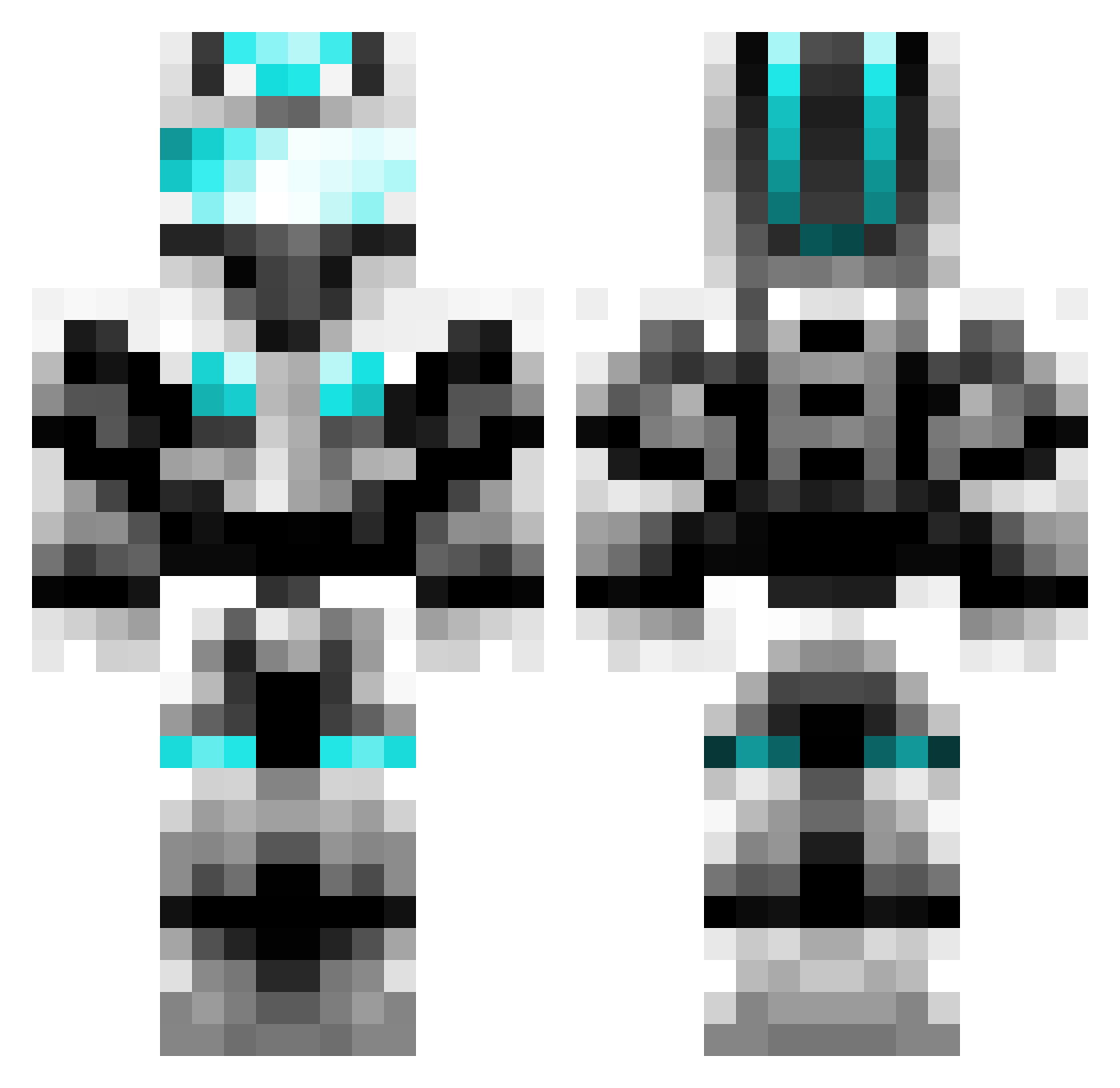
Current Minecraft skin of the player InfinitySmith, loaded from the official Mojang API. Rotate the 3D model with your mouse or finger, then download the skin as a PNG file and use it in Minecraft: Bedrock Edition or Java Edition for free. When InfinitySmith changes their skin, this page updates automatically and the old skin stays in the history below.
Other players with this skin (599)
InfinitySmith was the 107th player we have seen with this skin, first spotted on 13.08.2026. The same skin was seen on these players. Open a nickname to see their current skin and skin history.
 qwerty_mann Losrel Jako2000 jakehayes12 Thomps02 Faroner NyssaBoyz Tristanator97 AngelCardozo ACutePoro thijsie2100 trancemeow iRTurtul Fighter0228 eezru1 GABE2933 Elmn44 Alexawesome111 Hasan0702 smartrob dragon_ying kiddos3 techwizmatt AdrianG11 soccer_freak44 SMJAlex WieGehts2011 anthony025453 Shadow8362 Oblivion7889 Scylle Kyle_Steen Levend12 Zeorus ThaCleanKilla Zaticc BlueBaaron anth_p123 Jonboymt techboy0124 Multidanni2013 createrkevin pommy25 Mark9874 nuthin_but_net Leines27 t3chg33k Random0541 Millze1997 IceManSwag creeper__9 Ludvig_2000 canadakai GeniusMnMKing101 RGuard gotee1 SammyGangster BrayBray_999 dumbrill Johnstaal
More Cyber Soldier Minecraft skins
See all 43 Cyber Soldier skins
How to install the InfinitySmith skin
- Press the Download button above to save the skin as a PNG file.
- Minecraft: Bedrock Edition (PE): open the Dressing Room from the main menu (or tap your character → Edit Character), go to Classic Skins → Owned, press the + (new skin) button, choose the downloaded PNG and pick the Classic (Steve) model. Works on PC and mobile; consoles cannot import custom skins.
- Minecraft: Java Edition: open the Minecraft Launcher, go to the Skins tab, click New Skin, load the PNG, pick the Classic (Steve) model and press Save & Use. You can also upload it at minecraft.net → Profile → Change Skin.
The skin does not show up after import - what should I do?
Restart Minecraft and open the Dressing Room again - imported skins sometimes appear only after a restart. Also make sure you selected the imported skin and picked the Classic (Steve) model.
Which model should I choose, Classic or Slim?
This skin is designed for the Classic (Steve) model. If you pick the wrong model, the arms of the skin will look stretched or squeezed.
Is the skin of InfinitySmith free to download?
Yes. Press Download, save the PNG file and use it in Minecraft: Bedrock Edition or Java Edition - no payment or registration needed. The skin also works on multiplayer servers and Realms.
More skins
Looking for more? Go back to all Minecraft skins and check the top skins of the week, month and all time, or find any player's skin by nickname.