
IncompetentRosie - Minecraft Skins & Skin History
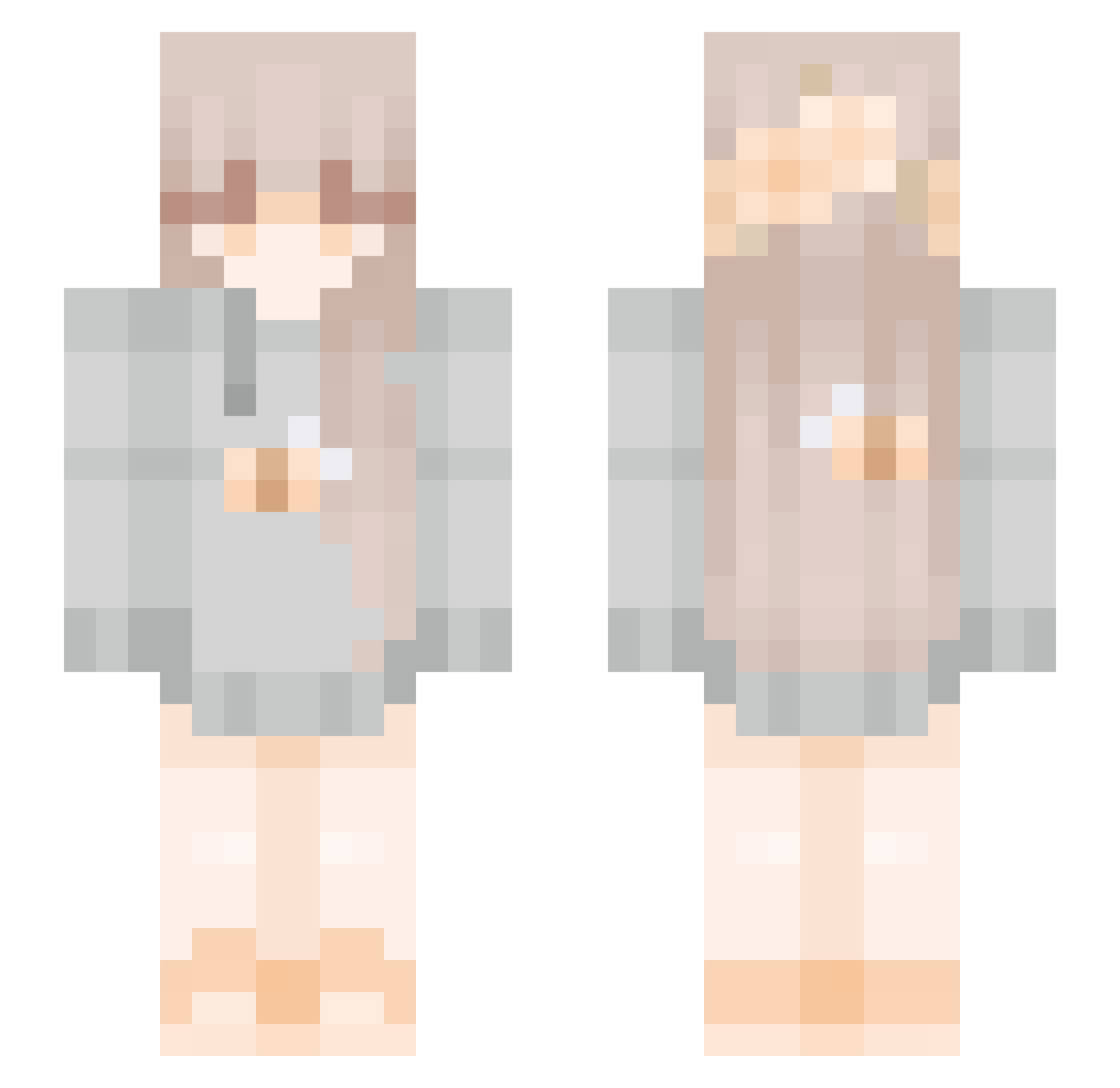
Current Minecraft skin of the player IncompetentRosie, loaded from the official Mojang API. Rotate the 3D model with your mouse or finger, then download the skin as a PNG file and use it in Minecraft: Bedrock Edition or Java Edition for free. When IncompetentRosie changes their skin, this page updates automatically and the old skin stays in the history below.
Other players with this skin (272)
IncompetentRosie was the 97th player we have seen with this skin, first spotted on 11.09.2026. The same skin was seen on these players. Open a nickname to see their current skin and skin history.
 Rackarian yaeltis SgtPoint Salyxxlou BlueberryBear787 mareadorr jdach imduckyy_ Shossanna SyuuGod w0lftamerr Amethystsss thisminefield xsendon PT_Luck Violett3003 Meiilin_ alvastahl thatsmysprout Moondeins obeanwankenobi y0bella Syrupmapple v_403_v LuisasWelt neravika Beesy_ MeowClientVictim Niconomz kenzissad NeforeLove Hollywud29 webpaigeee Westspirit2 StadiumArcadium alli_um Jora38 NekoSakura233 Fyshing xx_saku_xx MaelleG00 cloudvtii LazyBunny12 YellowSummer561 Lubylu10 PotatoLustere Hgunton acchan0222 FrenchieLover REMEMBER_YOU Valkiirae SugarBee_ KarlaCutie ChayOkLove MrsTeasty dandelionswirl Atokonoke awggiie AzaleaLeaves Circaa__
More Bee Minecraft skins
How to install the IncompetentRosie skin
- Press the Download button above to save the skin as a PNG file.
- Minecraft: Bedrock Edition (PE): open the Dressing Room from the main menu (or tap your character → Edit Character), go to Classic Skins → Owned, press the + (new skin) button, choose the downloaded PNG and pick the Slim (Alex) model. Works on PC and mobile; consoles cannot import custom skins.
- Minecraft: Java Edition: open the Minecraft Launcher, go to the Skins tab, click New Skin, load the PNG, pick the Slim (Alex) model and press Save & Use. You can also upload it at minecraft.net → Profile → Change Skin.
The skin does not show up after import - what should I do?
Restart Minecraft and open the Dressing Room again - imported skins sometimes appear only after a restart. Also make sure you selected the imported skin and picked the Slim (Alex) model.
Which model should I choose, Classic or Slim?
This skin is designed for the Slim (Alex) model. If you pick the wrong model, the arms of the skin will look stretched or squeezed.
Is the skin of IncompetentRosie free to download?
Yes. Press Download, save the PNG file and use it in Minecraft: Bedrock Edition or Java Edition - no payment or registration needed. The skin also works on multiplayer servers and Realms.
More skins
Looking for more? Go back to all Minecraft skins and check the top skins of the week, month and all time, or find any player's skin by nickname.